Free script
Azure Backup audit
See what your Azure Backup setup is hiding
Find VMs without Azure Backup protection, unused policies, and the resources behind your backup costs.
Already ran it? Get your receipt →
What the audit checks
See what needs a closer look
01
Protection
Protected resources
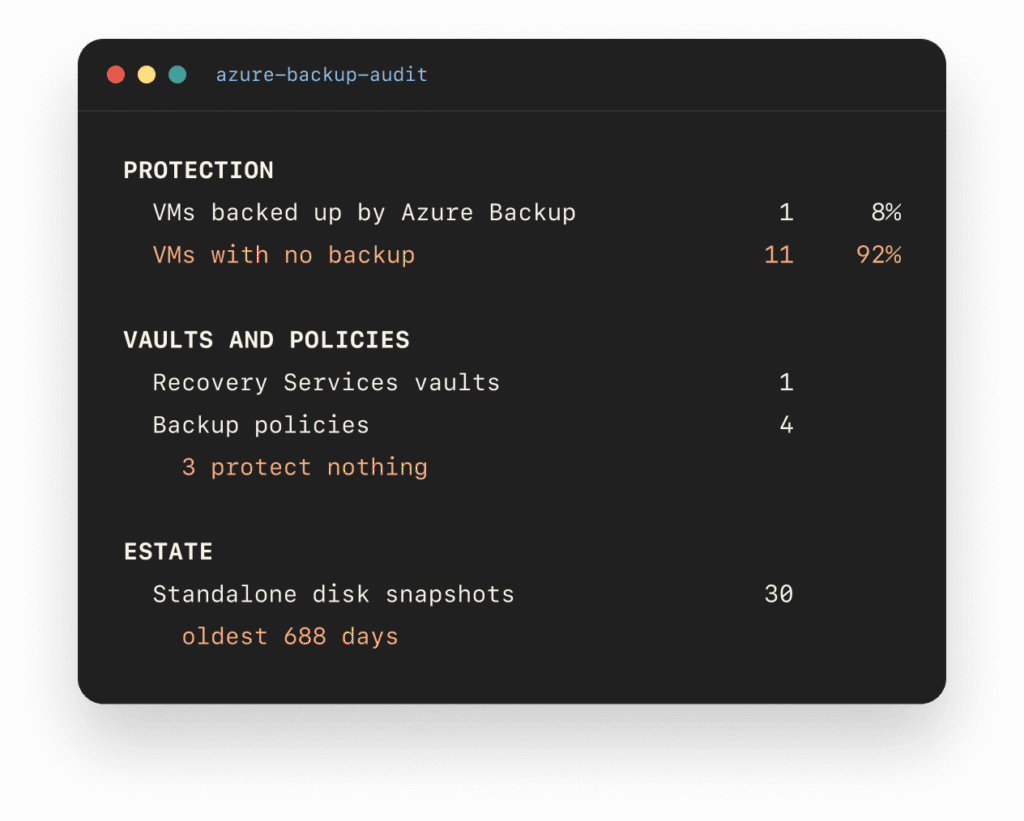
Which VMs have no Azure Backup protection?
02
Management
Vaults and policies
How many vaults and unused policies have accumulated?
03
Estate
Backup cost audit
What does the audit estimate at list prices?
What it counts
- VMs with no Azure Backup item, and how many of those carry your prod tag
- Recovery Services vaults and Backup vaults, and the regions they sit in
- Policies no backup item points to, and policies that repeat another one
- Failed jobs in the last 14 days, and items stopped with data still retained
- Unattached disks and standalone snapshots, with the age of the oldest
- Whether your vaults send anything to Log Analytics for Backup Reports
- Protected-instance fees, SQL-in-VM fees and vault storage at Azure list price
What it never sends
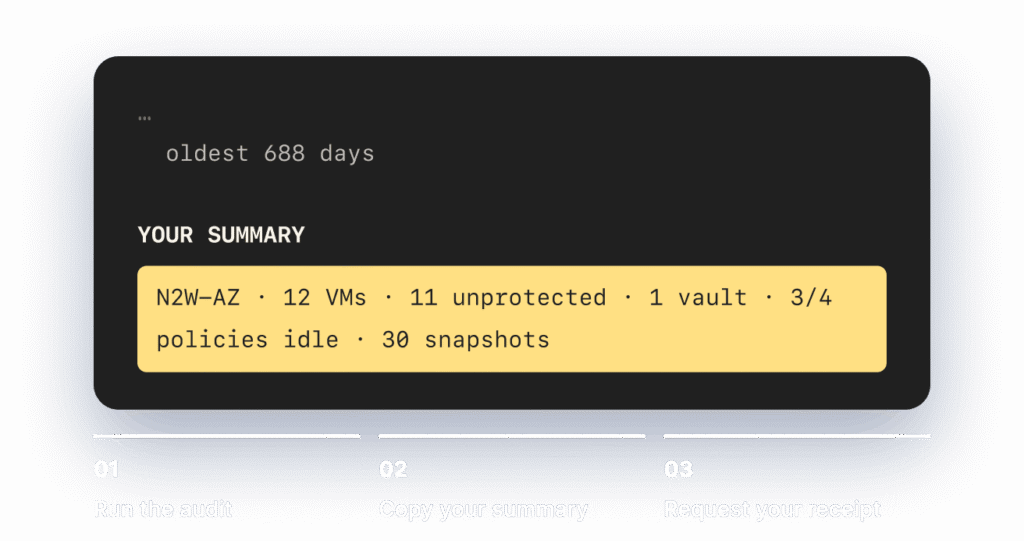
- No VM names, subscription IDs, tenant ID or resource names in the summary line
- No calls to N2W. The script talks to Azure Resource Graph and the public Azure Retail Prices API
- No changes in Azure. Reader is enough and nothing is created
- The CSVs the script writes stay on your machine
The code is open. Read it before you run it:
The Next step
Run the script then get the insights.
After the audit runs, use the summary to get an itemized receipt with your findings, estimated costs, and potential savings with N2W.
Cost estimates depend on the audit’s scope and assumptions. No Azure Backup protection does not necessarily mean a VM is unprotected by another tool.