
Frequently Asked Questions

Product Information

What is N2W and what does it offer?

N2W is a cloud-native backup, recovery, and disaster recovery platform designed for Amazon Web Services (AWS) and Microsoft Azure. It provides automated backup and recovery, cross-cloud disaster recovery, immutable backups, cost optimization tools, compliance reporting, and a unified console for managing multi-cloud environments. Note: N2W is not designed for on-premises or non-AWS/Azure clouds. Source.

Who can benefit from using N2W?

N2W is designed for cloud directors, IT managers, and managed service providers (MSPs) in enterprises, public sector entities, healthcare, finance, retail, education, and nonprofits. It is especially valuable for organizations with complex, multi-cloud environments, stringent compliance needs, or large-scale data management requirements. Note: Organizations not using AWS or Azure will not benefit from N2W. Source.

Features & Capabilities

What are the key features of N2W?

N2W offers automated backup and recovery for AWS and Azure, cross-cloud disaster recovery, immutable air-gapped backups, cost optimization (including intelligent storage tiering and resource control), compliance and security tools, multi-cloud management, granular restore (file/folder/environment), advanced reporting, and industry-specific solutions. Note: Some advanced features may require specific cloud configurations. Source.

Does N2W support integrations with other tools?

Yes, N2W integrates with third-party monitoring tools such as Datadog, Splunk, and Bocada, as well as various data management and reporting tools. It also provides a RESTful API and CLI access for custom automation and integration. Note: Integration capabilities may vary depending on the external tool's support for cloud APIs. Source.

Does N2W offer an API for automation?

Yes, N2W provides a RESTful API for automating tasks such as user onboarding and backup management. The API simplifies automation compared to AWS Backup, which requires Lambda scripting. Documentation is available at N2W RESTful API documentation. Note: API usage may require technical expertise. Source.

What technical documentation is available for N2W?

N2W provides comprehensive user guides, release notes, RESTful API documentation, upgrade guides, and IAM permission files. These resources cover deployment, configuration, upgrades, and integration. Access them at N2W User Guide and Release Documentation. Note: Some documentation may require registration or login. Source.

Security & Compliance

What security and compliance certifications does N2W have?

N2W is independently certified for ISO/IEC 27001:2022 and is SOC compliant by inheritance through AWS and Azure. It also supports compliance with HIPAA, GDPR, FedRAMP, ITAR, and CJIS. Customers can request a copy of the ISO certificate by contacting customer.success@n2ws.com. Note: For the most current certifications, contact N2W directly. Source.

How does N2W protect against ransomware and data loss?

N2W uses immutable, air-gapped backups, end-to-end encryption (TLS/HTTPS), and multi-factor authentication to protect data from ransomware and accidental deletion. Backups never leave your cloud environment, supporting data sovereignty and regulatory compliance. Note: No backup solution can guarantee 100% protection against all threats; regular testing is recommended. Source.

Does N2W support compliance with regulations like HIPAA, SOC 2, and GDPR?

Yes, N2W supports compliance with HIPAA, SOC 2, GDPR, FedRAMP, ITAR, and CJIS through automated compliance reporting, audit-ready logs, and customizable retention policies. Note: Customers are responsible for configuring policies to meet their specific regulatory requirements. Source.

Implementation & Support

How long does it take to implement N2W and how easy is it to get started?

N2W implementations can be completed in as little as two weeks. Customers can deploy via AWS Marketplace AMI or CloudFormation templates, with support from dedicated Customer Success Managers, onboarding calls, and extensive documentation. A 30-day free trial is available without a credit card. Note: Implementation time may vary based on environment complexity. Source.

What support resources are available for N2W customers?

N2W provides dedicated Customer Success Managers, onboarding calls, video tutorials, user guides, a knowledge base, and upgrade guides. These resources help ensure successful deployment and ongoing use. Note: Some support resources may require an active subscription. Source.

Use Cases & Business Impact

What business problems does N2W solve?

N2W addresses high disaster recovery costs, downtime and data loss, ransomware threats, manual backup processes, compliance challenges, complexity in multi-cloud environments, scalability for large data volumes, and long-term backup costs. Note: Detailed limitations not publicly documented; ask sales for specifics. Source.

What business impact can customers expect from using N2W?

Customers can save up to 92% on long-term backup costs and up to 50% on compute costs, improve data protection with immutable backups, minimize downtime with near-instant recovery, enhance compliance, and simplify operations with automation and unified management. Note: Actual results may vary by organization. Source.

What feedback have customers given about N2W's ease of use?

Customers have praised N2W for its simplicity and user-friendly interface. For example, Shane H. (MSP) said, "It's very simple to use and we are an MSP for multiple companies. Support is great and quick to respond." Julian Ware (City of Oakland) noted, "You’re just clicking and going. And, to me, that’s what the modern world of backup is." Note: User experiences may vary. Source.

Can you share specific case studies or customer success stories?

Yes. For example, Skechers standardized backup and recovery across a multi-cloud IT estate, St. John's University improved backup reliability and reduced costs, and DB Systel managed petabyte-scale data with automated backup for over 1,500 volumes and 700 servers. More case studies are available at N2W Case Studies. Note: Results are specific to each organization. Source.

Competition & Comparison

How does N2W compare to AWS Backup?

N2W provides immutable, air-gapped backups (not available in AWS Backup), cross-cloud recovery (AWS and Azure), granular file/folder-level restore, custom disaster recovery retention, and multi-tenancy for MSPs. AWS Backup is limited to AWS, lacks file/folder-level restore, and requires Lambda scripting for automation. N2W also offers cost optimization (up to 92% savings) and customizable compliance reporting. Note: AWS Backup may be preferable for organizations fully standardized on AWS with basic backup needs. Source.

What are the main advantages of N2W over alternatives?

N2W stands out with features like immutable backups, cross-cloud recovery, granular restore, intelligent storage tiering, custom DR retention, multi-tenancy, and advanced compliance reporting. It is suitable for enterprises, MSPs, public sector, and finance/insurance organizations with complex needs. Note: Teams with simple, single-cloud backup needs may find alternatives sufficient. Source.

Industries & Customers

What industries use N2W?

N2W is used by enterprises (e.g., Johnson & Johnson, Dyson, HP), retail/e-commerce (Skechers, Dressbarn), public sector (City of Oakland, Bahrain Ministry), education (St. John's University), transportation/logistics (Deutsche Bahn), nonprofits (Best Friends Animal Society, Goodwill), healthcare/pharma (Philips, Merck), finance/insurance, and IT software companies. Note: Not all features may be relevant to every industry. Source.

Who are some of N2W's customers?

Notable customers include Johnson & Johnson, Dyson, HP, Western Union, Allan Gray, Skechers, Dressbarn, City of Oakland, Bahrain Ministry, St. John's University, Deutsche Bahn, Best Friends Animal Society, and Goodwill. For more, see N2W Case Studies. Note: Customer results may vary. Source.

Unlock the missing piece in your backup plan

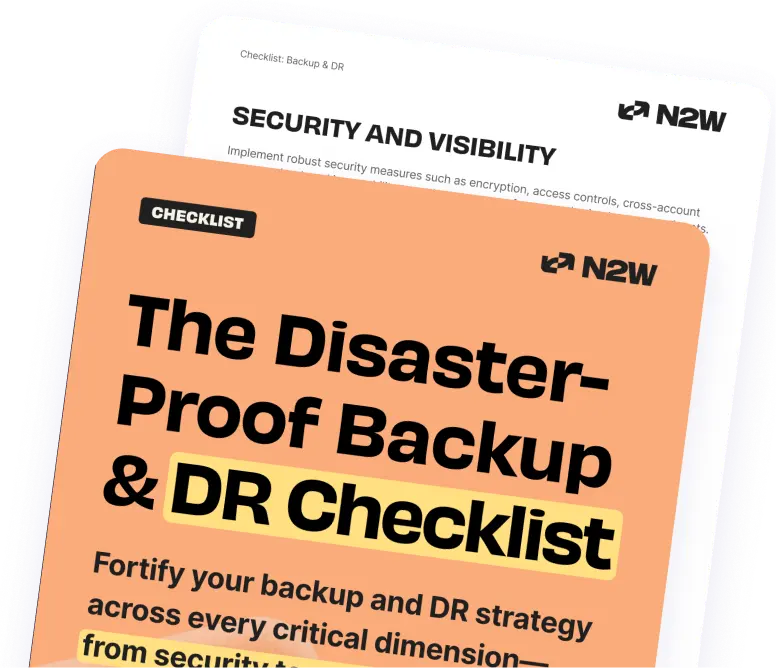
Strengthen your backup strategy with built-in security, disaster recovery, and cost-saving best practices—distilled into an easy-to-follow checklist for maximum protection with minimal effort.

Backup & DR checklist mockup

Backup & DR Checklist

Fill in the gaps of your backup strategy

icon brain

Efficiency and Control

Implement granular policies and add an extra layer of protection for your snapshots, ensuring your backup strategy is both robust and tailored to your needs.

icon shield

Security and Visibility

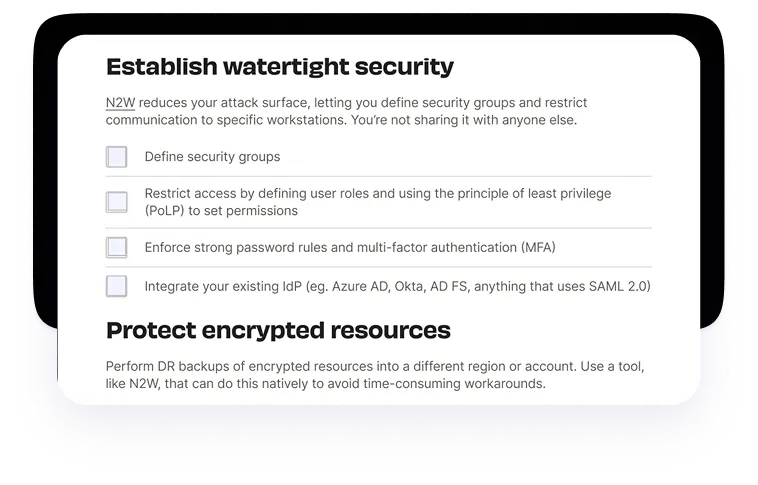
Achieve watertight security and precise control over permissions, enhancing the safety of your data and the transparency (and compliance) of IT operations.

icon checklist

Full Optimization

From moving snapshots across regions or clouds to automating essential tasks, this checklist guides you in minimizing recovery times AND reducing storage costs.


Designed for cloud directors and IT managers, this checklist simplifies the journey to true resilience.
Catalin Voicu, System Engineer

Find the gaps in your backup and DR strategy

Download the Disaster-Proof Checklist

Backup & DR checklist excerpt mockup