

Google Cloud backup & recovery, in your own project

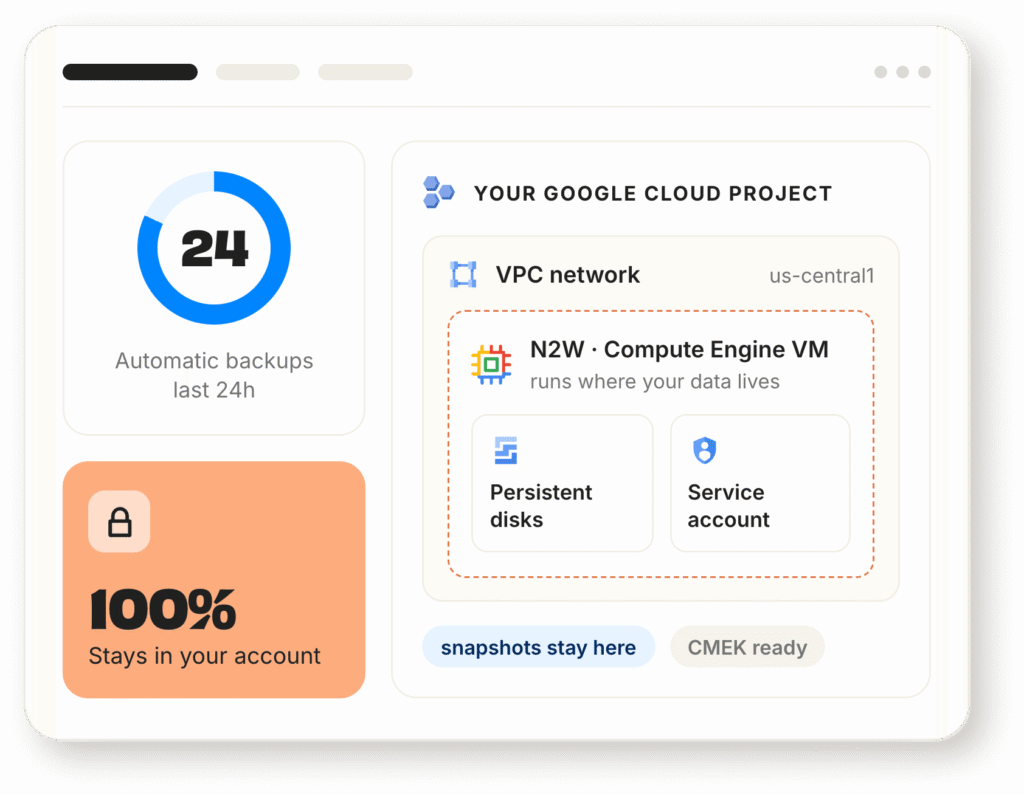
Your Compute Engine VMs and disks, protected from the same console you already use for AWS and Azure. Backups stay in your project, on your terms, under your control.

Available on
Google Cloud logo
illustration of simplified google cloud backup architecture with N2W

Copies outside the blast radius

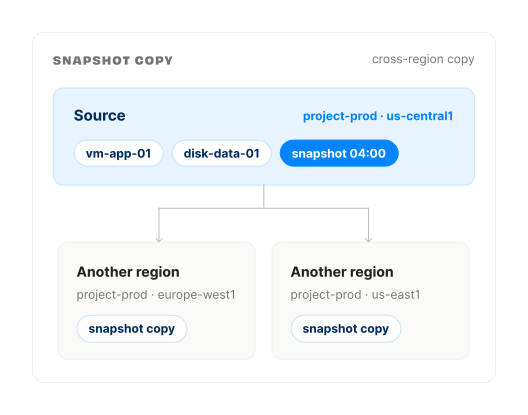
Snapshot copies across regions
Backup is the easy half. Recovery is where Google Cloud setups can fail, because a snapshot sitting in the same region as the thing it protects is not a DR plan.
diagram showing cross-region backup for google cloud with N2W
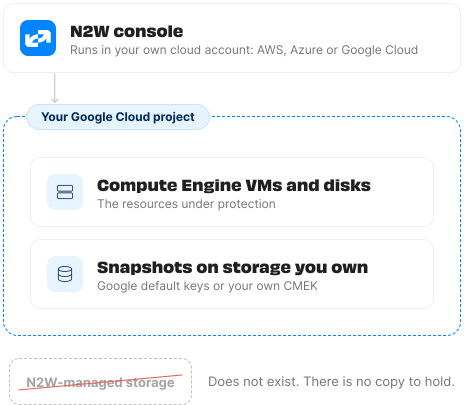
diagram showing GCP project backup with N2W

Your project. Your data. Your control.

N2W runs inside your own cloud account
That is a different arrangement from a managed backup vault. Google's Backup and DR Service stores backups in Google-managed infrastructure, per Google's own documentation.

One console. Three clouds.

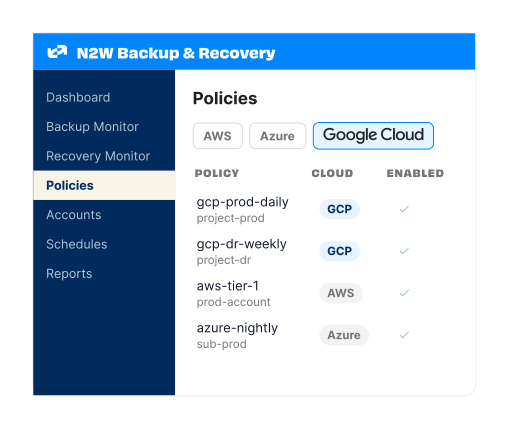
Adding Google Cloud means adding an account to the N2W you already have, not standing up a second deployment. Deploy once from any cloud.
illustration of N2W dashboard with Google Cloud backup policies

What v5.0 covers on Google Cloud

Protected Resources
google cloud compute engine icon
Compute Engine VMs
Compute Engine persistent disks
Capabilities
Snapshot copies across regions
Google default encryption and CMEK
Native-schedule detection alert
Disk recovery into another region
Labels and Google Cloud resource-manager tags

Getting started with N2W is easy

01

Deploy effortlessly

Deploy N2W from AWS or Microsoft Marketplace. Follow our easy setup tutorial to get started in minutes.

02

Set a backup policy

Next activate the built-in policy to ensure your N2W console keeps itself protected from any downtime or disasters.​

03

Enjoy a risk-free trial

Upgrade anytime or cancel without worries. With N2W, your backups are always recoverable.