What Is Multi-Cloud Management?
Multi-cloud management refers to overseeing, integrating, and coordinating workloads, applications, and data across multiple cloud service providers. Unlike a single cloud strategy, multi-cloud management involves using two or more public, private, or hybrid clouds from different vendors, such as AWS, Azure, Google Cloud, and others. This approach enables organizations to pick services for specific requirements and avoid reliance on a single provider, which can be beneficial for resilience, compliance, or geo-distribution needs.
Managing multiple clouds is complex and typically requires a layer of abstraction, either in the form of management tools, governance frameworks, or orchestration platforms. These solutions help standardize operations, improve visibility, and simplify the configuration and deployment of resources across environments. With the growing adoption of multi-cloud architectures, organizations increasingly rely on platforms to monitor costs, enforce policies, secure assets, and optimize performance in a consistent and scalable manner.
In this article:
- Benefits of Multi-Cloud Management Strategy
- Key Considerations and Challenges in Multi-Cloud Management
- Key Features and Functions of Multi-Cloud Management Tools
- Types of Multi-Cloud Management Technologies
- Notable Multi-Cloud Management Platforms
Benefits of Multi-Cloud Management Strategy
Implementing a multi-cloud management strategy helps organizations streamline operations across diverse cloud environments. It offers a structured way to control and optimize how resources are deployed, monitored, and secured across different platforms. Below are the core benefits:
- Reduced vendor lock-in: Organizations can avoid over-reliance on a single provider by distributing workloads, giving them leverage in pricing negotiations and more flexibility in choosing services.
- Better cost management: With unified billing and usage tracking, teams gain deeper insights into cloud spending and can identify opportunities for cost optimization.
- Optimized service selection: Teams can select cloud services based on performance, cost, or specific features, matching the best tool to each task or workload.
- Improved resilience and uptime: Multi-cloud setups allow failover and redundancy across providers, enhancing service availability and reducing the risk of outages tied to a single vendor.
- Enhanced compliance and data sovereignty: By using clouds located in different geographic regions, organizations can meet local data residency laws and compliance standards more easily.
- Centralized governance and visibility: Multi-cloud management platforms enable consistent policy enforcement, monitoring, and reporting across environments, reducing complexity and operational risk.
- Scalability across providers: Applications can scale horizontally across clouds, avoiding performance bottlenecks and taking advantage of global infrastructure coverage.
- Validated recovery confidence: Regular testing of multi-cloud recovery operations ensures DR plans work as expected before a real incident occurs
- Resilience against cloud outages: Failover strategies with Multi-cloud ensure business continuity even when a primary provider experiences an outage.
Key Considerations and Challenges in Multi-Cloud Management
Vendor Lock-In and Data Gravity
Vendor lock-in arises when proprietary features, APIs, or pricing models make it costly and complex to migrate workloads or data away from a cloud provider. Even a single VM shows the cost: migrating a Windows VM from Azure to AWS means generalizing the machine, exporting its disk and importing it as an AWS image.
Multi-cloud management is partly a strategy to avoid lock-in but still faces the challenge of compatibility, as different providers often use distinct architectures and services. The administrative burden of porting applications or transforming data formats can lead to higher operational costs and delays if interoperability is not planned from the outset.
Data gravity becomes a bigger issue as data sets grow larger within a specific provider’s infrastructure, making migration or real-time synchronization across clouds both technically and financially challenging. Moving massive data volumes between providers incurs network latency and high egress fees, while also risking downtime or data inconsistency. Organizations adopting a multi-cloud strategy must weigh these factors when architecting solutions that depend on distributed data storage and processing.
Complexity of Networking and Latency
Connecting services, workloads, or data across cloud providers introduces complex networking challenges, as each cloud uses its own protocols, network architectures, and security models. Achieving secure, high-bandwidth connectivity between disparate environments demands networking solutions such as VPNs, direct links, or interconnection services. Misconfigurations or suboptimal architectures can expose data to security vulnerabilities or result in inefficient routing, impacting application reliability and speed.
Latency is another significant hurdle in multi-cloud scenarios. Applications that span multiple clouds may experience delays due to physical distance, inconsistent networking capabilities, or variability in provider performance. For real-time workloads or distributed databases, these latency challenges can degrade user experience or make coordination across clouds difficult. Effective multi-cloud management requires careful planning to minimize latency and optimize the placement of interdependent components.
Compliance and Data Sovereignty Issues
Operating in multiple jurisdictions with diverse regulatory requirements complicates compliance efforts. Multi-cloud deployments must ensure that sensitive data complies with local laws, such as GDPR or HIPAA, which dictate where and how data can be stored or processed. Without unified management, there’s a higher risk of accidental data misplacement, unauthorized transfers, or incomplete audit trails, potentially resulting in hefty fines or legal exposure.
Data sovereignty plays an increasing role as governments and customers demand strict control over information. Multi-cloud management tools must offer fine-grained visibility and control over data residency and movement to ensure compliance with regional laws. Implementing these safeguards requires coordinated policy enforcement, cross-cloud access controls, and regular audits, all of which add operational overhead and complexity.
Cost Overruns and Inefficient Resource Utilization
One of the promises of cloud computing is cost efficiency, but multi-cloud environments can become expensive without precise management. Each provider offers different pricing, billing models, and discount schemes, making it difficult to compare and optimize spending. The lack of unified visibility can result in orphaned resources, overprovisioned services, or redundant data storage, all of which contribute to hidden costs and budget overruns.
Inconsistent management practices and tooling further complicate cross cloud resource tracking and optimization. Organizations may struggle to enforce usage policies, monitor consumption, or forecast spending trends without integrated financial operations (FinOps) frameworks. Multi-cloud management solutions address these gaps by consolidating cost tracking, providing actionable insights, and automating waste reduction.
Key Features and Functions of Multi-Cloud Management Tools
Cloud Governance and Policy Control
Cloud governance is the enforcement of organizational standards, controls, and policies across all cloud resources. In a multi-cloud environment, this function grows in importance as complexity and risk multiply with each additional provider. Tools in this space allow administrators to define and enforce security rules, provisioning constraints, and usage guidelines in a centralized manner, decreasing the risk of inconsistent practices that can lead to vulnerability or non-compliance.
Effective policy control is essential for maintaining regulatory compliance and ensuring operational consistency. Management tools provide templates for common policies, role-based access schemes, and automation to help organizations maintain their standards at scale. By centralizing policy management, businesses can react faster to regulatory changes or emerging threats while streamlining their audit processes across many cloud platforms.
Cost Management and FinOps Integration
Cost management in a multi-cloud context entails tracking usage, optimizing spending, and forecasting future needs across all cloud vendors. Integrated FinOps capabilities provide visibility into consumption patterns, allocation of resources to business units, and identification of cost-saving opportunities. Management tools enable the enforcement of budgets, automated decommissioning of idle resources, and actionable reporting to keep cloud expenses within control.
FinOps integration ensures that financial accountability is embedded in the organization’s cloud strategy. With granular analytics and real-time dashboards, decision-makers can detect anomalies, adjust allocations, and compare costs between providers with precision. This visibility supports data-driven optimization efforts and ensures organizations extract maximum value from their multi-cloud investments.
Disaster Recovery and Backup
A key function of multi-cloud management is orchestrating reliable backup and disaster recovery (DR) across multiple providers. Tools offer policy-driven automation for creating, storing, and restoring copies of critical data and workloads, often leveraging several clouds to maximize availability. This capability protects organizations from provider outages, ransomware attacks, or accidental deletions by ensuring recoverability independent of any single platform.
Effective DR tools allow for cross-cloud replication, rapid failover, and granular recovery options. Centralized interfaces simplify management while providing audit trails for compliance and reporting needs. Built-in DR testing capabilities allow organizations to validate recovery workflows across clouds before an incident occurs, ensuring failover plans perform as expected under real conditionsBy enabling flexible, cross-region or cross-provider recovery strategies, these tools support business continuity with minimal manual intervention or downtime.
Identity and Access Management Across Clouds
Identity and access management (IAM) in multi-cloud environments ensures that only authorized users and systems can access specific resources, regardless of which provider or region they reside in. Centralizing this function is crucial to prevent security gaps and avoid the proliferation of excessive permissions or shadow accounts. Multi-cloud IAM tools integrate with native security services from individual providers while offering a unified pane for user provisioning, credential management, and access auditing.
As organizations scale, federated identity services and single sign-on (SSO) become critical. These services simplify administration by allowing users to use a single set of credentials to access resources spanning multiple clouds. Unified IAM platforms automate lifecycle management for accounts and access policies, help enforce the principle of least privilege, and provide comprehensive audit trails for compliance needs.
Unified Monitoring and Observability
Monitoring in a multi-cloud setting involves tracking performance metrics, logs, and health indicators for workloads across diverse providers. Unified observability is crucial to detect issues promptly and correlate events that span multiple environments. Tools in this area collect and aggregate telemetry data, providing operators with consolidated dashboards for real-time visibility and historical trend analysis.
Having complete observability enables organizations to identify and resolve incidents faster, regardless of where the root cause originates—infrastructure, applications, or network layers. Advanced solutions may include automated alerting, anomaly detection, and contextual insights.
Security and Compliance Automation
Automating security and compliance tasks is increasingly vital as attack surfaces grow with every new cloud account or service. Multi-cloud management solutions offer automated vulnerability scanning, policy enforcement, and compliance reporting to reduce manual intervention and human error. These tools can continuously validate configurations, detect drift, and remediate deviations, ensuring adherence to internal and external security standards.
Continuous compliance checks and remediation workflows become critical in sectors with stringent regulatory requirements. Automating these processes allows organizations to scale their operations without sacrificing their security posture or risking audit failures. By integrating with CI/CD pipelines and cloud APIs, security automation tools support shift-left security initiatives and accelerate the delivery of secure, compliant software.

Types of Multi-Cloud Management Technologies
Backup and Disaster Recovery (DR)
Backup and disaster recovery tools in a multi-cloud context focus on ensuring data durability, fast recovery, and business continuity across providers. These technologies reduce reliance on any one platform by enabling cross-cloud replication, orchestrated failover, and recovery testing workflows. They’re foundational to resilience strategies in multi-cloud environments, especially for regulated or availability-critical workloads.
These tools offer:
- Cross-cloud data point-in-time backup and immediate restore: DR platforms provide policy-based, streamlined backups across different cloud providers, accounts, subscriptions or regions. This ensures data can be restored to any point in time, even if a region cloud provider failure or an account breach occurs.
- Automated backup policies: These tools allow users to define backup schedules, retention policies, and storage tiers across clouds, simplifying management while ensuring compliance with data protection requirements.
- Granular recovery options: DR solutions offer point-in-time recovery, file-level restoration, and application-consistent backups to minimize downtime and data loss.
- Ransomware protection: Many tools include immutable backups and anomaly detection to guard against ransomware attacks and enable fast, clean restores.
- Disaster recovery orchestration: Some platforms provide automated failover and failback workflows across cloud environments, helping teams test and execute DR plans with minimal manual effort.
Cost Management and FinOps
Cost management and FinOps tools help organizations gain financial visibility and control across multi-cloud deployments. These platforms consolidate billing, detect waste, and recommend optimizations to align cloud spending with business priorities. Effective use of these tools helps enforce accountability, prevent budget overruns, and support continuous cost-efficiency.
These tools offer:
- Multi-cloud spend visibility: Cost management tools consolidate billing and usage data from various cloud providers, offering a unified view of total cloud spend.
- Budget enforcement and alerts: Teams can define budgets and receive alerts when usage exceeds thresholds, improving financial accountability across departments.
- Cost allocation and tagging: These platforms help categorize costs by team, project, or business unit—regardless of tagging quality—to support internal chargeback or showback models.
- Rightsizing and optimization recommendations: FinOps tools analyze usage patterns to identify idle resources, overprovisioned instances, or inefficient storage, enabling targeted cost reductions.
- Support for commitment management: Many solutions help optimize reserved instance and savings plan usage to maximize discount coverage across dynamic workloads.
Multi-Cloud and Hybrid Cloud Management Software
Multi-cloud and hybrid cloud management platforms offer a unified approach to managing resources across public, private, and edge environments. These tools abstract infrastructure differences, streamline workload mobility, and apply consistent policies across clouds. They support operational efficiency at scale by integrating automation, observability, and governance in a centralized control plane.
These tools offer:
- Unified control plane: These tools provide a single interface for managing workloads across public, private, and edge environments, reducing operational fragmentation.
- Application and workload portability: By abstracting infrastructure differences, these platforms allow teams to move workloads across clouds without refactoring.
- Integrated automation and AIOps: Many solutions include automation frameworks and AI-driven insights for optimizing performance, capacity, and resource allocation at scale.
- Consistent security and compliance: These platforms enforce uniform policies, access controls, and configurations across environments to reduce risk and simplify audits.
- Support for diverse infrastructure: Most solutions support VMs, containers, and serverless workloads, making them suitable for a broad range of application architectures.
Multi-Cloud Security and Governance
Security and governance tools for multi-cloud environments help protect assets, enforce compliance, and manage identity across providers. These platforms continuously monitor configurations, detect threats, and automate policy enforcement to reduce risk. They enable consistent security operations and provide the visibility needed to meet evolving regulatory requirements.
These tools offer:
- Cloud security posture management (CSPM): These tools continuously assess cloud environments for misconfigurations, insecure defaults, and non-compliant resources across providers.
- Identity and entitlement management (CIEM): Solutions monitor user and service account permissions to detect excessive entitlements, enforce least privilege, and prevent privilege escalation.
- Policy-as-code and compliance automation: Tools can enforce security and compliance policies automatically through versioned code, enabling consistent governance across multi-cloud deployments.
- Threat detection and response: Security platforms provide real-time monitoring, anomaly detection, and automated response actions to mitigate threats across clouds.
- Centralized visibility and risk prioritization: These solutions correlate security findings from multiple layers—network, workload, and identity—to prioritize remediation based on real-world exploitability.
Notable Multi-Cloud Management Platforms
Backup and Disaster Recovery (DR)
Tool Spotlight: N2W

N2W is a cloud-native backup and disaster recovery platform purpose-built for AWS and Azure, and since v5.0 it also protects Google Cloud Compute Engine VMs and persistent disks. In particular it’s designed to simplify protection for multi-cloud environments by providing organizations with easy policy-based backup under a single console. N2W allows for flexible backup schedules and fast recovery operations across clouds, completely eliminating the complexity of juggling native tools from multiple providers.
Key features include:
- Single console for multi-cloud operations: Manage backup and DR workflows across AWS, Azure and Google Cloud from one centralized interface, reducing operational overhead and providing a unified view of your entire cloud protection posture.
- Disaster recovery orchestration: Automate and execute DR recovery scenarios with pre-defined runbooks and failover workflows, ensuring rapid, reliable recovery with minimal manual intervention when an outage or incident occurs.
- Cross-cloud data replication: Archive backup copies to a second provider (Azure Blob or Wasabi from AWS, Wasabi from Azure) to ensure redundancy and availability, protecting organizations from provider-specific outages and supporting geo-distribution requirements.
- Cross-cloud recovery: Restore AWS workloads directly into Azure, one way, as bootable VMs for Ubuntu 22 and 24 and as data disks for Windows, giving teams a way to recover outside AWS when availability, cost or compliance calls for it.
- Simplified backup management: Define and enforce backup policies, schedules, and retention rules across cloud environments with ease, reducing complexity without sacrificing control or coverage.
- Cost-optimized storage across repositories: Reduce backup storage costs by tiering data across affordable repositories including Amazon S3, Azure Blob, and Wasabi, allowing organizations to balance performance, retention needs, and budget without compromising data durability or accessibility.
- Full visibility and reporting: Gain complete insight into backup status, recovery points, and protection gaps across all cloud environments, with audit-ready reporting to support compliance and governance requirements.
Cost Management and FinOps
Flexera One
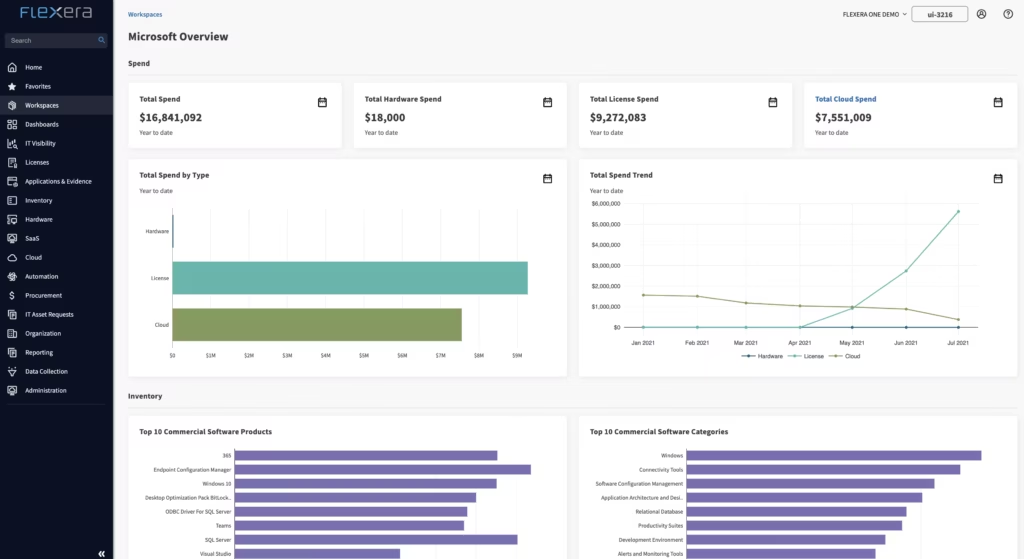
Flexera One is a cloud optimization and FinOps platform that enables organizations to manage spend, compliance, and risk across hybrid IT environments. By integrating IT asset management (ITAM) and FinOps practices into a single SaaS solution, Flexera One delivers unified visibility into software, hardware, SaaS, and cloud usage.
Key features include:
- Unified visibility across hybrid IT: Maps and monitors all IT assets—cloud, on-prem, SaaS, hardware—from a single interface
- Technology intelligence platform: Enriches asset data with EOL, EOS, vulnerability, and product metadata from over 5M products and 100K vendors
- Cloud cost optimization: Identifies unused or underutilized resources to reduce cloud spend by up to 40%
- SaaS and license rationalization: Detects redundant tools and unused licenses to optimize subscription costs
- Spend allocation by business unit: Tracks usage by service, team, or cost center, helping finance and IT make aligned decisions
CloudZero Platform

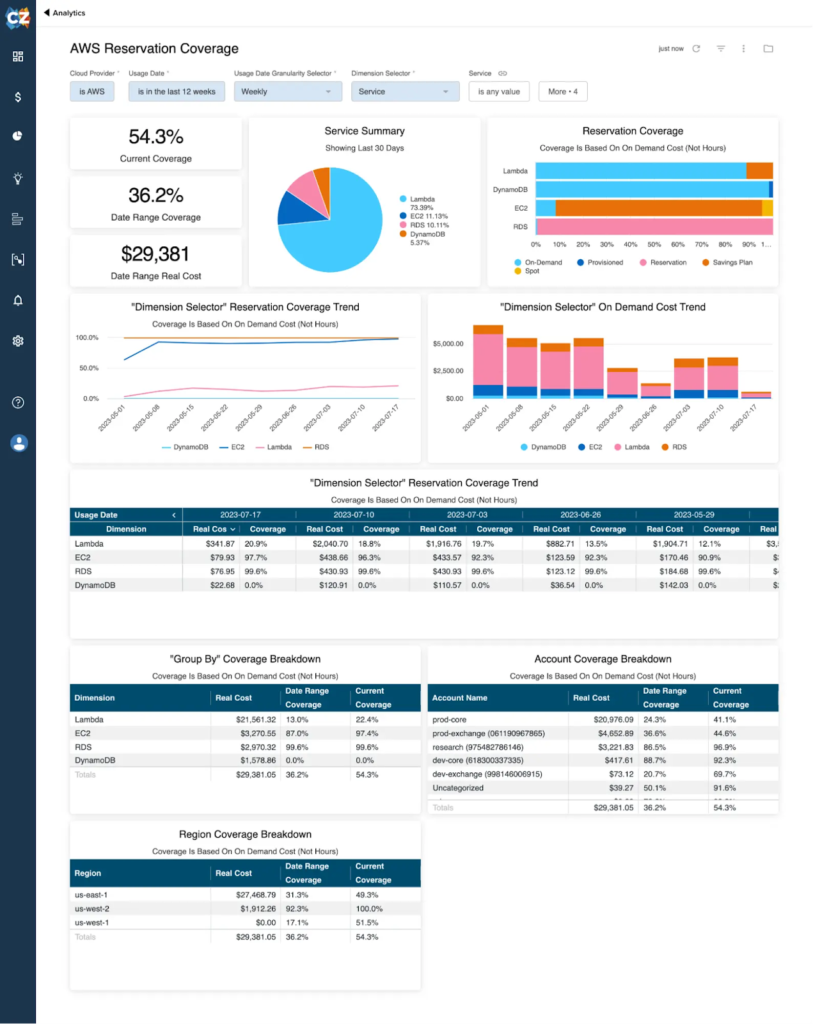
CloudZero is a cloud cost intelligence platform to help FinOps teams drive cost efficiency, financial accountability, and engineering engagement across complex cloud environments. With CloudZero, organizations gain visibility into every dollar of cloud, SaaS, and PaaS spend, regardless of tagging quality.
Key features include:
- 100% cost allocation (no tags required): Automatically organizes all spend—even in untagged or poorly tagged environments—by workload, team, customer, or other business units
- CloudZero anycost™: Ingests spend from all major cloud, SaaS, and PaaS providers including AWS, Azure, GCP, Snowflake, and Kubernetes
- Unified cost visibility: Provides a single pane of glass for all cloud stakeholders, eliminating data silos and aligning teams around a shared cost view
- Unit cost tracking: Measures cost per customer, feature, or product to support budgeting, forecasting, and profitability analysis
- AI-powered anomaly detection: Automatically identifies and alerts teams to unexpected cost spikes without manual thresholds
nOps Platform
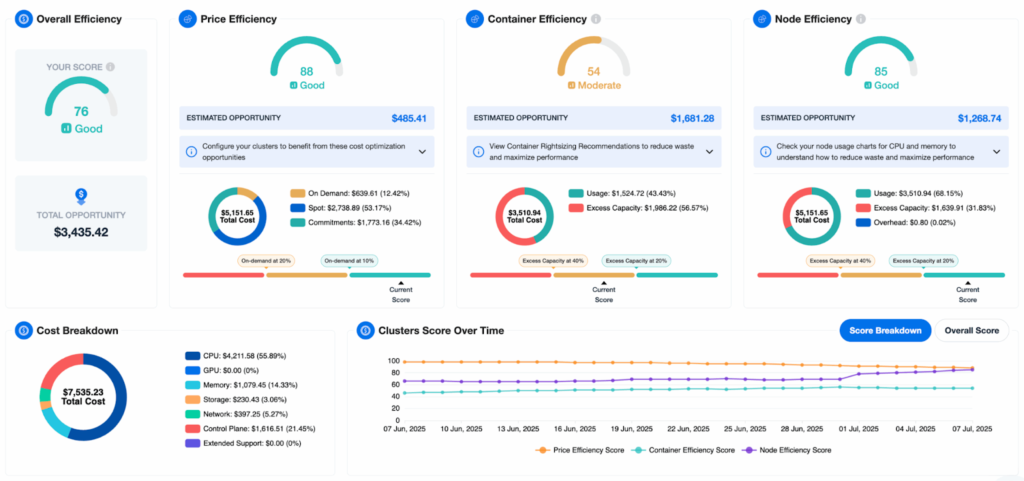
nOps is a cloud optimization and FinOps platform that enables organizations to reduce AWS costs at scale through automation, AI-driven insights, and spend visibility. Designed to eliminate waste and simplify complex cost management tasks, nOps provides allocation, rightsizing, and commitment optimization across AWS, Kubernetes, and cloud-native environments.
Key features include:
- Real-time cost visibility: Delivers 100% visibility into AWS, Kubernetes, GenAI, and SaaS spend—even in environments with incomplete tagging
- Autonomous optimization: Automates the detection and cleanup of idle resources, drastically cutting waste without manual effort
- Commitment management: Maximizes savings plan and reserved instance utilization while minimizing long-term lock-in risks
- Spot orchestration: Dynamically shifts workloads to spot instances with built-in stability and scaling intelligence
- Compute copilot: Continuously optimizes EKS and auto scaling groups (ASGs) for both performance and cost efficiency
Multi-Cloud and Hybrid Cloud Management Software
Nutanix
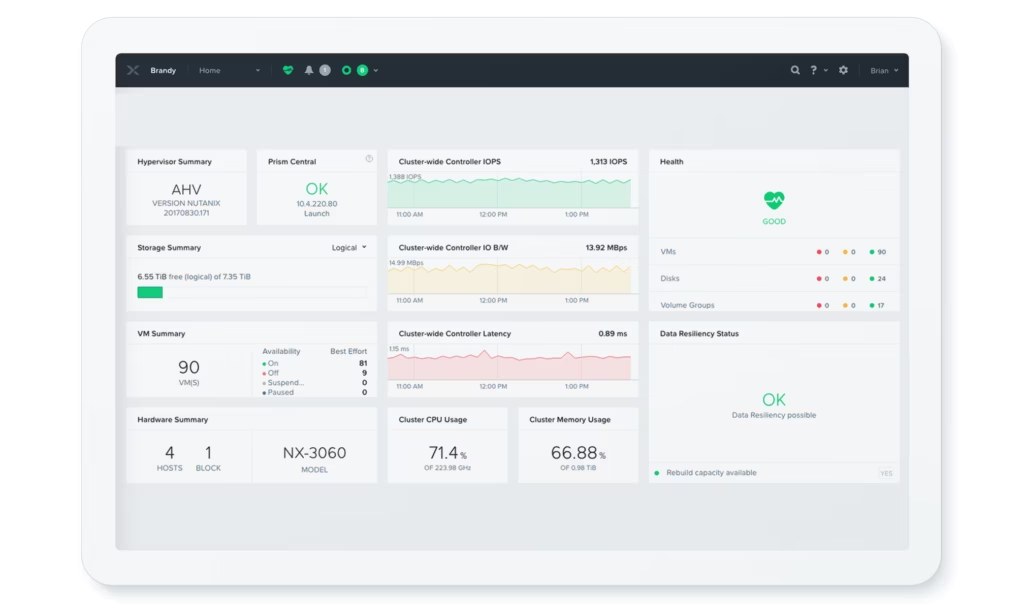
Nutanix offers a unified cloud platform that simplifies operations across hybrid and multi-cloud environments. It provides a consistent operating model and centralized management across datacenter, edge, and public cloud infrastructures. Nutanix supports workload portability, integrated cost governance, and built-in security.
Key features include:
- Unified control plane: Manage workloads across datacenter, edge, and cloud with a consistent set of tools, policies, and interfaces.
- License portability and workload mobility: Move applications across environments without refactoring, using a shared operating model and license flexibility.
- AIOps and automation: Use machine learning to optimize resource use, detect anomalies, and automate IT operations at scale.
- Integrated security and compliance: Built-in data protection, micro-segmentation, and audit capabilities with support for third-party security integrations.
- Multicloud cost governance: Centralized visibility and controls for managing and reducing cloud spend across environments.
Red Hat Cloud Services
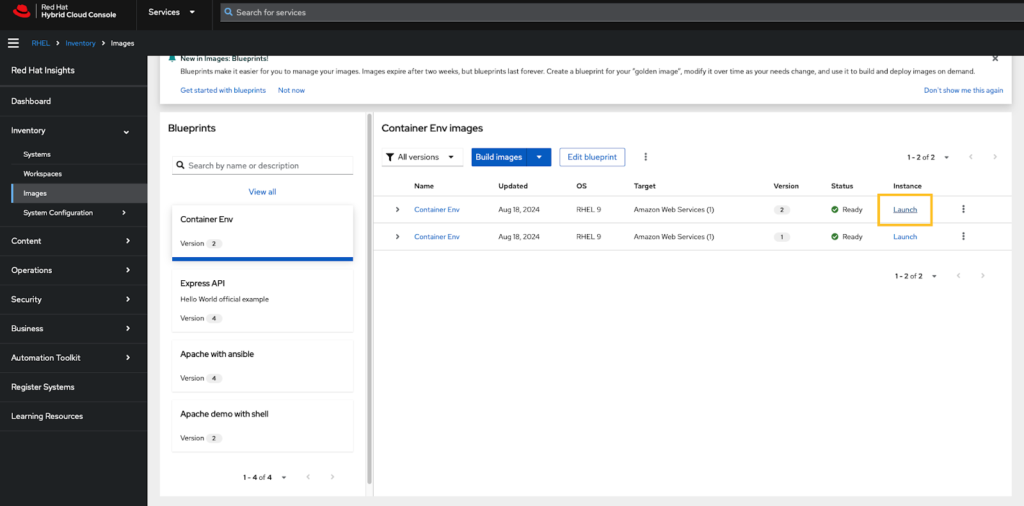
Red Hat Cloud Services provides managed platform, application, and data services built on Red Hat OpenShift. These services help organizations accelerate development, reduce operational overhead, and maintain consistency across hybrid cloud environments.
Key features include:
- Managed OpenShift services: Access Red Hat OpenShift on AWS, Azure, Google Cloud, or IBM Cloud as a native cloud service with integrated support.
- Streamlined operations: Offload Kubernetes platform management, patching, and upgrades to reduce infrastructure burden and improve team focus.
- Seamless cloud integration: Red Hat services integrate natively with each cloud provider’s services and billing, reducing friction and improving compatibility.
- Enterprise security and compliance: Enforce consistent policies and meet regulatory requirements across platforms with proactive monitoring and support.
- Developer-focused tooling: Empower teams to build, deploy, and scale applications quickly with built-in CI/CD and developer enablement features.
Apache CloudStack

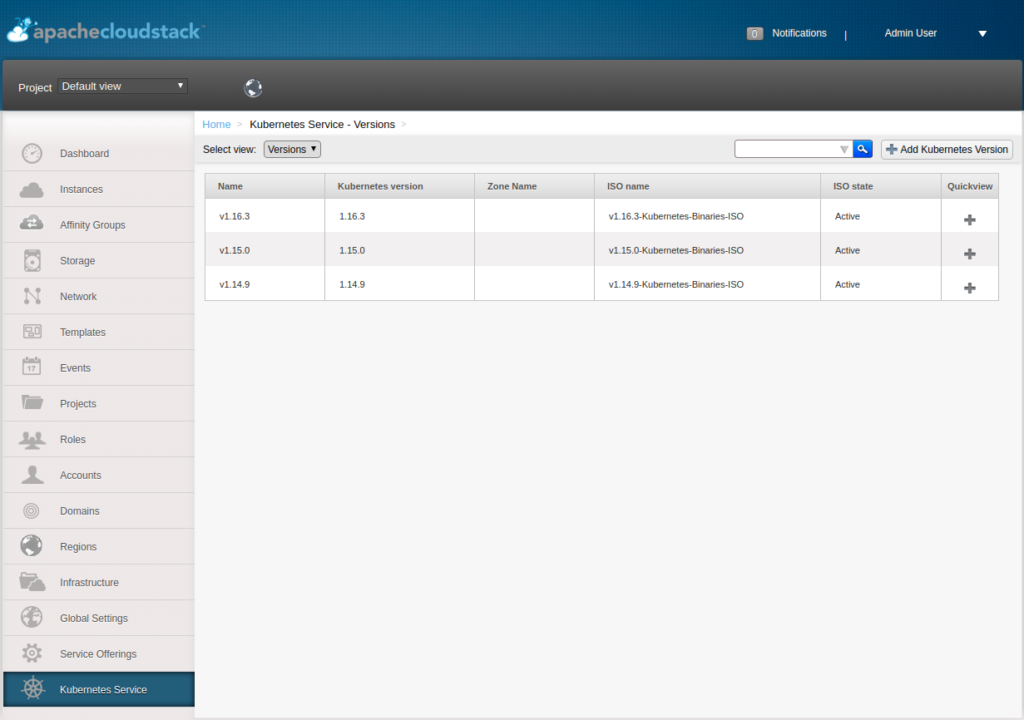
Apache CloudStack is an open-source IaaS platform used to manage and deploy large-scale virtualized environments. It supports private, public, and hybrid cloud models, offering a full set of cloud infrastructure services, including compute orchestration, storage, networking, and user management.
Key features include:
- Turnkey cloud orchestration: Provides out-of-the-box features for deploying and managing cloud resources, including UI, CLI, and REST API support.
- Hybrid and multi-cloud management: Supports private and public cloud environments with unified control and optional AWS-compatible APIs.
- Multi-hypervisor support: Compatible with VMware, KVM, XenServer, and XCP-ng for flexible infrastructure choices.
- Integrated networking and storage: Built-in network-as-a-service, backup, and storage orchestration for simplified infrastructure management.
- Edge and enterprise support: Scales across core datacenters and edge zones, with features to support service providers, MSPs, telcos, and enterprises.
Multi-Cloud Security and Governance
FortiCNAPP

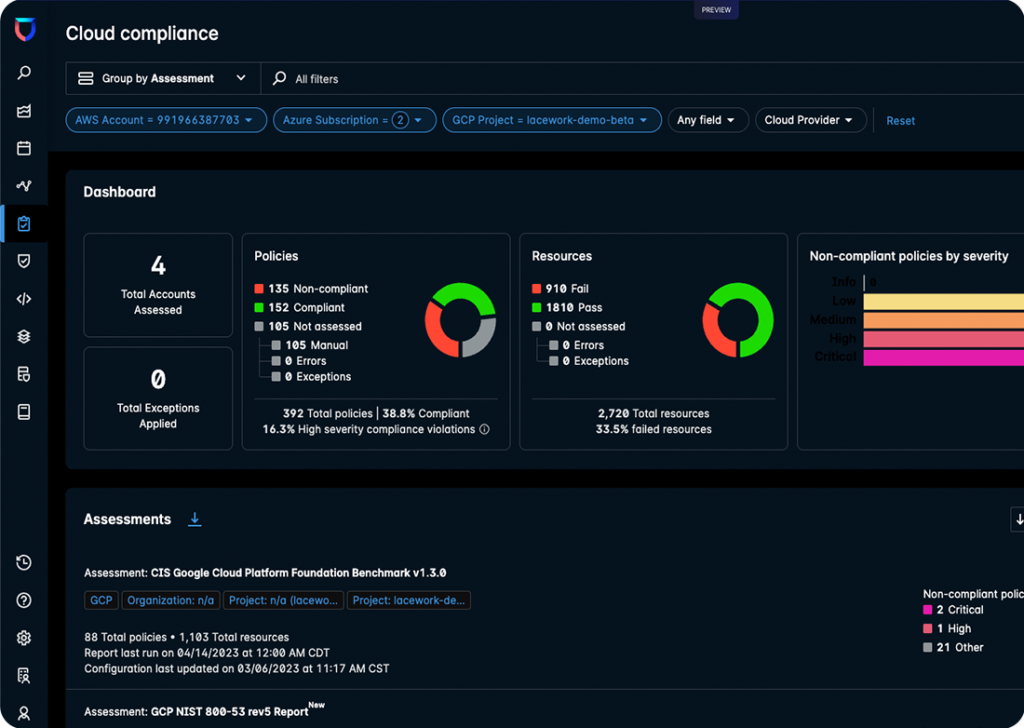
FortiCNAPP is a unified cloud-native application protection platform (CNAPP) that consolidates key cloud security functions into a single solution, from posture management to real-time threat detection. Designed to secure cloud environments across AWS, Azure, and GCP, it integrates capabilities like CSPM, CIEM, CWPP, KSPM, and policy-as-code with Fortinet’s FortiSOAR and FortiGuard threat intelligence.
Key features include:
- Unified security platform: Combines posture management, threat detection, identity entitlement, and workload protection into a single solution
- Full-stack visibility: Correlates security signals from infrastructure, applications, and identities for complete insight into risk exposure
- Zero-day threat detection: Uses machine learning to identify unknown attacks like ransomware, cryptojacking, and compromised credentials—without rule tuning
- Prioritized risk context: Visualizes attack paths and scores vulnerabilities and misconfigurations based on real exploitability and impact
- CIEM capabilities: Continuously analyzes identity permissions and highlights risky entitlements with automated remediation guidance
Aqua Security Platform
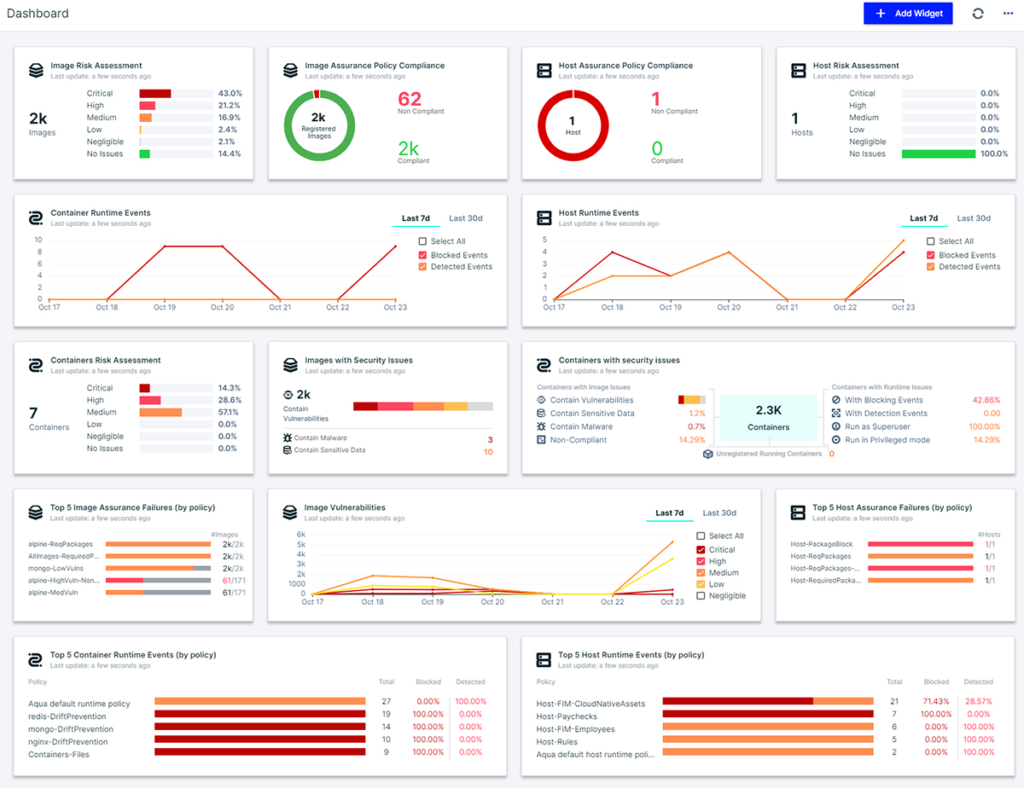
Aqua Security Platform delivers cloud-native application protection (CNAPP) that secures applications from code to runtime at enterprise scale. It provides real-time threat detection and multi-layered runtime defense across containers, serverless workloads, virtual machines, and CI/CD pipelines.
Key features include:
- Full-stack runtime protection: Detects and stops attacks in real time using behavior profiling, threat intelligence, and policy enforcement across workloads
- Shift-left security: Scans code, containers, IaC templates, and artifacts in CI/CD pipelines to catch misconfigurations and vulnerabilities before deployment
- Agent-based and agentless coverage: Offers flexible deployment models to protect applications across containers, serverless, VMs, and hybrid environments
- Software supply chain security: Validates the integrity of containers and registries, prevents tampering, and ensures only trusted components are deployed
- Kubernetes and orchestrator integration: Monitors and secures Kubernetes clusters, including workload behavior, network activity, and RBAC misconfigurations
Orca Security Platform
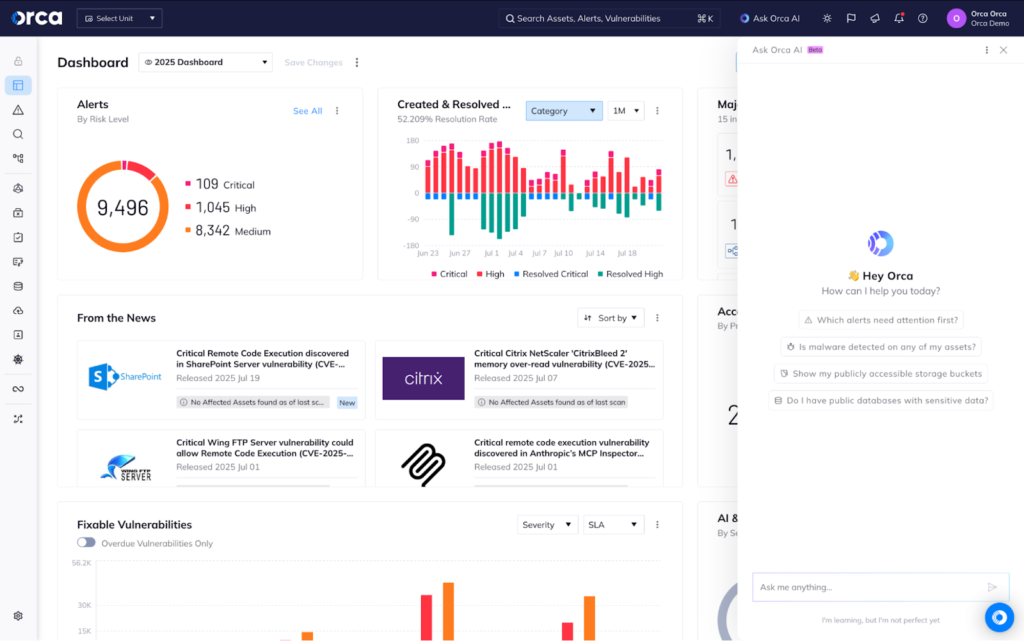
The Orca Security Platform is an agentless cloud-native application protection platform (CNAPP) that provides complete visibility and contextualized risk management across the cloud environment. Intended to eliminate the friction, blind spots, and alert fatigue common in traditional agent-based solutions, Orca delivers instant-on coverage without deploying agents.
Key features include:
- Agentless SideScanning™ technology: Collects data from cloud configurations and workload block storage out-of-band, enabling full coverage without deploying agents
- Unified risk context: Combines workload intelligence with cloud metadata in a single data model to correlate vulnerabilities, misconfigurations, and threats across environments
- Attack path analysis: Identifies which risks pose the highest impact based on asset criticality, exposure, and potential lateral movement paths
- AI-driven remediation: Uses AI to generate actionable remediation instructions and simplifies investigations across cloud assets
- Context-aware risk prioritization: Focuses attention on the most dangerous risks instead of overwhelming teams with non-critical alerts
Conclusion
Multi-cloud management is no longer optional; it’s essential for organizations aiming to stay agile, resilient, and cost-efficient in complex IT landscapes. As cloud environments continue to diversify, the ability to orchestrate operations, secure data, and optimize spend across providers becomes a core competency. The tools and platforms highlighted in this guide offer a starting point for building a robust multi-cloud strategy that aligns with both technical and business goals.