Last edited: October 2026
Quick Summary
- Cloud-first on AWS and Azure: N2W runs inside your own cloud accounts, recovers across regions, accounts and from AWS into Azure, and publishes its entry price ($249 a month for up to 20 instances).
- Mostly VMs in your own data center: Veeam Backup & Replication is a legacy option, with cloud protection added through separate Veeam products.
- Data center, SaaS apps and endpoints together: Commvault covers the widest range of workloads in one platform.
- Large legacy estates already on NetBackup: Cohesity NetBackup scales to petabytes across hybrid infrastructure.
- Already a Rubrik customer: Rubrik Cloud Vault adds a managed, Rubrik-hosted offsite copy.
What Are Enterprise Cloud Backup Services?
Enterprise cloud backup solutions are services that protect an organization’s data by storing copies in the cloud, with options including N2W, Veeam, and Commvault.
Key features often include hybrid and multi-cloud support, data protection for various sources like on-premises servers and SaaS applications, and capabilities like geographic redundancy for disaster recovery. More advanced solutions extend this protection with cross-account and cross-cloud disaster recovery, providing an additional layer of resilience against outages, ransomware, or account-level compromise.
Key features and considerations include:
- Hybrid and multi-cloud support: Many solutions are designed to back up data across both on-premises environments and multiple cloud providers, ensuring flexibility and consistency.
- Application-aware backups: These solutions understand specific applications (like databases) and can create backups that are consistent and can be quickly restored for use.
- Geographic redundancy: Services can store data in multiple data centers in different geographic locations to protect against regional disasters.
- Disaster recovery: Enterprise solutions can provide rapid recovery from disasters, cyberattacks, and user errors, helping to meet Recovery Point Objectives (RPO) and Recovery Time Objectives (RTO).
- Data protection: Look for features that guard against ransomware and insider threats, such as air-gapped storage and immutability that even an administrator cannot override.
- Scalability: The solution should be able to scale with your organization’s data and workload growth.
- Management and security: A single platform for managing backups, with security features such as data encryption, reduces the number of places a mistake can happen.
- Account-level redundancy: Isolates backups from the source account to prevent data loss from account compromises
- Cross-cloud disaster recovery: Recovers workloads into a different cloud provider, so an outage or compromise in one cloud does not take your backups with it.
- Automated Disaster Recovery Drills: Regularly tests recovery plans without manual effort.
Enterprise cloud backup services support virtual machines, databases, file systems, applications, and workloads spread across data centers, public clouds, and multiple geographic regions. As data volumes and compliance demands grow, these services have become critical components of IT resilience strategies in modern organizations.
In this article:
- Key Features of Enterprise Cloud Backup Services
- Notable Enterprise Cloud Backup Services
- Best Practices for Enterprise Cloud Backup
Enterprise cloud backup services compared
| Service | Built for | Where the backup data lives | Pricing |
|---|---|---|---|
| N2W | Cloud-first estates on AWS and Azure, plus Google Cloud VMs | In your own AWS, Azure or Google Cloud account | $249/mo Standard (up to 20 instances); larger plans quoted |
| Veeam Backup & Replication | VM-heavy and on-premises estates extending into cloud | Storage you choose, or Veeam Vault | Not published as a fixed price; licensed per workload |
| Commvault Backup and Recovery | Mixed estates: data center, cloud, SaaS apps and endpoints | Your storage, or Commvault-managed under SaaS delivery | Quote-based |
| Cohesity NetBackup | Large hybrid and legacy data-center estates | Your storage, appliances and cloud tiers | Quote-based |
| Rubrik Cloud Vault | Rubrik customers who want a managed offsite copy | Rubrik-hosted cloud | Quote-based |
Key Features of Enterprise Cloud Backup Services
Hybrid and Multi-Cloud Support
Hybrid and multi-cloud support allows organizations to back up data across private data centers, public clouds, and multiple providers from a single platform. Enterprises are increasingly adopting hybrid IT models, combining on-premises and cloud resources, and a flexible backup solution must protect data wherever it resides. This integration prevents data silos and allows unified policy enforcement and reporting, whether workloads run on AWS, Azure, Google Cloud, or within a private infrastructure.
A backup service accommodates workload mobility and cloud migration strategies. For large enterprises, this flexibility ensures that data protection keeps pace with evolving IT architectures, facilitates compliance, and prevents lock-in to a single vendor. Multi-cloud backup options help organizations optimize costs by using the most suitable storage services for backups, enabling reliable data recovery regardless of platform transitions or regional disruptions.
Application-Aware Backups
Application-aware backups refer to solutions that recognize and integrate with key enterprise applications, such as databases, email systems, and ERP platforms, during backup operations. Rather than simply capturing raw data, application-aware tools ensure backups are coordinated with application states, capturing consistent sets of data without risking corruption or downtime. This approach is particularly important for transactional systems, where uncoordinated backups can result in unrecoverable or inconsistent datasets after restoration.
These solutions frequently use APIs, agents, or quiescing mechanisms to interact directly with active applications. By ensuring application consistency, enterprises can perform rapid, granular recovery of critical services with minimal downtime. This capability is vital for meeting stringent RTOs, RPOs, and regulatory requirements, giving IT teams confidence that both data and application services can be reliably restored in the event of an incident.
Geographic Redundancy
Geographic redundancy distributes backup copies across different physical locations or regions, often spanning separate data centers or cloud provider zones. This architectural approach protects against localized disasters, such as fires, floods, or regional outages, ensuring that a loss in one area doesn’t compromise the availability of backup data. Enterprises dealing with critical or regulated information often make geographic redundancy a requirement as part of their business continuity and compliance frameworks.
Geographically distributed storage protects organizations against both natural and man-made disruptions.mo Regularly replicating backup sets to remote sites enhances resilience, supports regulatory mandates for off-site storage, and provides more reliable recovery in worst-case scenarios. This is particularly relevant for global companies, where data sovereignty and residency laws may require physically separate storage nodes to serve different markets or comply with local legislation.
Disaster Recovery
Disaster recovery features enable quick restoration of services and operations after disruptive incidents such as ransomware attacks, hardware failures, or major outages. Enterprise cloud backup services often include automated failover and orchestration tools, allowing businesses to restore entire virtual environments or specific applications with minimal manual intervention. This capability is essential for maintaining business continuity, reducing recovery times, and minimizing financial losses from downtime. The best tools provide disaster recovery across locations, accounts, and clouds, ensuring maximum resilience and protection against cloud outages, ransomware, insider account compromise and misconfigurations.
Effective disaster recovery solutions offer customizable recovery point objectives (RPOs) and recovery time objectives (RTOs), allowing businesses to balance performance and cost based on the criticality of their systems. Advanced platforms may also support sandbox testing, where organizations can validate disaster recovery plans without impacting production environments. Regular DR testing ensures that both data restoration and orchestration procedures function as intended when genuinely needed.
Data Protection
Enterprise cloud backup services provide layered protections against ransomware and cloud service disruptions by combining immutability, air-gapped storage, and proactive anomaly detection. Immutable backups prevent malicious or accidental modification of stored data, ensuring a known-good version remains accessible for recovery. Air-gapped or logically isolated backups reduce exposure to malware that propagates across connected systems.
These services also monitor backup patterns for anomalies such as sudden data encryption or deletion, triggering alerts and automated protective measures. In the event of a ransomware attack, organizations can quickly revert to clean backup versions, minimizing downtime and data loss. For cloud outage protection, multi-region replication and cross-cloud failover ensure that data can be restored from alternative locations if the primary provider is temporarily unavailable.
Scalability
Scalability is critical for enterprise cloud backup services, as organizations generate and store ever-increasing volumes of data. Modern solutions must expand storage automatically, without manual intervention, as new workloads, applications, or geographic locations come online. This ensures backups remain effective as enterprises grow, merge, or restructure their IT environments.
Elastic scaling helps enterprises control costs, since organizations can match their consumption precisely to their needs, eliminating over-provisioning common in traditional on-premises backup. Pay-as-you-go or tiered pricing models in cloud backup platforms provide predictable cost structures and agility. This scalability also extends to performance, allowing organizations to quickly complete large-scale backup and restore jobs, even during periods of rapid change or system migration.
Management and Security
Management and security features in enterprise cloud backup services are designed for centralized control, streamlined operations, and compliance. Unified dashboards provide visibility into backup status, compliance reporting, usage, and alerts, reducing the complexity of managing disparate environments. Role-based access controls (RBAC) and policy-driven automation allow teams to enforce best practices while minimizing human error and unauthorized changes.
Security runs through the management stack, from integration with identity providers to enforced encryption and multifactor authentication. Regular audits, tamper-evident logging, and instant alerts for suspicious activity provide assurance against internal and external threats. For regulated industries, centralized management supports demonstrable adherence to global standards.
Built-in Compliance Support
Built-in compliance support helps enterprises meet regulatory mandates such as GDPR, HIPAA, PCI-DSS, and SOX by integrating data retention policies, audit logging, encryption standards, and location-aware storage. Enterprise cloud backup platforms automate enforcement of compliance-related settings and provide templates for industry-specific policies, reducing manual oversight and human error. Regular disaster recovery drills are essential to verify that recovery procedures work as intended and that compliance controls remain effective during real-world incidents.
Automated recovery testing successes, detailed audit trails, policy enforcement reports, and access logs are readily available for compliance verification and internal reviews. Support for region-specific storage ensures that data remains within legal jurisdictions, addressing sovereignty and residency concerns. These capabilities streamline compliance for IT teams, especially during audits or legal inquiries, while reducing risk from misconfiguration or non-compliance.
Cost Optimization for Long-term Storage
Enterprise cloud backup services optimize long-term storage costs through tiered storage models, lifecycle management policies, and integration with low-cost archival services like Amazon S3 Glacier or Azure Archive Storage. These features automatically move older or less frequently accessed backups to lower-cost storage tiers based on configurable rules, helping organizations reduce operational expenses without compromising recoverability.
Deduplication and compression technologies further reduce storage footprint, especially for repetitive or large-scale backup jobs. Cost forecasting tools and usage analytics provide transparency and control, allowing IT teams to budget effectively and eliminate waste. Long-term retention policies are enforced without the need for expensive on-premises hardware, ensuring compliance and disaster recovery readiness at scale.
Notable Enterprise Cloud Backup Services
How we evaluated these services
We compared each service on six criteria:
- Estate fit: whether it was built for cloud workloads, VMs in a data center, SaaS apps and endpoints, or a mix.
- Where the backup data lives: in your own account, on your own storage, or in the vendor’s cloud.
- Recovery path: cross-region, cross-account and cross-cloud recovery, and whether a recovery brings back the network along with the workloads.
- Immutability mechanism: what gets locked, and who can remove the lock.
- Pricing model: per instance, per workload or per terabyte, and whether the price is published.
- Console scope: one console across clouds and sites, or a separate product per environment.
N2W is our product, so it is listed first. The other entries draw on each vendor’s own product documentation.
1. N2W

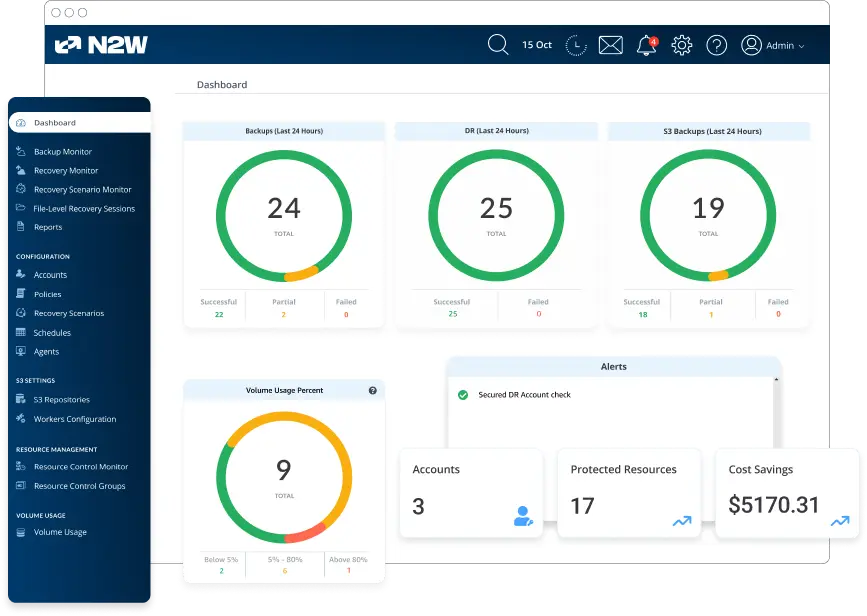
N2W is backup and disaster recovery software that you deploy inside your own AWS, Azure or Google Cloud account. Backups stay in your account and N2W never holds your data. One deployment manages all three clouds, so adding a cloud means adding an account rather than installing a second product.
Best for: Cloud-first enterprises running mainly on AWS and Azure that want backups kept in their own accounts, recovery that brings back the network, and pricing that does not grow with data size.
Key features:
- Fast, frequent recovery points: Backups as often as every 60 seconds on every cloud. Recovery in under 60 seconds on AWS; on Azure, snapshot restores take minutes.
- Cross-region, cross-account and cross-subscription recovery: Restore into a clean account or subscription, away from a compromised one.
- Cross-cloud recovery, AWS to Azure: Recover AWS workloads into Azure from the same console. Bootable restore runs one way, AWS to Azure, for Ubuntu 22 and 24; Windows workloads recover as data disks.
- A copy outside the production cloud: Archive AWS backups to Azure Blob or Wasabi, under different credentials and a different control plane.
- Immutable backups: Compliance-mode S3 Object Lock and EBS Snapshot Lock on AWS, which not even a root user can remove before the retention date. On Azure, Delete locks on snapshots and leases on archived copies. Wasabi’s native object lock for archives.
- Storage cost cut by archiving: Incremental archiving to cheaper tiers in your own account, up to 92% less than standard snapshots on AWS and up to 70% on Azure.
- Recovery Scenarios and DR drills: Recovery Scenarios capture the network alongside the workloads, and drills run without touching production.
- Coverage gaps closed from the dashboard: The protection widget lists unprotected resources across every connected cloud and adds them to a policy in one click, up to 200 at a time.
- Its own credentials: N2W Software is independently certified to ISO/IEC 27001:2022 and holds the AWS Government Software Competency.
Limitations: No Microsoft 365, SaaS app or endpoint backup. On-premises workloads only through AWS Outposts. Google Cloud coverage is narrower at the moment: Compute Engine VMs and persistent disks, without immutability or archiving.
Pricing: $249 a month for the Standard plan, up to 20 protected instances. Larger plans are quoted. Pricing is set by instance count rather than data volume, and cloud storage and compute stay on your own cloud bill. Free trial available.
Bottom line: The fit when most of your estate runs in AWS and Azure and you want custody of your backups. Look elsewhere if you need SaaS-app, endpoint or broad on-premises coverage from the same tool.
2. Veeam Backup and Replication

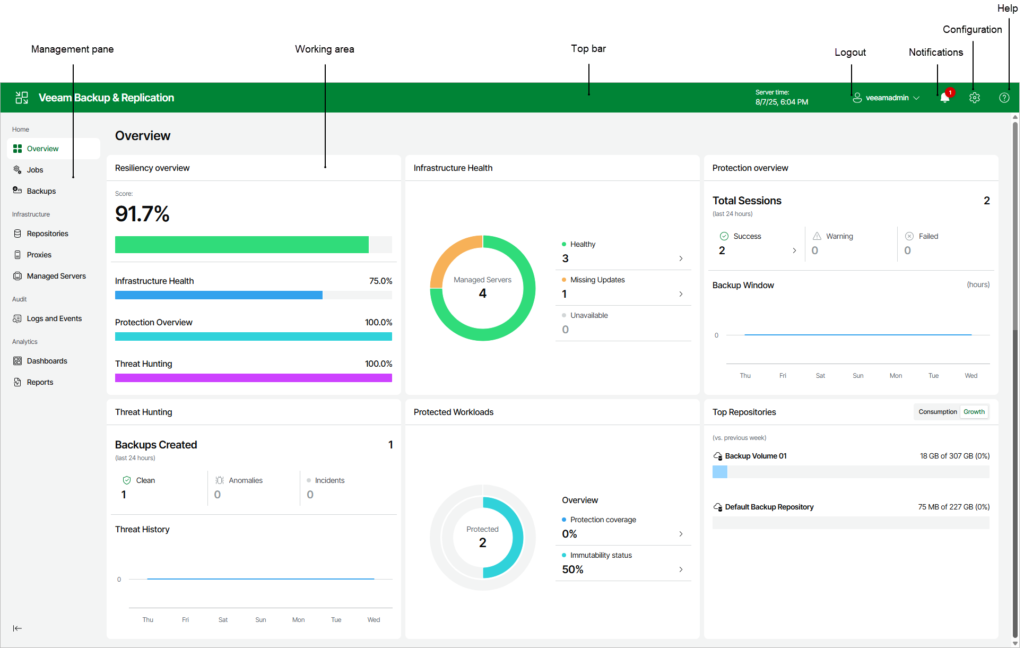
Veeam Backup & Replication is an enterprise solution to ensure fast, secure, and resilient backup and recovery across hybrid and multi-cloud environments. It protects data against cyber threats and operational failures using a software-defined approach that supports diverse storage setups.
Best for: Organizations whose estate is mostly virtual machines in their own data centers, extending protection into AWS, Azure and Google Cloud.
Key features:
- Instant recovery capabilities: Supports rapid restoration of virtual machines, files, and applications, minimizing downtime.
- Immutable backups: Ensures backup data cannot be modified or deleted, protecting against ransomware and insider threats.
- Hybrid and multi-cloud support: Provides native backup and recovery for AWS, Azure, and Google Cloud, enabling protection of workloads across environments.
- Threat detection and response: Includes AI-powered malware detection, entropy analysis, and YARA-based content inspection to identify threats during the backup process and prevent reinfection.
- Secure cloud storage with Veeam Vault: Offers integrated, secure, and cost-predictable cloud storage for backup data, simplifying long-term retention and archiving.
Limitations: Cloud workloads are protected by separate Veeam products (Veeam Backup for AWS, for Microsoft Azure and for Google Cloud) tied together through Backup & Replication, so a multi-cloud setup means several products to deploy, license and keep aligned.
Pricing: Not published as a fixed price. Licensed per workload through Veeam and its partners; Veeam Vault storage is priced separately.
Bottom line: A strong fit for data-center-first estates. For cloud-first estates, compare how many Veeam products you would need against a single cloud-native tool.
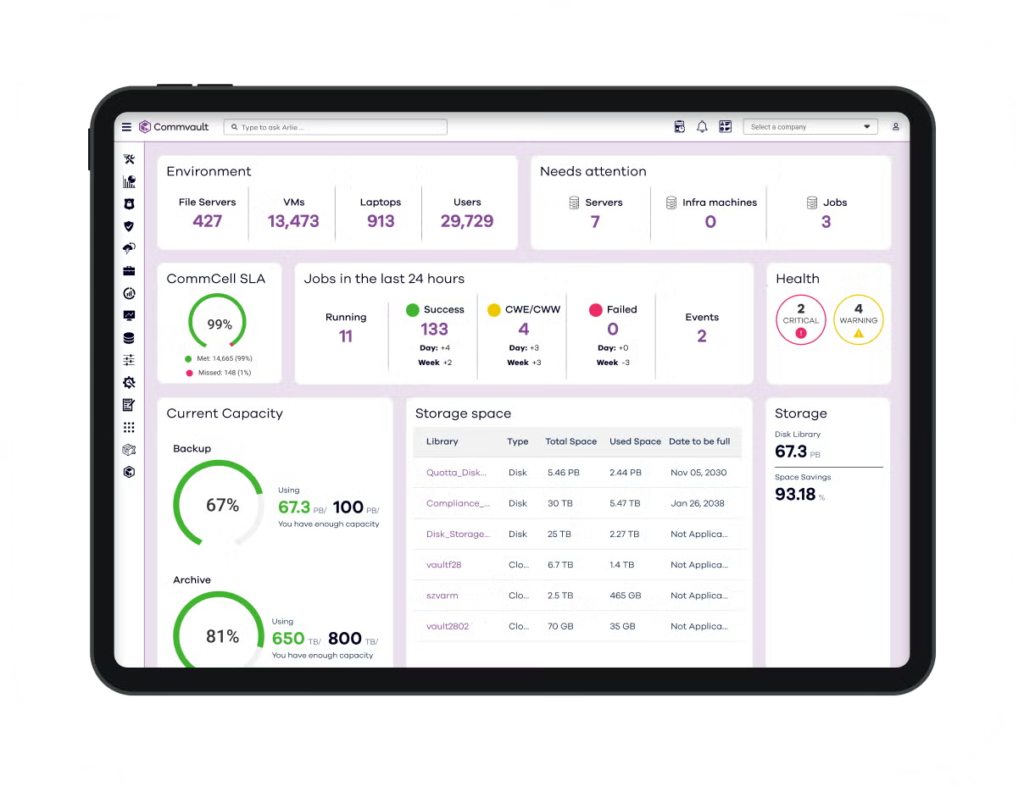
3. Commvault Backup and Recovery
Commvault Backup and Recovery is a cyber-resilient data protection solution to secure enterprise data across on-premises, cloud, hybrid, and SaaS environments. It delivers scalable backup, rapid recovery, and protection against ransomware and zero-day threats.
Best for: Large enterprises that need one platform across data centers, multiple clouds, SaaS apps such as Microsoft 365, and endpoints.
Key features:
- Broad workload coverage: Supports backup and recovery for virtual machines, containers, databases, endpoints, SaaS applications like Microsoft 365, and both cloud and on-prem workloads.
- Immutable and indelible storage: Protects against ransomware by storing backups in environments that prevent unauthorized changes or deletion.
- Cleanroom recovery: Enables secure, isolated restoration and validation of data in an on-demand environment, reducing the risk of reinfection during recovery operations.
- Storage flexibility and SaaS delivery: Offers scalable storage options across multiple public cloud providers with air-gapping capabilities.
- Foundational security: Incorporates encryption (FIPS 140-3 certified), zero trust architecture, application hardening, and emerging post-quantum protection.
Limitations: The breadth comes with many modules and licensing options, so scoping and deployment take planning.
Pricing: Quote-based.
Bottom line: The broadest workload coverage on this list, suited to estates where SaaS and endpoints matter as much as cloud infrastructure.
4. Cohesity NetBackup

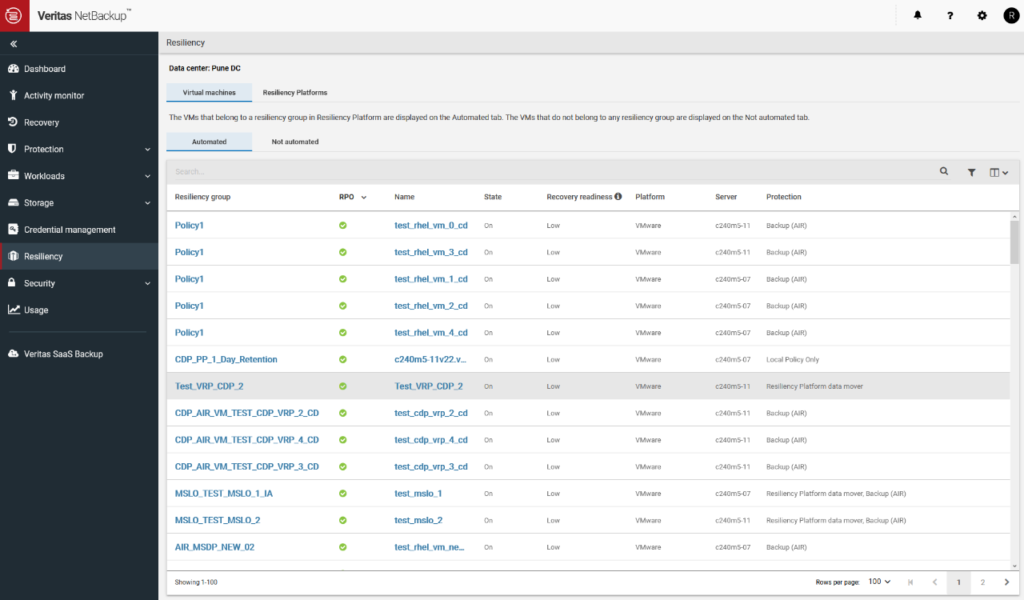
Cohesity NetBackup is an enterprise data protection platform for secure, automated, and scalable backup across hybrid and multi-cloud environments. It combines AI-driven threat detection, policy-based automation, and elastic architecture to simplify data protection while ensuring cyber resilience.
Best for: Large hybrid and legacy data-center estates, especially organizations already running NetBackup.
Key features:
- Cyber resilience with multi-layer defense: Protects critical data using immutable storage, adaptive MFA, and military-grade encryption, while anomaly detection and malware scanning reduce the risk of ransomware impact.
- Automated recovery and orchestration: Enables zero-ransom recovery with automated workflows and Alta View Blueprints, offering visibility into last-known-good backups.
- Hybrid and multi-cloud optimization: Simplifies protection of AWS, Azure, Google Cloud, and on-prem environments through a unified platform.
- Unified Kubernetes data protection: Provides native, application-consistent backup and cross-platform recovery for Kubernetes workloads, including deduplication, image replication, and tiering using service lifecycle policies.
- Elastic and scalable architecture: Scales protection across petabyte-scale environments with global deduplication.
Limitations: Designed around data-center infrastructure, with cloud protection delivered through additional components; the platform is now sold by Cohesity, which acquired the Veritas data protection business.
Pricing: Quote-based.
Bottom line: Built for scale in the data center. Cloud-first teams will find more infrastructure to run than a cloud-native tool needs.
5. Rubrik Cloud Vault

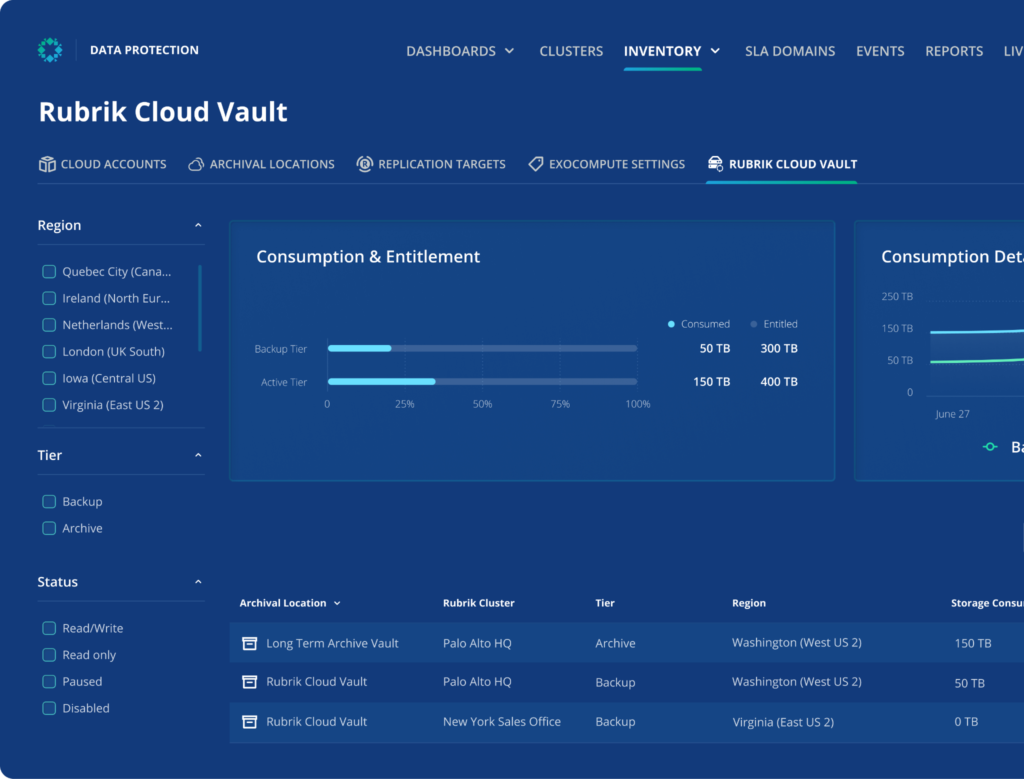
Rubrik Cloud Vault is a managed, offsite data protection solution to enhance cyber resilience through secure, isolated, and immutable backup storage. Built on zero trust principles, it ensures data is always protected from cyber threats, operational failures, or disasters by keeping backup copies in an air-gapped, Rubrik-hosted cloud environment.
Best for: Existing Rubrik customers that want a managed, isolated offsite copy without running their own vault.
Key features:
- Immutable, air-gapped backup storage: Stores data in a physically and logically isolated environment with immutability to prevent deletion, modification, or encryption.
- Fast, clean recovery: Enables rapid restoration of clean files, objects, or applications directly from a secure cloud vault. Parallel download capabilities accelerate recovery.
- Zero trust architecture: Enforces strict security policies, including role-based access controls, quorum authorization for critical actions, and anomaly detection based on machine learning behavior analysis.
- Key management flexibility: Supports key rotation and bring-your-own-key (BYOK) options, allowing organizations to control and revoke access if needed.
- Fully managed BaaS model: Eliminates the complexity of deploying and managing offsite vaults by offering a turnkey, cloud-native service with single-SLA policy enforcement.
Limitations: A managed, air-gapped backup and archive storage service for data Rubrik already protects, so it needs Rubrik as your backup platform to run the backups. The copies live in a Rubrik-owned tenant, isolated from your admin domain, rather than in your own account.
Pricing: Quote-based.
Bottom line: A clean way to add an isolated copy to a Rubrik estate, but it assumes Rubrik is already your backup platform.
Related content: Read our guide to enterprise cloud backup solutions
Which enterprise cloud backup service should you choose?
Start with where your data sits. Estimate what share of the data you protect lives in cloud infrastructure, in your own data centers, and in SaaS apps and endpoints, then shortlist from the group that holds most of it.
- Mostly in AWS and Azure: Choose a cloud-native tool that runs in your own accounts. N2W fits here, with one console across AWS, Azure and Google Cloud, and recovery from AWS into Azure.
- Mostly VMs in your own data centers: Veeam Backup & Replication, or Cohesity NetBackup if the estate is large and already on NetBackup.
- Spread across data centers, SaaS apps and endpoints: Commvault, for coverage across all three in one platform.
- Already on Rubrik: Add Rubrik Cloud Vault for an isolated offsite copy.
If your estate is moving to the cloud, choose for where it will be in two years rather than where it is today. Data-center tools often protect cloud workloads through add-on products, and that gap widens as the cloud share grows.
Best Practices for Enterprise Cloud Backup
Implement Role-Based Access, Credential Isolation, and MFA for Backup Systems
Implementing role-based access control (RBAC), credential isolation, and multifactor authentication (MFA) is essential for securing backup infrastructure. RBAC restricts actions to authorized personnel, minimizing accidental or malicious changes to backup policies and assets. Segmenting credentials ensures that even if one account is compromised, broader access is restricted.
Multifactor authentication adds a further barrier to unauthorized access by requiring additional proof of identity. For enterprise backup systems, combining RBAC, isolated credentials, and MFA ensures that only vetted users can trigger backups, changes, or restores. This security posture reduces exposure to ransomware, insider threats, and privilege escalation attacks, making backup data much harder to compromise.
Maintain Immutable Backup Tiers and Off-Site Redundancy
Maintaining immutable backup tiers means ensuring at least one backup copy cannot be altered or deleted before its retention period. This prevents ransomware and rogue insiders from encrypting or erasing critical recovery data. Cloud platforms often provide object lock or write-once-read-many (WORM) storage options to support immutability, which should be part of every enterprise backup strategy.
Equally important is off-site redundancy: keeping additional backup copies in geographically separate locations. This practice guards against site-wide disasters, such as fires or regional outages, ensuring recoverability even in extreme scenarios. For regulated industries, combining immutability with off-site redundancy is not only a best practice but often a compliance requirement, helping organizations meet operational resilience standards.
Test Restore Workflows Regularly and Validate Data Integrity
Regularly testing restore workflows is necessary to confirm backups are both complete and recoverable. Scheduling backups is only half the job: enterprises must verify they can restore critical data under real-world conditions. This includes conducting periodic drills for entire systems and sampling routine file-level or application restores. Documenting these tests and outcomes supports audit requirements and improves response readiness.
Validating data integrity involves verifying that restored files are accurate, uncorrupted, and match source data. Automated data validation checks and hashing routines should be incorporated into the backup process. Without integrity verification, there is a risk of silent failures or undetected corruption that could render future restores worthless.
Use Intelligent Scheduling to Reduce Bandwidth and Cost Impact
Using intelligent backup scheduling allows enterprises to optimize network usage and control cloud storage costs. By aligning backup windows with periods of low network activity, such as nights or weekends, organizations can prevent performance bottlenecks and avoid disruption to business operations. Incremental backups, deduplication, and data compression techniques further reduce data transfer requirements.
Cost impact is also managed by scheduling less frequent full backups and more regular incremental or differential jobs. Intelligent scheduling, often supported by AI-driven analytics, can identify optimal times for backup and minimize unnecessary data movement. This strategic approach helps organizations control cloud egress charges and lowers their total cost of ownership while ensuring data remains reliably protected.
Align Backup Policies with Data Classification and Business-Criticality
Backup policies should be tailored according to the classification and business-criticality of each data type. Mission-critical databases, regulated records, and sensitive customer information require frequent backups, longer retention, and stronger protection measures. Conversely, less critical or archival data can use less aggressive backup schedules and shorter retention, reducing operational overhead and storage costs.
Data classification frameworks help backup administrators align protection levels with risk profiles and compliance duties. Modern enterprise backup solutions often integrate with data discovery and classification tools, allowing policy-driven automation. By mapping backup frequency and retention to the actual value and regulatory importance of data, organizations ensure business continuity while maximizing operational efficiency.
Frequently Asked Questions
Enterprise cloud backup services protect an organization’s data by keeping copies in the cloud and restoring them after deletion, corruption, an outage or an attack. At enterprise scale they add policy-based automation across many accounts, regions and workloads, immutable copies, disaster recovery, and the reporting that audits ask for.
Most enterprise backup vendors do not publish prices and quote each deal, usually per workload, per protected terabyte or by capacity. N2W publishes its entry price: $249 a month for up to 20 protected instances on the Standard plan, set by instance count rather than data volume, with larger plans quoted. On top of any license, budget for the cloud storage the backups use.
Look for a tool that runs inside your own cloud accounts, protects both clouds from one console, and can recover across regions and accounts. N2W fits that profile: it deploys in your AWS and Azure accounts, manages both from a single deployment, and can recover AWS workloads into Azure. Data-center platforms such as Veeam and NetBackup protect cloud workloads too, but through additional products or components.
Backup keeps copies of data so you can restore files, volumes or whole systems. Disaster recovery brings an entire environment back, compute, networking and data, in another region, account or cloud when the primary one is unavailable. Enterprise services increasingly combine both, but check whether a tool restores machines only or also rebuilds the network around them.
They help, mainly through immutable copies that cannot be changed or deleted before their retention date, and through copies kept in an isolated account or a different cloud. How strong the lock is varies. On AWS, N2W uses S3 Object Lock and EBS Snapshot Lock in compliance mode, which not even a root user can remove early. On Azure it uses a Delete lock on snapshots and a lease on archived copies, which protect against accidental and malicious deletion but can be removed by an administrator with the right permissions.
Ideally in accounts you control, separate from production, with at least one copy in another region and one outside the production cloud. Tools that run inside your own cloud account keep that custody with you; managed services store the copies in the vendor’s cloud, which simplifies operations but puts your backups under someone else’s control plane.
Conclusion
Enterprise cloud backup services form a foundational layer of resilience for modern organizations, ensuring that critical data remains protected, recoverable, and compliant, regardless of where it resides. Their ability to scale, automate, and secure backup operations across diverse environments allows IT teams to meet regulatory, operational, and cybersecurity challenges while maintaining control and visibility. As enterprise data footprints grow in complexity, these services provide the flexibility and assurance needed to support both continuity and innovation.