What Are Enterprise Cloud Backup Solutions?
Enterprise cloud backup solutions securely store, manage, and recover business data using cloud infrastructure. These solutions address the scalability, security, and compliance needs of large organizations by offering capabilities beyond standard consumer-grade backup systems. By shifting critical data protection tasks to the cloud, enterprises can mitigate risks associated with data loss, hardware failure, and cyberthreats while benefitting from on-demand resource scalability.
Cloud backup platforms in the enterprise space often integrate with various workloads, whether on-premises, hybrid, or fully cloud-native. They support automated backup scheduling, rapid recovery options, and policy-based management to accommodate business continuity requirements. Their adoption reflects the growing realization that safeguarding large volumes of mission-critical data requires flexibility and resilience only cloud architectures can efficiently provide.
Solutions like N2W, designed specifically for public cloud environments, eliminate the need for complex agents or proxies.
This is part of a series of articles about cloud backup services
In this article:
Key Features of Enterprise Cloud Backup Solutions
Multi-Region Replication
Multi-region replication refers to the automatic duplication of backup data across multiple geographically separated cloud regions. This strategy enhances disaster recovery by ensuring that even if one region suffers a catastrophic event, copies of critical data remain intact and recoverable elsewhere. Enterprises significantly reduce downtime risk and increase overall data durability with multi-region replication as a standard feature.
Replicating data across regions also supports compliance with data residency requirements, which may stipulate that data remains within specific geographic boundaries. Furthermore, it improves access to data by users located in different parts of the world, reducing latency for recovery operations and business continuity processes. For enterprises operating on a global scale, multi-region replication is fundamental for delivering reliable, high-availability backup infrastructure.
How N2W handles enterprise scale
At enterprise scale the deployment model is the difference. A single N2W instance covers an entire AWS Organization: adding an account means deploying the same IAM role there and pointing the trust relationship at the existing instance, with no extra server per account. Azure subscriptions register into the same console. Policies are tag-driven, so new resources inherit protection without anyone remembering to add them, and the protection status of every account is visible in one place.
N2W allows for cross-region and cross-account backup and restore in just a few clicks, without requiring custom scripts or manual processes. This is particularly useful for disaster recovery and ransomware resilience across AWS and Azure.
Centralized Management
Centralized management consolidates the administration and monitoring of backup environments into a single interface, streamlining operations for IT teams managing complex, multi-site infrastructures. This feature provides a unified dashboard for scheduling backups, monitoring job status, troubleshooting errors, and tracking compliance. With centralized oversight, organizations reduce the opportunity for misconfiguration and ensure consistent policy enforcement across all departments and regions.
A well-designed centralized management console simplifies role-based access control, audit logging, and reporting, supporting the needs of both technical teams and compliance officers. It also allows for the integration of analytics and alerting tools, enabling rapid identification and remediation of issues. Centralized management becomes particularly vital at scale, where manual efforts can quickly grow unwieldy and introduce risk through inconsistent practices.
TIP: N2W offers a single console to manage backup and recovery for AWS, Azure, and Wasabi, so there’s no toggling between tools or consoles.
Automation and Integration
Automation capabilities in enterprise cloud backup solutions reduce the reliance on manual intervention, streamlining routine tasks such as backup scheduling, routine testing, and policy enforcement. With automation, backups run according to predefined schedules and retention rules, minimizing human error and freeing IT staff for higher-value work. Solutions offer self-service portals, allowing end users or departments to manage specific backup and recovery operations within allowed parameters.
Integration with existing business applications, cloud services, and orchestration platforms is another key feature. APIs, native connectors, and plug-ins enable backup processes to operate within broader IT workflows, such as devops pipelines, SaaS platforms, and security tools. Automation and integration not only improve operational efficiency but also ensure that data protection processes can quickly adapt to changes in business systems and requirements.
TIP: N2W provides policy-driven automation—including scheduled DR drills, automated cleanups, archival, resource control, and reporting.
Immutable Backups
Immutable backups are protected backup copies that cannot be modified, deleted, or encrypted once they have been created and stored. This immutability is crucial in defending enterprise data from sophisticated threats like ransomware, which often aim to compromise or destroy backup repositories. By enforcing immutability at the storage layer, organizations guarantee access to unaltered backup data for recovery, regardless of whether production systems or primary backups have been compromised.
Implementing immutable backups forms a critical layer in layered defense strategies, ensuring at least one set of untouchable, gold-copy backups is always available. Leading cloud backup platforms offer configurable immutability periods, often integrated with retention and compliance policies to store data for fixed intervals. This capability is now viewed as a baseline requirement for any enterprise cloud backup solution aiming to provide robust data protection in today’s evolving threat landscape.
N2W supports immutability for AWS, Azure, and Wasabi, including Wasabi Compliance Locking, which protects data even from deletion attempts by the root user. This offers compliance-grade immutability not always available in other platforms.
Compliance
Compliance features ensure that backup operations adhere to a wide array of data protection regulations and industry standards, such as GDPR, HIPAA, or SOX. Enterprise cloud backup solutions provide tools for enforcing retention policies, maintaining immutable audit logs, and managing data locality to address regulatory requirements. They also facilitate regular reporting and certifications, enabling organizations to demonstrate compliance during audits without extensive manual effort.
To support compliance further, solutions may include encryption for data in transit and at rest, granular role-based access controls, and ongoing monitoring for potential violations. These controls are essential in industries subject to strict regulatory oversight, reducing both the risk of data breaches and the costly penalties associated with non-compliance. Integrating compliance checks into every stage of the backup lifecycle helps enterprises stay ahead of evolving legal and industry requirements.
N2W includes built-in support for audit-ready reports, alerting, and granular access controls, helping organizations meet GDPR, HIPAA, and SOX compliance requirements easily.
How Cloud Backup Solutions for Enterprise Compare
Born-in-the-Cloud, Purpose-Built for IaaS
1. N2W
N2W runs as a single EC2 instance inside your own AWS or Azure account, so backups stay in your account and N2W never accesses your data. It is agentless for EC2, EBS and RDS, working through native cloud APIs rather than software installed on each machine, and one instance covers an entire AWS Organization. Backups run as often as every 60 seconds, and recovery covers individual files, volumes, VMs and whole environments.
- Unified backup across AWS, Azure, and Wasabi: One console covers AWS accounts, Azure subscriptions and Wasabi. Adding an AWS account means deploying the same IAM role there and pointing its trust relationship at the existing instance, with no extra server per account.
- Cross-cloud recoverability: Back up AWS workloads and restore them into Azure, which puts the copy under a different provider, different credentials and a different control plane. That separation is what makes it a true air gap rather than a second account inside the same cloud. Bootable cross-cloud restore is Ubuntu only at v5.0.
- Infrastructure orchestration, not just data: Recovery Scenarios clone VPCs, subnets, route tables, security groups and VPN configuration through an editable CloudFormation template, then launch grouped servers in a set order so an application tier comes up before the database tier it depends on.
- Immutable and air-gapped backups: Backups land in a separate DR account whose IAM policy grants no delete permission to anyone, administrators included, so a compromised admin credential cannot remove the recovery point.
- Disaster recovery automation: Dry run exercises a full recovery plan using read-only cloud APIs and checks that subnets, IAM permissions and specific IP addresses are still available. Nothing launches, so it costs nothing and can run monthly between full failover tests. Policies are tag-driven, so new resources inherit protection without anyone adding them by hand.
- Cost optimization built-in: Incremental archiving to cheaper storage tiers cuts backup storage cost by up to 92%. N2W also flags idle instances and VMs to shut down, and reports the savings against your actual cloud bill.
See the N2W and AWS Backup comparison for cost and recovery detail.
2. Druva Cloud Backup

Druva Cloud Backup is a SaaS platform for protecting cloud-native applications across AWS and Azure. It supports backup and recovery at scale while ensuring security for public cloud data.
- Unified public cloud protection: Consolidate data protection across AWS and Azure workloads, including EC2, RDS, and Azure VMs, to reduce complexity and infrastructure dependencies within a SaaS delivery model.
- Air-gapped, encrypted backups: Maintain secure, air-gapped backups with encryption in transit and at rest to limit exposure of recovery data to external threats and unauthorized access.
- Cloud-native operations: Use a cloud-delivered platform designed specifically for Azure and AWS environments to streamline management and standardize protection for cloud-resident workloads and data.
- Cost-focused design: Replace cross-account and cross-region snapshot patterns with air-gapped backups to control costs while sustaining resilience against ransomware and related threats.
- Workload breadth: Extend protection across Azure services such as Azure SQL and Azure Files, and AWS services, organizing recovery for commonly deployed data services in public cloud environments.
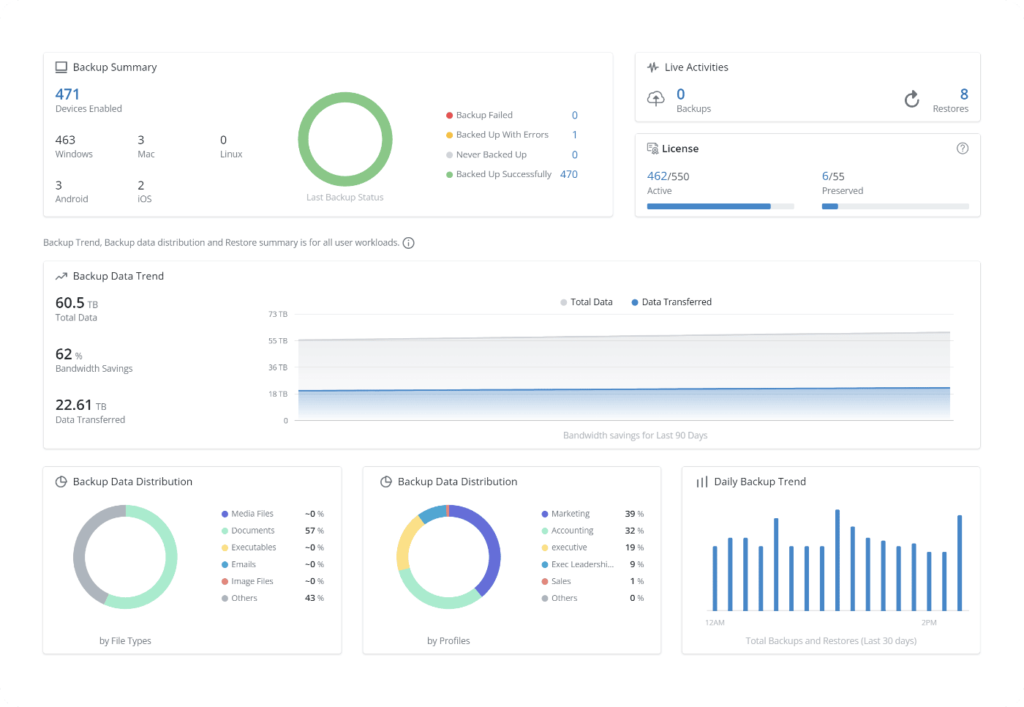
TIP: Unlike Druva’s SaaS-only model, N2W runs within your cloud environment (for higher security), giving teams more control, faster RTOs, and lower data egress costs.
Traditional Backup Solutions Adapted to Cloud
These solutions were originally designed for on-prem environments, and while they’ve adapted to the cloud, they often require agents, external infrastructure, or complex licensing models.
3. Rubrik Cloud Native Protection

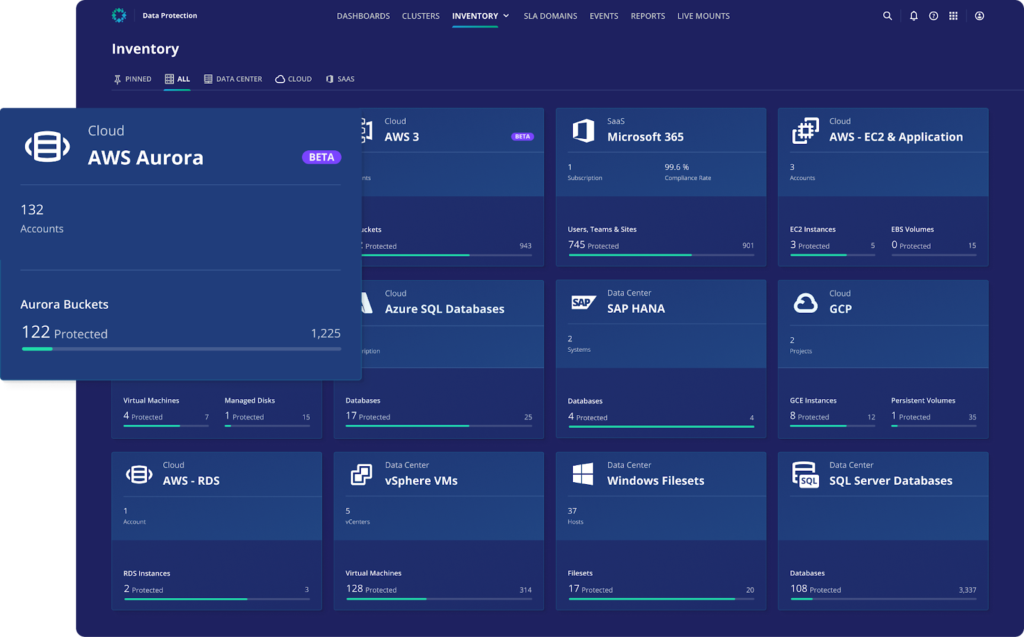
Rubrik Cloud Native Protection standardizes discovery, policy application, and recovery across cloud environments. It automatically finds new workloads, applies global protection policies, and unifies recovery workflows across multiple clouds.
- Automatic workload discovery: Detect newly created cloud resources and bring them under management without manual onboarding steps, reducing drift between deployed assets and protected inventories.
- Global policy application: Apply organization-wide protection policies consistently across cloud accounts and regions, improving uniformity for backup schedules, retention, and recovery objectives.
- Unified recovery workflows: Orchestrate recovery through a single process across clouds, minimizing variation between providers and simplifying operational runbooks during restore operations.
- Cloud-first operations: Operate protection directly in cloud environments to standardize processes and avoid piecemeal tooling, aligning governance and recovery with cloud-native patterns.
- Multi-cloud consistency: Use one platform to manage protection for workloads across multiple cloud environments, focusing on consistent discovery, policy execution, and recovery handling.
4. Veeam Backup and Replication

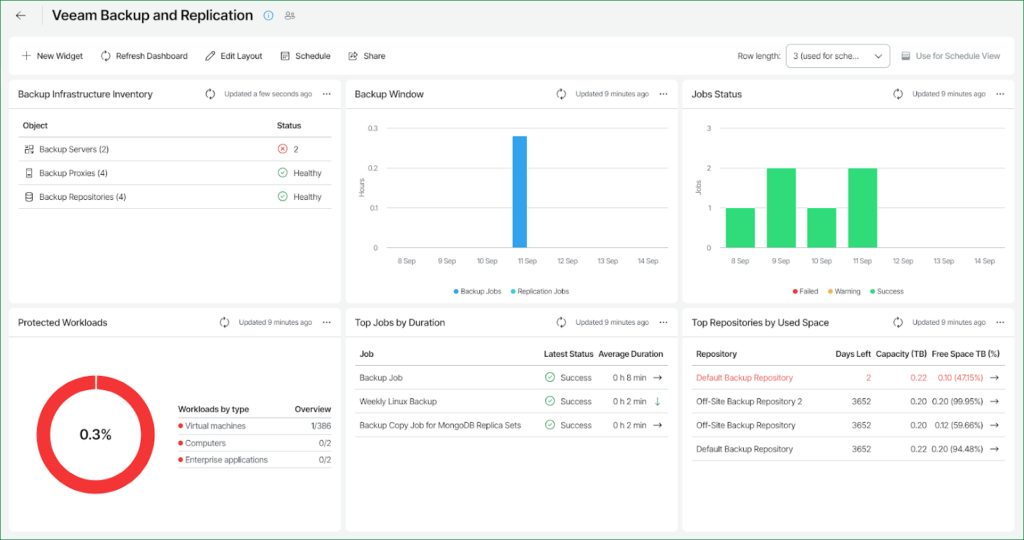
Veeam Backup & Replication is the backup and recovery engine of Veeam Data Platform. It protects virtual, physical, and cloud workloads, enabling fast restores with instant recovery, immutable storage, RBAC, and audit-ready reporting.
- Broad workload protection: Safeguard virtual machines, physical systems, and cloud services under a common engine, consolidating backup and recovery operations across mixed environments.
- Instant recovery options: Restore services quickly using instant recovery techniques designed to reduce downtime and accelerate resumption of operations following data loss or corruption incidents.
- Immutable storage support: Store backups on immutable targets to prevent modification or deletion, strengthening resilience against ransomware and other destructive changes to backup data.
- Role-based access control: Assign permissions based on roles to limit administrative scope and structure operational responsibilities for backup configuration, execution, and recovery tasks.
- Audit-ready reporting: Generate reports suitable for audit needs, providing visibility into protection status, policies, and restore actions across managed environments.
5. Commvault Backup and Recovery
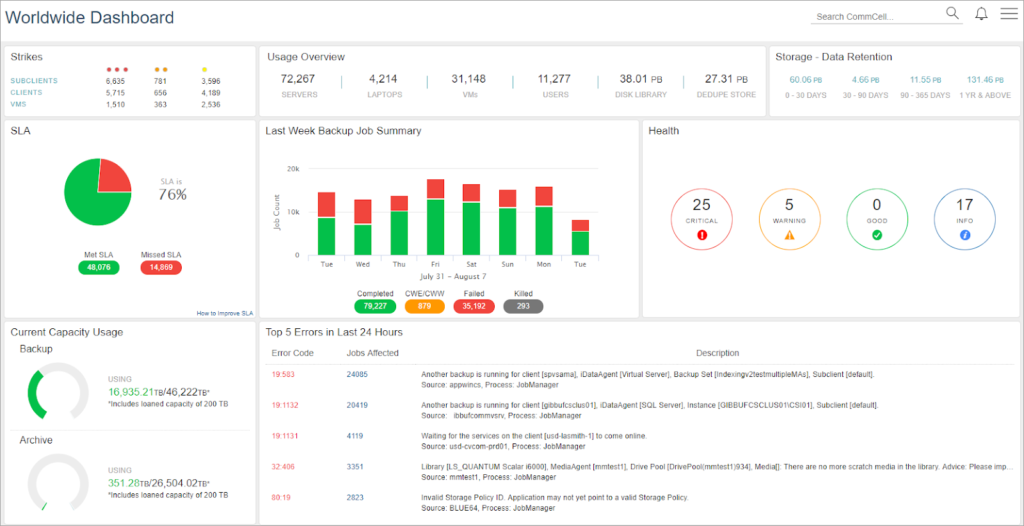
Commvault Backup & Recovery provides data protection across cloud, on-premises, and hybrid environments with features for ransomware defense, workload coverage, and cleanroom recovery for testing and validated restores.
- Storage flexibility: Use storage options and SaaS delivery to build scalable, air-gapped cloud storage across public clouds, aligning deployment choices with protection and isolation needs.
- Immutable and indelible storage: Defend against ransomware and zero-day threats with shielded backup infrastructure and locked storage that resists attempts to delete, encrypt, or alter protected data.
- Comprehensive workload coverage: Protect virtual machines, containers, databases, applications, endpoints, and files, consolidating backup for diverse data types under a single platform.
- Cleanroom recovery: Use an isolated, on-demand cloud environment to test and validate cyber recovery plans and facilitate clean, secure recovery operations after incidents.
- Data integrity controls: Detect suspicious activity and maintain audit and change logs, alongside immutability and indelibility controls to help prevent disclosure and unauthorized modification.
Native Cloud Provider Tools
6. AWS Backup

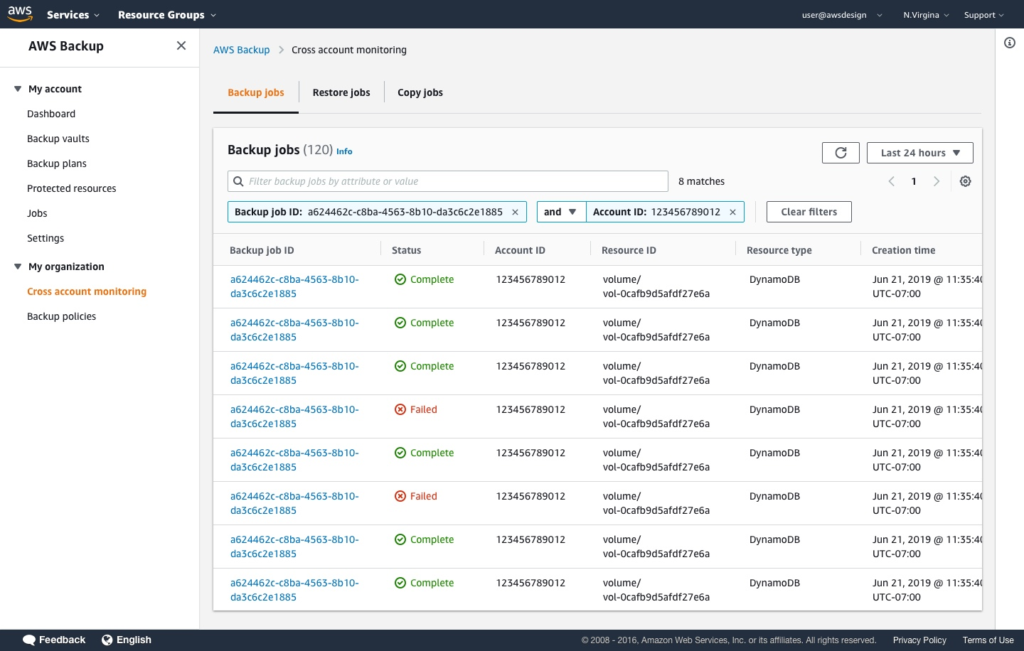
AWS Backup is a fully managed service for centralized, policy-based backup and recovery across AWS services and hybrid workloads. It adds ransomware recovery capabilities and compliance insights for data protection operations at scale.
- Centralized, policy-based protection: Configure and govern backups across multiple AWS accounts, resources, and regions using a single, managed service that enforces organization-wide schedules, lifecycles, and standards for data protection.
- Cloud-native coverage: Back up buckets, volumes, databases, and file systems across supported AWS services to standardize protection for cloud applications without building or maintaining custom tooling.
- Hybrid workload support: Centralize protection for VMware workloads and AWS Storage Gateway volumes to include on-premises environments within the same management and policy framework as cloud resources.
- Ransomware resilience: Create immutable backups, scan for malware, and use logically air-gapped vaults as part of a defense-in-depth approach to recover from account compromise or encryption events.
- Compliance oversight: Monitor, audit, and report on backup policies and activity using real-time analytics, including dedicated audit capabilities for assessing alignment with organizational or regulatory requirements.
7. Azure Backup
Azure Backup is a centralized backup service for protecting data during outages and cyberattacks. It provides a single place to organize and operate backup across supported Azure and hybrid workloads.
- Centralized backup service: Use a unified experience to configure, run, and monitor backups, consolidating protection tasks instead of managing disparate tools across different Azure resources and environments.
- Azure workload coverage: Protect common Azure services, including Azure SQL, Azure Blob, and Azure Files, enabling consistent backup and restore operations for frequently deployed cloud data services.
- Virtual machine protection: Back up Azure virtual machines with service-level controls, integrating snapshot and recovery operations into the platform’s management workflows for standardized protection.
- Hybrid backup options: Implement backup and recovery for Windows Server IaaS scenarios to extend protection patterns across hybrid environments where on-premises servers run within cloud infrastructure.
- Portfolio integration: Coordinate with adjacent Microsoft services, including Microsoft 365 and Entra ID, when organizing protection strategies that span SaaS and identity data alongside Azure workloads.
While AWS and Azure Backup are useful for basic policy enforcement, they often lack cross-region/account automation, granular file-level recovery, or multi-cloud orchestration. N2W complements and extends these tools by offering enterprise-grade capabilities like instant DR testing and centralized backup for hybrid environments.
Looking for enterprise backup that’s ridiculously easy, seriously fast, and surprisingly cost-effective?
Try N2W free and see the difference.