 Skip to content

What Are Cloud Backup Services?
Cloud backup services store and protect data by copying files from local machines or servers to remote cloud storage. This ensures data safety against physical loss or corruption due to hardware failures or disasters. These services typically automate the backup process, so users don’t have to manually save files to the cloud regularly.
Storing backups in the cloud offers accessibility from any location with an internet connection. This allows organizations and individuals to restore data quickly without physical media. Additionally, many cloud backup services offer features such as encryption and versioning, improving data management security.
There are many cloud backup services available, some of them suitable for individuals or small businesses, and some for larger organizations. In this article we’ll focus on enterprise cloud backup services intended for larger organizations or those with complex backup or compliance requirements.
Editor’s note: Updated the article to cover recent market data, updated information about cloud backup services to reflect features and capabilities in 2026.
This is part of an extensive series of guides about data breaches.
In this article:
- Key Features of Enterprise Cloud Backup Services
- Cloud Backup vs On-Premises Backup
- Implementing Cloud Backup Strategies with Backup Services
- Notable Cloud Backup Services
- Frequently Asked Questions
Key Features of Enterprise Cloud Backup Services
Cloud backup services intended for organizations typically offer the following capabilities.
Automatic Backups
Automatic backups simplify data protection by eliminating the need for manual operation. These systems continuously monitor files and automatically upload changes to the cloud at scheduled intervals. This ensures data is consistently protected without user intervention, preventing human error.
Such services often offer customization options, allowing users to define backup frequency and select specific files or folders for automatic updating. This ensures that only critical files are backed up, optimizing storage usage and reducing unnecessary data transfer.
Disaster Recovery
Disaster recovery ensures continuity in business operations after a data loss event, such as natural disasters or cyber-attacks. Cloud backup services promise swift data restoration, minimizing downtime and preserving business integrity.
Utilizing versions stored in the cloud, organizations can quickly recover and resume operations with minimal disruption. Cloud-based disaster recovery is typically more cost-effective compared to traditional methods, which rely on physical hardware and offsite storage.
Versioning
Versioning keeps multiple iterations of files, enabling users to revert to previous versions when necessary. This is useful when files are mistakenly altered or deleted, allowing quick restoration to a desired state. By maintaining a history of changes, cloud services enhance data accuracy and usability.
Most cloud backup services allow users to set retention policies for versions, determining how long versions are retained before deletion. This provides users with control over storage space management while ensuring essential versions are readily available when needed.
Data Compression and Deduplication
Data compression and deduplication optimize storage and transfer data efficiently. Compression reduces the size of files before uploading them to the cloud, saving bandwidth and storage space, which can significantly lower costs.
Deduplication eliminates redundant copies of data, ensuring efficient storage utilization. These technologies streamline the backup process, making it more feasible for large data volumes.
Data Encryption
Data encryption encodes data before transmission to the cloud, making it inaccessible to unauthorized users. This ensures data privacy, protecting sensitive information from breaches or cyber threats.
Cloud backup providers usually offer end-to-end encryption, ensuring data remains encrypted from local storage to cloud servers and back again. This protection guarantees that only authorized users with decryption keys can access the data.
Cross-Platform Support
Cross-platform support is the capability of cloud backup services to work across multiple operating systems and devices. Such services maintain consistent functionality, whether users are on Windows, macOS, Linux, iOS, or Android, ensuring broad accessibility and usability.
By supporting various platforms, cloud services enable integration within different infrastructures, simplifying backup and recovery processes. Organizations benefit from a unified approach to data protection, minimizing compatibility issues.
Cloud Backup Market Trends
Market Size And Growth
According to recent market research, the cloud backup market is expanding rapidly. It was valued at USD 5.36 billion in 2025 and projected to grow to USD 21.62 billion by 2031, at a compound annual growth rate (CAGR) of 24.84%.
This growth reflects increasing reliance on cloud-based data protection as organizations move away from traditional backup systems. The shift is driven by the need for scalable storage and more flexible cost models.
Key Drivers Of Market Growth
Several factors are accelerating adoption, including:
- The rapid increase in data generation: This requires scalable and cost-efficient storage solutions.
- The rise of SaaS platforms: Organizations must back up application-layer data from tools like Microsoft 365, Salesforce, and Google Workspace, which are not fully protected by default.
- Regulatory requirements: Laws and standards such as GDPR, HIPAA, and CCPA require secure storage, fast recovery, and sometimes immutable backups.
Key market segments include:
- By component: Software and storage solutions dominated the market in 2025 with 63.19% share. However, services are growing faster, with a projected CAGR of 25.99%.
- By deployment: Public cloud led with 48.41% of revenue in 2025. Hybrid cloud is expected to grow the fastest at 25.59% CAGR, as organizations balance scalability with data localization requirements.
By industry: Banking, financial services, and insurance accounted for 26.06% of demand in 2025. Healthcare is the fastest-growing segment due to rising ransomware threats and strict data protection requirements.
Cloud Backup vs On-Premises Backup
Cloud backup and on-premises backup differ in terms of infrastructure, accessibility, scalability, and cost. Cloud backup stores data offsite in a remote data center managed by a third-party provider, while on-premises backup stores data locally on physical hardware, such as tapes, disks, or network-attached storage.
One of the main advantages of cloud backup is offsite redundancy. Because backups are stored in geographically separate locations, they are less vulnerable to physical disasters affecting the primary site. On-premises backups, in contrast, are faster to restore in environments with high local bandwidth but are at greater risk from local threats like fire, theft, or equipment failure.
Cloud backups typically offer more flexibility and scalability. Organizations can expand storage without investing in new hardware and benefit from pay-as-you-go pricing. In contrast, on-premises solutions require upfront capital investment and ongoing maintenance.
However, cloud backups depend on internet connectivity. Large-scale recovery may be limited by bandwidth, making local backups more suitable for quick restores in bandwidth-constrained environments. Many enterprises adopt a hybrid model, using both cloud and on-premises backups to balance speed, redundancy, and cost.
Implementing Cloud Backup Strategies with Backup Services
Here are several backup strategies typically supported by cloud backup services:
3-2-1 Backup
The 3-2-1 backup strategy is a widely recommended approach for data protection that involves maintaining three total copies of data: the original file plus two backups. One backup is kept on local storage for quick access, while the second is stored offsite, typically in the cloud, to protect against physical disasters affecting local data.
By following this strategy, organizations achieve a balance between accessibility and security. The cloud component ensures a secure offsite copy, protecting against events like hardware failures or theft, while the local backup provides immediate access for recovery if needed. Many cloud backup services support this model by offering integrations with local storage solutions.
Incremental Backups
Incremental backups focus on backing up only the changes made since the last backup, whether that backup was full or incremental. This process is highly efficient, reducing the amount of data transferred and stored with each backup, which saves bandwidth and storage space.
Most cloud backup services support incremental backups by tracking changes in files, allowing rapid and resource-effective backups. These backups also speed up the recovery process by minimizing the amount of data that needs to be downloaded for a restore. Incremental backups are useful for frequently changing data.
Differential Backups
Differential backups save all changes made since the last full backup, making it faster to restore data than incremental backups, which require multiple sessions to reconstruct data. With differential backups, only two backup files are needed to recover the latest version of the data: the last full backup and the most recent differential backup.
Cloud backup services supporting differential backups provide a middle-ground option between incremental and full backups, optimizing recovery time. This strategy is suitable for organizations needing to balance data retrieval speed with cost savings, as fewer files are required for recovery while still reducing storage compared to daily full backups.
Mirror Backups
Mirror backups create exact, real-time replicas of files and folders in their current state, updating them in the cloud as changes occur. This approach ensures that the backup is always synchronized with the latest data, providing immediate access to current files in case of a system failure.
While mirror backups don’t retain historical versions of files, making them less effective for restoring previous file states, they’re useful for maintaining a continuously updated dataset. Many cloud services offer mirror backup as an option for data that requires real-time synchronization, such as project files or databases.

Notable Cloud Backup Services
Head to Head Comparison
| Product | Description | Pros | Cons |
| N2W | Cloud-native backup and disaster recovery for AWS and Azure workloads | Instant recovery; cross-region/account/cloud DR; cost optimization; granular file recovery; immutability; Wasabi storage integration. | No SaaS backup; no on-prem support, except through Amazon Outposts |
| AWS Backup | Managed AWS service for centralized, policy-based backup across resources | Centralized view for snapshot management; policy automation; hybrid support; compliance monitoring | Limited policy customizations; higher storage cost due to lack of incremental archiving and limitations with tiers; limited DR automation |
| Veeam Backup | Multi-platform backup across cloud, virtual, and on-prem environments | Broad workload coverage; immutable backups; fast recovery; threat detection | Complex setup; limited AWS deployment flexibility; may require backup appliances or plug-ins; regular security breaches |
| Commvault | Unified platform for backup, recovery, and cyber resilience across environments | Wide workload support; automated recovery; cleanroom restore; strong compliance tools | Complex setup; limited snapshot archiving; cross-cloud recovery overhead; policy limitations |
| Carbonite | SaaS-focused backup for applications like Microsoft 365 and Google Workspace | Automated backups; granular recovery; multi-SaaS support; centralized management | Slow speeds; limited features on lower tiers; no Linux or mobile support |
| Acronis Cyber Protect Cloud | Integrated backup and cybersecurity platform for endpoints and workloads | Backup + security in one; multi-environment support; DR capabilities; automation | Complex UI; steep learning curve; inconsistent onboarding; can increase management complexity |
| Wasabi | S3-compatible object storage target for backup and archive data | Predictable pricing; no egress fees; immutable storage; high performance | Confusing billing; UI complexity; support concerns; not ideal for large enterprises |
| Druva | SaaS-based data protection platform with automation and AI insights | Fully managed; immutable backups; centralized protection; AI threat detection | SaaS-delivered model may not fit orgs requiring highly secure infrastructure or very granular control over backup storage. |
| Backblaze B2 | S3-compatible object storage for backup and archive use cases | Low-cost storage; replication; object lock; open integrations | Requires third-party backup software for most enterprise backup workflows; less full-stack DR functionality than dedicated DR tools. |
Cloud and Infrastructure-Focused Backup Solutions
1. N2W

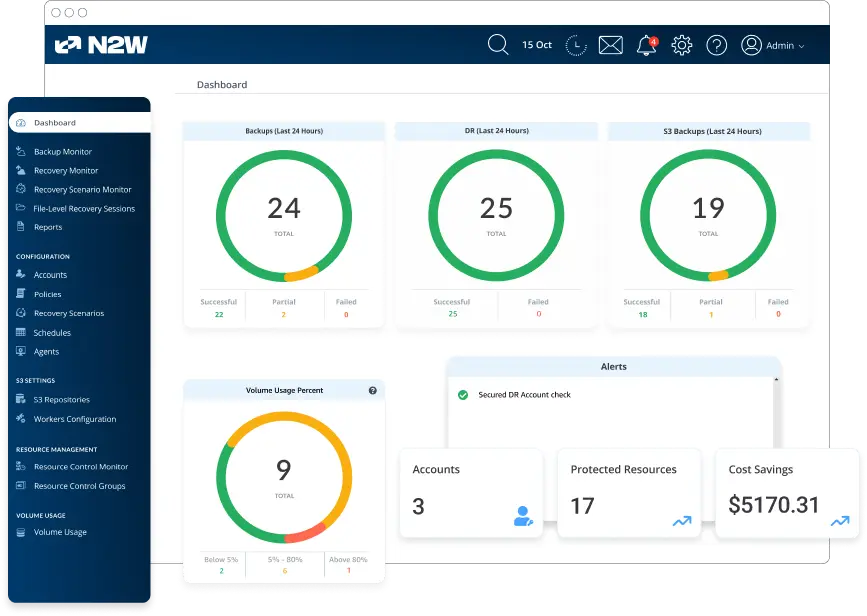
N2W is a purpose-built solution designed to deliver enterprise-grade backup, disaster recovery, and data lifecycle management for both AWS and Azure workloads. Its seamless integration with cloud services, coupled with features like cost optimization and instant recovery, makes it a preferred choice for organizations operating in single-cloud or multi-cloud environments.
Pros:
- Instant Recovery: Enables one-click recovery of cloud workloads, including entire instances, volumes, and files, significantly reducing downtime during outages or cyberattacks.
- Cross-region and cross-account disaster recovery: Automates backups and replication across regions and accounts in both AWS and Azure, ensuring high availability and robust protection against account or region-specific failures.
- Multi-cloud backup and DR: Copy backups between Azure, AWS, and Wasabi (with immutability) and restore across clouds.
- Cost optimization tools: Provides advanced scheduling and tiering options to automatically move snapshots to cost-efficient storage solutions like Amazon S3 Glacier, Azure Blob Storage, or Wasabi.
- Granular file-level recovery: Allows users to browse and restore individual files or directories from any backup without requiring pre-indexing or separate tools.
- Application-consistent backups: Ensures databases and applications, such as Microsoft SQL Server, Oracle, and SAP HANA, are captured in a consistent state for reliable restoration.
- Backup auditing and reporting: Delivers real-time insights into backup health, compliance, and storage usage with customizable reports and dashboards.
- Seamless integration with AWS and Azure services: Natively integrates with services like Amazon EC2, Amazon RDS, Azure VMs, and Azure SQL Database for comprehensive data protection.
- User-friendly interface: All tasks, from setup to complex recovery scenarios, can be performed within the UI, eliminating the need for scripting while offering API options for those who prefer automation.
Cons:
- No native SaaS application backup: While N2W excels in cloud infrastructure protection, it does not natively support SaaS platforms like Microsoft 365 or Google Workspace, requiring additional tools for those workloads.
- Focused on cloud environments: N2W does not directly support on-premises workloads, which may be a consideration for organizations with hybrid setups.
Overall it’s a robust solution for businesses leveraging AWS, Azure, or both. It simplifies cloud-native backup and disaster recovery with unmatched flexibility, cost-saving capabilities, and a user-friendly interface. For enterprises looking to secure their critical workloads with minimal effort, N2W stands out as a trusted partner.
2. AWS Backup
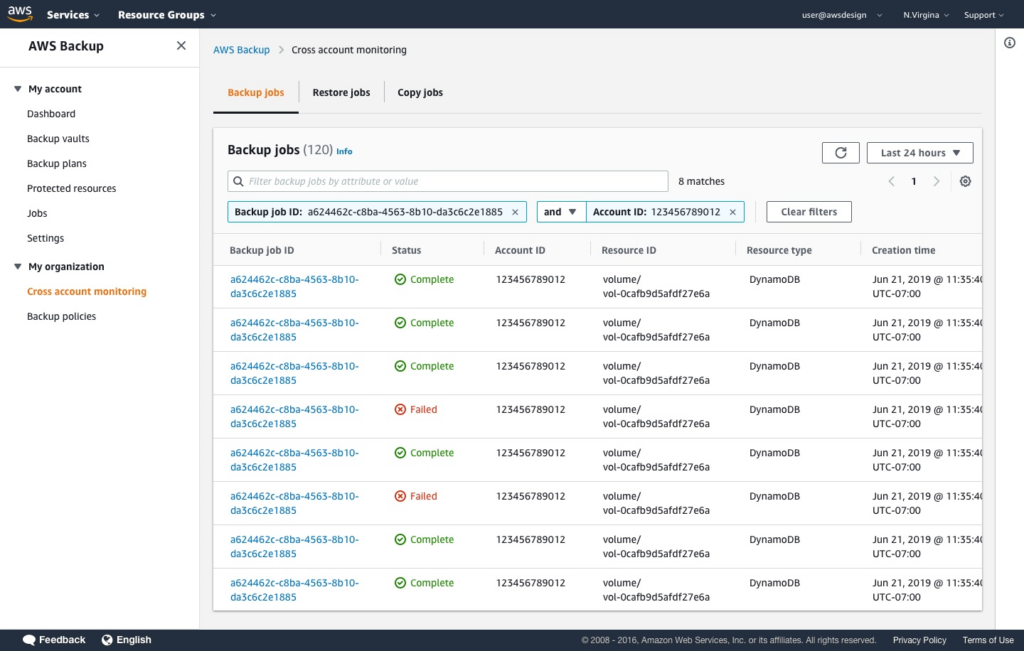
AWS Backup is a managed service that centralizes backup operations across AWS resources and some hybrid environments. It uses policy-based automation to define how data is backed up, retained, and protected. The service also includes monitoring and compliance capabilities, helping organizations enforce backup rules across accounts and regions.
Pros:
- Centralized backup management: Manage backups across AWS services, accounts, and regions from a single interface
- Policy-based automation: Define and enforce backup schedules, retention, and lifecycle rules using policies
- Hybrid workload support: Extend backup and restore management to on-premises VMware and VMware Cloud on AWS environments through AWS Backup Gateway
- Compliance monitoring: Evaluate backup configurations against organizational and regulatory requirements
- Ransomware protection and recovery: Support secure recovery processes and protection against data compromise
Cons:
- No one-click restore: Requires automation of restore operations via API calls, which suits DevOps-savvy businesses but may lack ease for users needing simple recovery. N2W, by contrast, offers near-instant one-click recovery without scripting.
- No granular recovery: Only supports full-server recovery, lacking file/folder-level granularity. N2W fills this gap by enabling detailed searches and drill-down access across multiple backup generations, eliminating the need for pre-planned indexing.
- Uses expensive storage tiers: AWS Backup defaults to costly storage tiers like Standard S3, which can dramatically drive up the cost of backup storage.
- No disaster recovery support: Allows manual snapshot copying to another region but doesn’t automate recovery. Cross-account disaster recovery, critical for safeguarding against account compromises, is absent but essential for robust multi-account AWS setups.
3. Veeam Backup
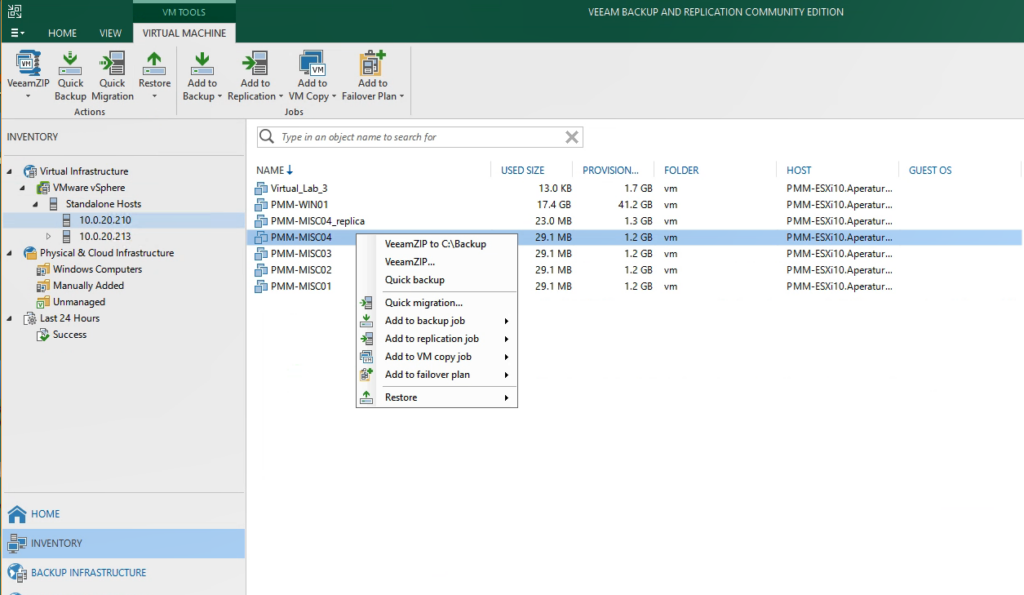
Veeam provides backup and recovery across cloud, virtual, and on-premises environments, with a focus on resilience and fast recovery. It supports hybrid and multi-cloud workloads while incorporating security controls such as immutability and zero trust access. The platform also includes monitoring, threat detection, and automation features.
Pros:
- Broad workload coverage: Protects cloud, virtual, and on-premises environments across multiple platforms
- Immutable backups: Prevents modification or deletion of backup data to protect against ransomware
- Instant recovery capabilities: Enables rapid restoration of workloads to meet recovery objectives
- Threat detection and monitoring: Identifies anomalies and malware risks before recovery
- Cross-platform portability: Allows recovery and migration across clouds and hypervisors
- Zero trust access controls: Uses role-based access and approval workflows to secure backup operations
Cons:
- Limited deployment options: Deployment of Veeam Backup for AWS is restricted to CloudFormation templates, offering less flexibility compared to solutions that support manual deployment or custom naming conventions.
- Complex backup configuration: Setting up backup policies is not user-friendly and often requires tagging resources, making it difficult to exclude specific volumes without in-depth knowledge of the infrastructure.
- Lack of multi-tenancy: The solution does not support multi-tenancy, limiting its use for MSPs who need to provide separate backup consoles for individual clients.
- Outdated terminology: Veeam uses on-premise terminology for cloud solutions, such as referring to backups as “replicas,” which can confuse users accustomed to modern cloud terminology.
- Recovery limitations: The recovery process is cumbersome, requiring users to know specific resources for restoration, as policies are not searchable or linked to the recovery workflow.
- File-level recovery concerns: File and folder-level recovery allows restoring to the same instance, raising potential security risks as this access could inadvertently introduce malware.
- Immutability gaps: Veeam does not support immutable EBS snapshots for AWS but does offer S3 object lock for certain storage classes. However, it lacks support for cost-efficient options like S3 Infrequent Access.
- Ineffective cost estimation: The cost estimation tool for archives often provides inaccurate calculations due to its inability to account for all variables, reducing its utility for budget planning.
- Inefficient cleanup: Unused backups can only be cleaned up once daily, potentially leading to unnecessary storage costs until the next cleanup cycle.
Related content: Read our guide to Replication vs Backup
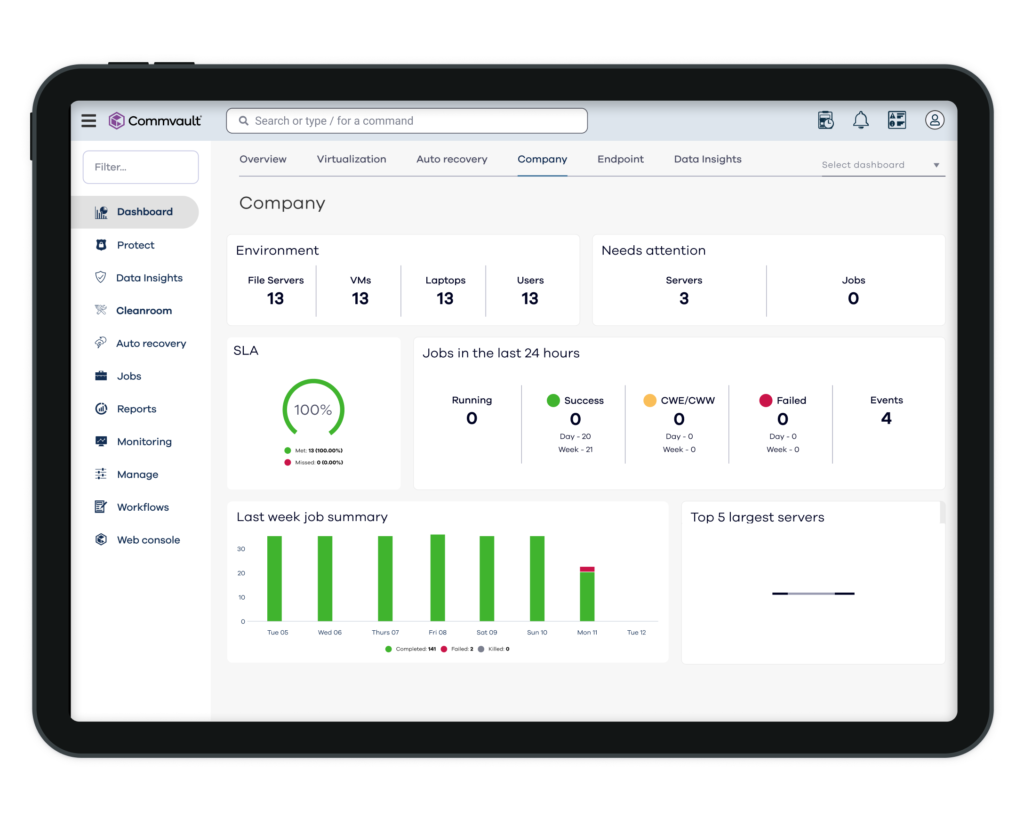
4. Commvault
Commvault offers a unified platform for backup, recovery, and cyber resilience across cloud, on-premises, and SaaS environments. It aims to protect diverse workloads through a single management layer while enabling fast recovery. The platform emphasizes automation, risk analysis, and clean recovery processes to maintain data integrity during incidents.
Pros:
- Unified data protection platform: Manages backup and recovery across cloud, data center, and SaaS from one interface
- Comprehensive workload coverage: Supports applications, containers, endpoints, and multi-cloud environments
- Automated recovery workflows: Recovery in minutes for supported cyber recovery scenarios with minimal manual intervention
- Cleanroom recovery: Ensures restored data is free from compromise before reintroduction
- Risk analysis and classification: Identifies sensitive data and supports compliance efforts
- Cyber resilience focus: Combines backup, security, and recovery into a single system
Cons:
- Access management concerns: As a SaaS solution, Commvault’s reliance on cloud-hosted services raises potential privacy and access management challenges for organizations handling sensitive data.
- Limited snapshot archiving: Commvault cannot archive RDS snapshots to cold storage solutions like S3 or Azure Blob, which limits cost-effective long-term storage options.
- Complex cross-cloud recovery setup: While cross-cloud recovery is supported, it requires a virtual server acting as an HTTP/HTTPS proxy, introducing additional costs and a potential single point of failure.
- Restricted DR backup flexibility: Disaster recovery backups must be stored in object storage (e.g., S3 or Azure Blob), which can lead to longer recovery times compared to snapshot-based DR backups.
- Challenging infrastructure optimization: Architecting and scaling deduplication servers and optimizing backup jobs require expertise, making the platform less accessible for teams without dedicated specialists.
- Policy limitations: Users cannot include multiple resource types in a single backup policy, which may complicate backup management for diverse workloads.
- Incomplete VPC backup support: Commvault only backs up attributes of EC2 instances within a VPC, not the entire VPC itself, limiting comprehensive recovery options for cloud environments.
- No VPC cloning or recovery scenario features: The platform lacks tools to easily clone VPCs or orchestrate rapid, full-infrastructure recovery, reducing efficiency during large-scale disaster recovery operations.
SaaS, Endpoint and Storage-Oriented Solutions
5. Carbonite
Carbonite (OpenText Core Cloud-to-Cloud Backup) focuses on protecting SaaS application data through automated backups and flexible recovery options. It addresses gaps in native SaaS protection by ensuring data can be restored after accidental deletion, ransomware, or misconfiguration. The platform supports multiple SaaS environments and provides centralized management for backup operations.
Pros:
- Automated daily backups: Performs scheduled backups without manual intervention
- Multi-platform SaaS support: Covers Microsoft 365, Google Workspace, Salesforce, and others
- Granular recovery options: Enables point-in-time restoration at the file or object level
- Content search capabilities: Allows fast search across metadata and stored content
- Centralized management: Supports multi-tenant environments for IT teams and service providers
- Secure storage options: Stores data in managed or customer-controlled cloud storage
Cons:
- Limited speed control: While Carbonite allows users to throttle internet usage, the feature lacks granular control, which may frustrate those trying to optimize bandwidth usage.
- Poor backup speeds: Users frequently report slow upload and download speeds, which can hinder efficiency, especially for large files or extensive datasets.
- Limited feature set: Personal plans do not support hybrid backups, NAS uploads, or block-level algorithms, restricting functionality for non-enterprise users.
- No mobile app support: Carbonite does not offer mobile apps for Android or iOS, limiting cloud backup capabilities for mobile device users.
- No linux compatibility: The service is not available for Linux systems, narrowing its usability for diverse IT environments.
- No image-based backups for personal plans: Creating a full system image backup is restricted to server plans, limiting the use of personal and non-enterprise plans.

6. Acronis Cyber Protect Cloud
Acronis combines backup with cybersecurity and endpoint protection in a single platform. It integrates data protection with anti-malware and management tools, allowing organizations to secure and recover workloads while reducing operational complexity. The platform supports a range of environments and includes automation to simplify backup and recovery processes.
Pros:
- Integrated backup and security: Combines data protection with anti-malware and ransomware defense
- Full-image and file-level backup: Supports multiple backup types across workloads
- Centralized management: Controls backup, security, and endpoint management from one platform
- Multi-environment support: Protects physical, virtual, cloud, SaaS, endpoint, and selected mobile environments, depending on product/package
- Disaster recovery capabilities: Enables failover testing and recovery in isolated environments
- Automation and orchestration: Reduces manual effort through automated workflows
Cons:
- Limited customer support on weekends: Users have reported dissatisfaction with the lack of support during weekends, a critical period for many organizations performing disaster recovery (DR) tests or backups.
- Complex access control: The technical documentation for configuring access control is not well-explained, leading to challenges in implementation and administration.
- Inconsistent onboarding: Some users experienced issues during onboarding due to changes in account representatives and unclear credit and setup processes.
- Overwhelming product range: While Acronis offers a broad suite of features, the learning curve can be steep. The partner portal includes resources, but best practices can be challenging to interpret without additional guidance.
- Non-intuitive interface: Setting up backups, especially selecting files and folders, can be cumbersome. Users must rely on third-party tools like TreeSize to estimate folder sizes, which adds to setup time.
- Inefficient backup connection process: When connecting an old backup to a new PC, the process can be lengthy and error-prone, potentially resulting in wasted storage space.

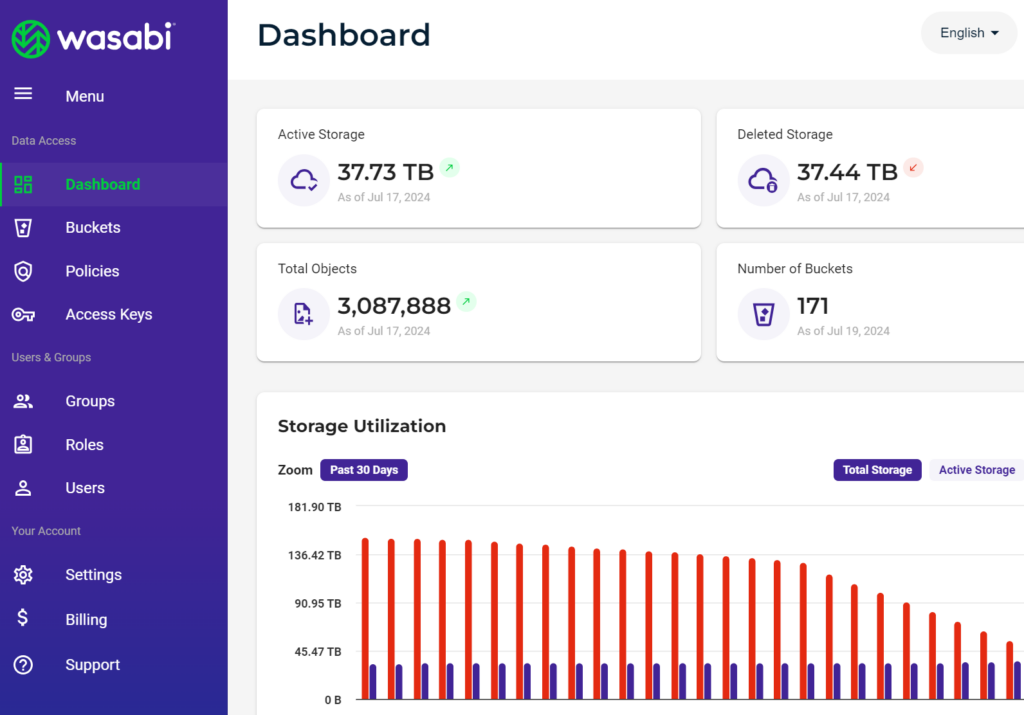
7. Wasabi
Wasabi focuses on cost predictability and performance but it’s not a backup/recovery orchestration platform by itself; it is cloud object storage commonly used as a backup target. It offers always-available (“hot”) storage with no additional fees for data access, making it suitable for frequent backup and restore operations. The platform also includes security and compliance features to protect stored data.
Pros:
- Hot cloud storage: Keeps data immediately accessible without retrieval delays
- No egress or API fees: Eliminates common costs associated with data access and transfer
- Immutable storage support: Protects backups from modification or deletion
- High-performance architecture: Supports fast data ingestion and retrieval
- Compliance certifications: Meets standards such as SOC 2, ISO 27001, and PCI-DSS
- S3 compatibility: Integrates with existing tools and backup applications
Cons:
- Confusing billing model: Users report difficulty understanding Wasabi’s billing practices, including unexpected charges for deleted or unused data due to minimum retention periods.
- Retention policy charges: Deleted objects are billed for a minimum of 30 days, even if removed immediately, causing dissatisfaction among customers who expect real-time cost adjustments.
- User interface limitations: The console and tools for managing access controls and bucket permissions are described as overly technical, requiring documentation or examples to configure effectively.
- Unreliable object availability: Some users report object availability rates as low as 99.9%, with occasional outages or delays in accessing stored objects.
- Support responsiveness: Despite offering premium support plans, responses during critical outages or billing issues have been noted as slow and inadequate.
- Enterprise suitability issues: Wasabi’s features and support are perceived as insufficient for large-scale enterprise needs, with concerns about data loss during outages.
8. Druva
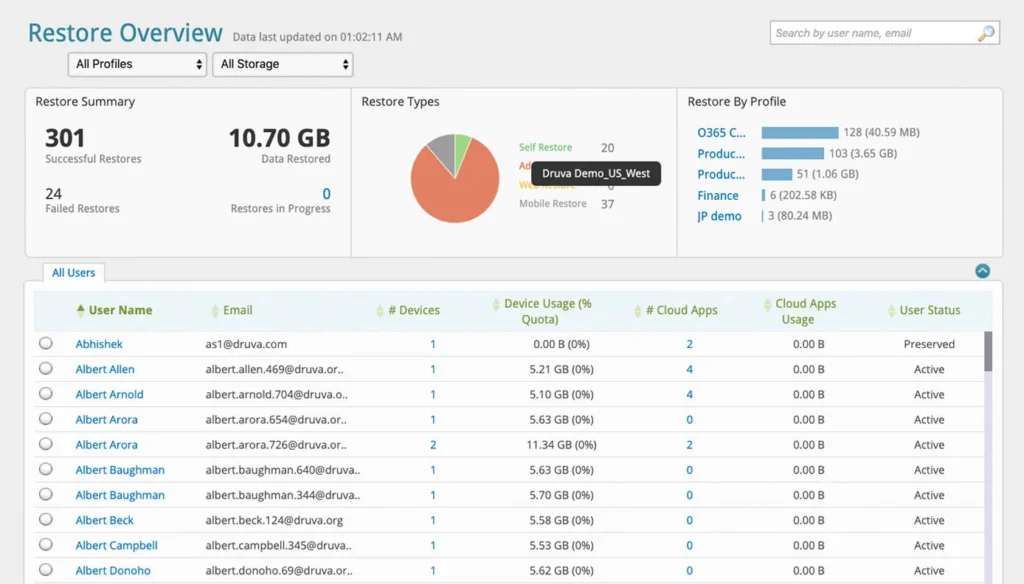
Druva is a fully managed SaaS platform for data protection and cyber resilience. It centralizes backup, recovery, and governance across cloud, SaaS, and endpoint environments. The platform uses automation and AI-driven insights to simplify operations and improve response to threats such as ransomware.
Pros:
- SaaS-based architecture: Eliminates the need for infrastructure management
- Centralized data protection: Covers SaaS apps, endpoints, cloud workloads, and data centers
- Immutable and air-gapped backups: Protects data from tampering and ransomware
- Automated recovery workflows: Speeds up restoration and reduces downtime
- AI-driven threat detection: Identifies risks and supports incident response
- Compliance and governance tools: Provides visibility and control over sensitive data
Cons:
- Dependency on SaaS infrastructure: As a fully SaaS-based solution, Druva relies entirely on its cloud-hosted interface. If this interface experiences downtime, users are unable to manage or recover backups until the issue is resolved, with no control over resolution timelines.
- Limited AWS region support: Druva supports only 14 AWS regions and GovCloud, restricting flexibility compared to cloud backup solutions with broader global region support.
- Rigid scheduling options: Backup policies in Druva are limited to daily, weekly, monthly, and yearly schedules, lacking the granularity offered by competitors that support minute-level scheduling.
- No cross-cloud support: Druva does not provide functionality for cross-cloud backup or recovery, limiting versatility for multi-cloud strategies.
- Learning curve: Some users find Druva less intuitive compared to alternatives, which offer simpler and more user-friendly interfaces.
9. Backblaze
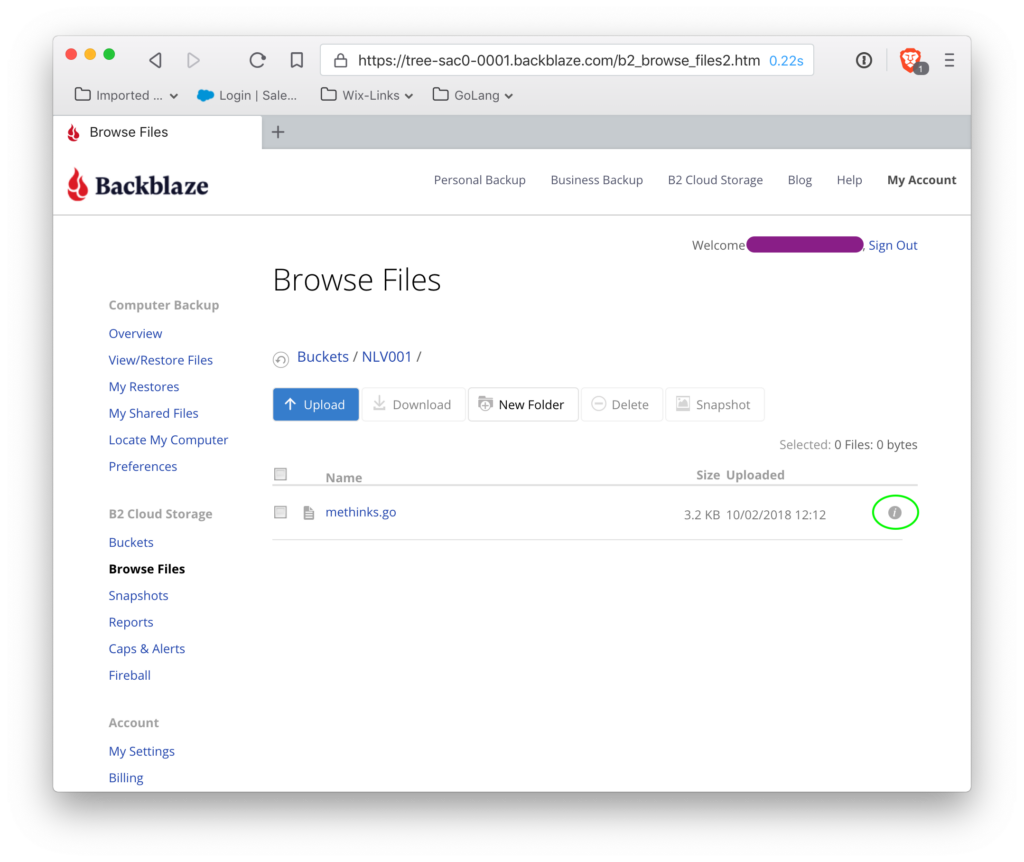
Backblaze B2 is an object storage platform used for backup, archive, and recovery. It provides scalable storage with predictable pricing and integrates with a range of tools. The platform includes security and replication features to support reliable data protection and compliance requirements.
Pros:
- S3-compatible object storage: Integrates with existing backup and storage tools
- Data replication: Automatically copies data across locations for redundancy
- Object lock (immutability): Prevents data modification or deletion
- Encryption support: Secures data at rest and in transit
- Open integrations: Works with APIs, CLI tools, and third-party platforms
- Predictable pricing model: Reduces cost variability with low storage pricing, free API calls for most transaction classes, and free egress up to defined limits
Cons:
- Unintuitive user interface: Users report challenges with the front-end user experience, particularly frequent logouts during administrative tasks. This disrupts workflow, especially when switching between tasks or managing buckets.
- File retrieval challenges: Retrieving files from backups can be cumbersome, indicating a need for improvement in the accessibility or intuitiveness of the retrieval process.
- Complex reporting: Regular reports provided by Backblaze are not always user-friendly for non-technical users, making it difficult for laypersons to interpret key information.
Frequently Asked Questions
What’s the difference between cloud backup and cloud storage?
Cloud backup automatically creates and stores copies of data for disaster recovery, while cloud storage is designed for general-purpose file access and sharing. Backup systems often include features like scheduling, versioning, and automated restoration, whereas cloud storage services focus on collaboration and manual file management.
Can cloud backup services protect against ransomware?
Yes, many enterprise cloud backup services offer ransomware protection through immutable backups, anomaly detection, and air-gapped storage. These features ensure that once data is backed up, it cannot be altered or deleted by ransomware, enabling clean recovery after an attack.
Is it safe to store sensitive data in the cloud?
Most enterprise-grade cloud backup services encrypt data both in transit and at rest using strong encryption standards such as AES-256. Access controls, multi-factor authentication, and compliance certifications (e.g., HIPAA, GDPR, SOC 2) further ensure data privacy and security. However, organizations should evaluate the provider’s security policies and their own compliance requirements.
How often should backups be performed?
Backup frequency depends on data volatility and business requirements. For most enterprises, a mix of daily incremental and weekly full backups is common. Some systems offer continuous data protection (CDP) for critical workloads. The 3-2-1 backup rule is often used to guide scheduling and retention.
Can I use multiple cloud backup services together?
Yes, many organizations adopt a multi-vendor or hybrid backup strategy to reduce vendor lock-in, improve redundancy, or meet specific compliance and regional requirements. This approach can combine different cloud platforms, or cloud and on-premises systems.
What’s the difference between full, incremental, and differential backups?
- Full backups copy all data and take the most time and space.
- Incremental backups copy only changes since the last backup (full or incremental), saving storage and time.
- Differential backups copy all changes since the last full backup, offering a middle ground in restore speed and storage use.
Do cloud backups comply with data privacy regulations?
Most enterprise cloud backup solutions support compliance with key regulations like GDPR, HIPAA, CCPA, and SOC 2. They offer data residency options, audit logs, encryption, and role-based access control to help meet regulatory requirements. Always verify compliance capabilities with the vendor for your specific needs.
Conclusion
Cloud backup services play a critical role in modern data protection, offering reliable and scalable options for safeguarding against data loss. With features like automated backups, encryption, cross-platform compatibility, and disaster recovery capabilities, these services ensure data integrity, accessibility, and security across varied devices and locations. By adopting effective backup strategies—such as incremental, differential, and mirror backups—organizations can optimize both data recovery speed and storage efficiency.
See Additional Guides on Key Data Breach Topics
Together with our content partners, we have authored in-depth guides on several other topics that can also be useful as you explore the world of data breaches.
Ransomware Protection
Authored by N2W
- [Guide] Ransomware Protection: 7 Defensive Measures
- [Guide] Ransomware Prevention: 11 Ways to Prevent Attacks
- [Product] N2WS | Cloud Backup and Restore
Data Protection
Authored by Cloudian
- [Guide] What is Data Protection and Privacy?
- [Guide] Keeping Up with Data Protection Regulations
- [Whitepaper] Forrester Report – Protection from Ransomware Attacks
- [Product] Cloudian | Enterprise-Class, S3-Compatible Object Storage Software
Disaster Recovery
Authored by Imperva
- [Guide] IT Disaster Recovery Solutions | Components & Challenges
- [Guide] Business Continuity & Disaster Recovery Planning (BCP & DRP)
- [Blog] What’s Different About Data Security in the Cloud? Almost Everything
- [Product] Imperva Account Takeover Protection | Secure and Effective Account Takeover Protection