

Whether it be due to internal compliance mandates or legal ones, many companies are juggling daily, weekly, monthly, and yearly backup frequencies, all with different retention requirements.
N2W has a product update that allows users to implement multiple retention periods for each backup frequency in a single policy. N2W users can now achieve much simpler backup management, lower costs, and be compliance-ready with a single feature.
Being able to define retention rules for various backup frequencies under a single policy not only greatly simplifies operational procedures, it also eliminates the need to keep multiple full backups as well as AMIs. This can result in significant storage cost savings. Customers avoid managing multiple policies while reducing backup chains and unnecessary full backup storage.
Below is a how-to guide on how to implement this feature. Be sure to read our User Guide Section 4.2.9 for more information.
First, enable Multiple Retention under the Policy Tab.
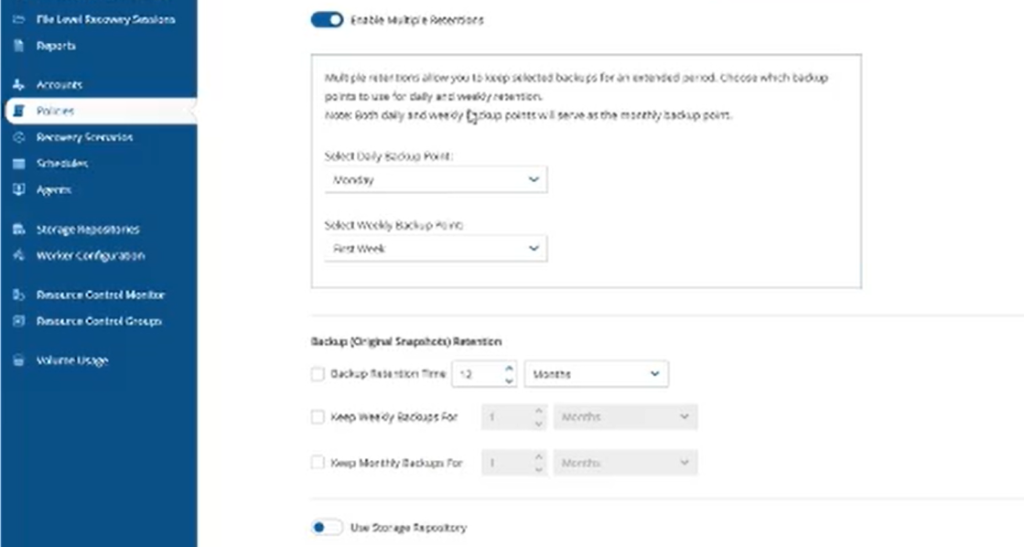
Navigate to Advanced Retention.
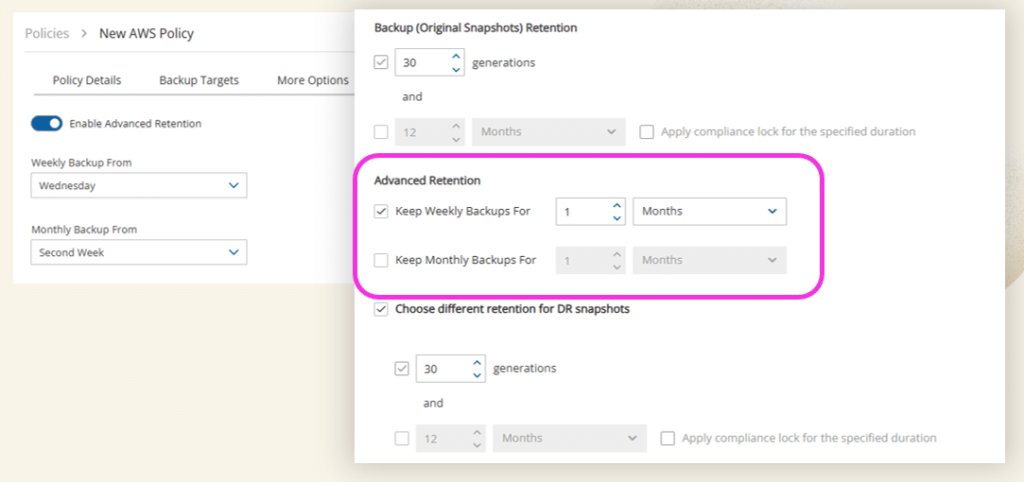
Select a primary Daily Backup Point, which will then become your weekly and monthly schedules. You will be asked to select which day of the week will be used for your weekly backup selection.
For example, if we want our weekly backup to be on a Sunday, we select Sunday here. N2W will then choose the first successful backup on or after Sunday and mark it as the weekly backup for that week. Only one backup per week is designated as a weekly backup.
The second option is for choosing the Monthly Backup.

Since we selected Sunday in the first option, the monthly setting refers to which Sunday-based weekly backup will be promoted to monthly retention. So the first week means the first Sunday backup of the month, the second week means the second Sunday backup, and so on.
In other words, it will always be a Sunday backup, but you’re deciding which week’s backup becomes your monthly backup. If a backup qualifies as both weekly and monthly, it is retained as a monthly backup and follows the longer monthly retention period.
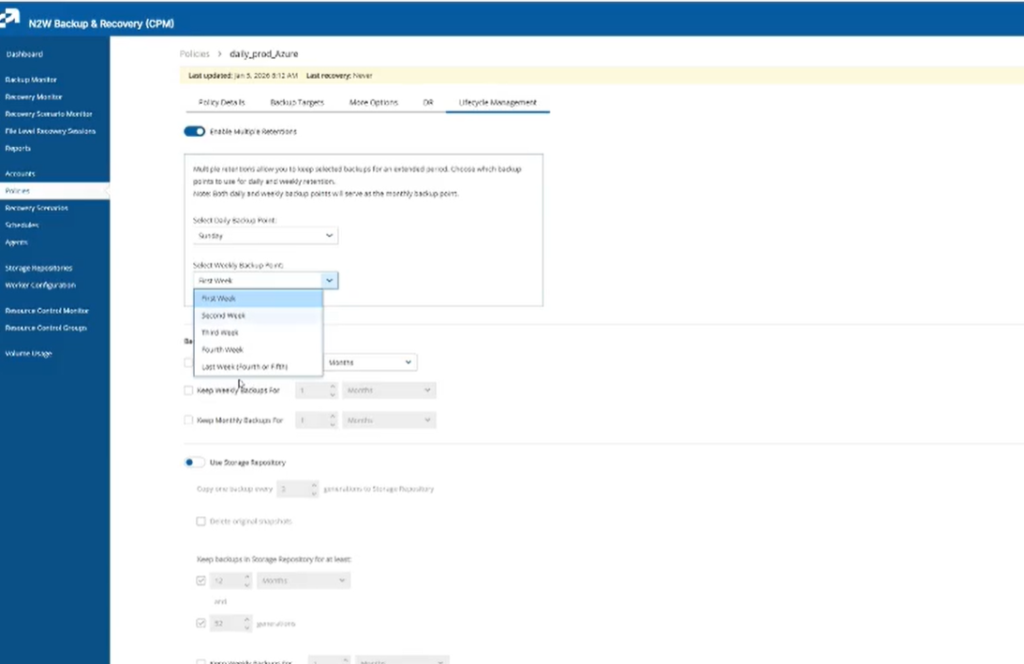
Now we can configure our retentions. We’ll choose our daily snapshot retention and keep it for seven days.
For our weekly backup, we’ll keep the Sunday backup for one month. Then for our monthly backup—the first Sunday of the month—we’ll keep it for six months.

Now we have three different retention schedules in this policy with three different retention periods.
For environments using DR Copies, you can also enable separate retention settings for cross-region disaster recovery snapshots. Similarly, if you’re using a Storage Repository, you can configure independent weekly and monthly retention periods for repository backups. Compliance Lock can also be enabled for native snapshots when required.
The Power of N2W for Long-term Retention
One of the biggest advantages of Multiple Retentions is the ability to meet long-term compliance and recovery requirements without driving up storage costs. By keeping recent backups as snapshots for fast recovery, only storing incremental changes and leveraging AWS and Azure Storage Repositories, organizations can build a cost-effective data protection strategy that scales with their business.
To see how much you could save with a long-term retention strategy, try the N2W AWS and Azure Cost Savings Calculator and forecast your ROI.