Last updated: August 2026
AWS Backup pricing starts around $0.05 per GB per month for warm EBS backup storage. The real bill depends on the service, restores, cross-region transfer, and archive tiers, so a flat per-GB number usually understates it. Here’s every cost component, with current figures.
How Is AWS Backup Priced?
AWS Backup uses a consumption-based model. You pay for the amount of backup storage you use, the data you restore, and any optional features you enable. Backup storage is billed separately for standard and archive tiers, with different rates for warm and cold storage. Restore operations incur charges based on the volume of data recovered, and cross-Region or cross-account backups add transfer costs. Optional capabilities such as backup search and file-level recovery generate additional usage fees.
The service also meters lifecycle transitions, restore testing, and archival storage. Transitioning data to lower-cost archival tiers is priced per GB per month, while restore testing is charged at the same rates as standard restore operations. If backups are moved out of AWS to another cloud or external location, egress fees apply based on the amount of data transferred.
In this article:
- AWS Backup Pricing Components with Examples
- Pricing for AWS Archival Storage Classes
- Large-Scale AWS Backup Pricing Example
- Best Practices for Optimizing AWS Backup Costs
AWS Backup Pricing Components with Examples
Pricing in this section is correct as of the time of this writing and applies to the US East (Ohio) region. For up-to-date pricing and more details, refer to the official pricing page.
1. Backup Storage Pricing
AWS Backup storage costs are based on the average volume of backup data stored per month, calculated in GB-months. Pricing varies by resource type and storage tier—either warm or cold—and whether the data is stored in a standard or logically air-gapped backup vault.
- Amazon EBS volume backups in a standard warm vault are billed at $0.05 per GB-month, while cold storage is $0.0125 per GB-month.
- DynamoDB backups cost $0.10 per GB-month in warm storage and $0.03 per GB-month in cold storage, with air-gapped options costing slightly more.
- Amazon Aurora cluster snapshots in warm storage are priced at $0.021 per GB-month.
Some storage classes, such as cold storage, require a 90-day minimum retention period. If deleted earlier, pro-rated charges apply. Certain services, like Amazon S3 or EFS, are billed on a GB-day basis instead of by the hour.
✅ Pro Tip: With N2W, you can automate archive transitions and enforce retention times across accounts, removing the guesswork (and risk) from managing cold storage.
Related content: read our guide to AWS Backup Cold Storage
2. Restore Pricing
Restore charges depend on the total data volume restored each month and the storage tier from which the data is retrieved. Warm storage restores typically cost less than cold storage restores, and some services offer free restores from warm storage.
- Restoring EBS snapshots from warm storage is free, while from cold storage it costs $0.03 per GB.
- DynamoDB restores are $0.15 per GB from warm and $0.20 per GB from cold storage.
- Item-level restores, where supported (e.g., EBS and VMware), incur additional charges such as $0.50 per request.
ℹ️ Note: Some services, like RDS and FSx, offer free restores from warm storage, while others, like S3, charge $0.02 per GB.
✅ Pro Tip: With N2W, you can restore just the files or folders you need—browsing across multiple generations—to sidestep bulk data restores and unnecessary charges.
3. Restore Testing Pricing
Restore testing involves two types of charges: evaluation and storage. Each restore test incurs a $1.50 charge per recovery point tested. The data restored during the test is billed using the same rates as standard restore operations.
Additional costs may apply for PUT requests (e.g., for restored S3 objects), or if the restored resource is retained after testing. For cold recovery points, higher cold restore rates apply. Archived EBS snapshots temporarily restored for testing are billed at the warm tier for one day.
✅ Pro Tip: N2W lets you run scheduled DR drills, simulate failover scenarios, and test restores before expiration—helping you reduce costs and prove recoverability for compliance.
4. Long Term Archive Storage
AWS offers a long-term archive tier for Amazon EBS snapshots that provides significantly lower storage costs, up to 75% less than the standard tier, for data that is infrequently accessed and retained for 90 days or longer. See the following section for more details on archive storage tiers.
When a snapshot is archived, AWS converts it from an incremental snapshot to a full snapshot. This full snapshot captures all data blocks present at the time of creation, not just the changes since the previous backup. Because of this, archive snapshots can consume more storage space compared to standard incremental snapshots, which may impact overall costs depending on data volume.
✅ Pro Tip: N2W archives incremental snapshots (not full ones), saving you significantly on long-term storage costs. Plus you can use ZeroEBS to automatically delete the original snapshot after archival for even bigger cost savings.
5. Backup Search Pricing
Backup search pricing includes charges for indexing, storing, and querying backup metadata. Indexing costs depend on the type of data:
- Indexing S3 backups is $0.09 per million objects
- Indexing EBS snapshots is $0.20 per million files
Stored backup indexes are billed at $0.02 per million items per month, and searches across indexed backups cost $0.07 per million items searched. Item-level restores are billed separately based on standard restore rates.
6. Cross-Region Data Transfer Pricing
Cross-Region backup data transfers incur charges only for data leaving a source region. No charges apply for data moved within the same region.
Pricing varies by destination, but in most cases, including transfers to other US regions, Europe, or Asia Pacific, the cost is $0.04 per GB.
✅ Pro Tip: N2W supports cross-region and cross-account DR, helping optimize where and when data is moved (and allowing you to choose the most cost-effective regions).
7. Egress Fees for Moving Backups to Other Clouds
When you use AWS Backup and transfer backup data out of AWS, whether to on‑premises infrastructure, another cloud provider, or a different AWS region, the outbound data movement may incur data transfer out (egress) fees from AWS.
What triggers egress fees:
- Any backup or recovery point transferred from an AWS region to the public internet, another cloud provider (e.g., Azure or Google Cloud), or your on‑premises data center is considered outbound and may be subject to egress charges.
- Even inter‑region transfers within AWS (source region → destination region) are billed as outbound data from the source region.
While exact egress fees vary by region and service, the following can give you an idea:
- Standard outbound data transfer to the internet from AWS may start around US $0.09 per GB for the first few tens of terabytes in many US regions.
- Outbound data transfer between AWS regions is typically lower, e.g., around US $0.02 per GB, depending on region pair.
Pricing for AWS Archival Storage Classes
AWS offers several archival storage classes that reduce long-term storage costs by trading off access speed and retrieval flexibility. Each class targets different access patterns and data retention needs. Prices shown here are for the US East (N. Virginia) region.
S3 Standard-Infrequent Access (S3 Standard-IA)
S3 Standard-IA is suitable for backups and archival data accessed occasionally. Storage is cheaper than S3 Standard, but access times are slower. It requires a 30-day minimum storage duration, and charges apply both for storage and access requests.
S3 Standard-IA is priced at $0.0125 per GB per month. It requires a minimum 30-day storage duration, with pro-rated charges applied for early deletion. Each PUT, COPY, or POST request costs $0.01 per 1,000 requests, and GET requests cost $0.001 per 1,000. Data retrievals are billed at $0.01 per GB.
S3 Intelligent-Tiering
This tier automatically moves objects between access tiers based on usage patterns. While there’s no minimum storage duration, costs may rise if data is frequently accessed. It’s best for data with unpredictable access needs.
The Intelligent-Tiering class includes multiple tiers with automatic movement based on access patterns. The frequent access tier is priced the same as S3 Standard: $0.023 per GB for the first 50 TB, decreasing for higher volumes. The infrequent access tier is $0.0125 per GB, while the archive instant access tier is $0.004 per GB.
Optional deeper archive tiers include Archive Access at $0.0036 per GB and Deep Archive Access at $0.00099 per GB. Monitoring and automation is charged at $0.0025 per 1,000 objects. No retrieval charges apply within Intelligent-Tiering, and movement between tiers is automatic and free.
Glacier Instant Retrieval
Glacier Instant Retrieval is designed for infrequently accessed data that still needs fast retrieval (within 15 minutes). It’s slightly more expensive than S3 Standard-IA but offers lower latency. There’s a 90-day minimum retention period, and request costs apply beyond the first 10,000 per month.
This tier offers low-cost storage at $0.004 per GB per month with millisecond retrieval times. There is a 90-day minimum retention requirement, and early deletions are charged accordingly. PUT and retrieval requests cost $0.02 and $0.03 per 1,000, respectively. Retrievals are billed at $0.03 per GB.
Glacier Deep Archive
The lowest-cost archival tier, Glacier Deep Archive is ideal for data that’s rarely accessed, such as compliance archives or final project backups. Retrieval times range from hours to days, with low per-GB retrieval fees. A 90-day minimum storage period applies.
Designed for data accessed once or twice per year, Glacier Deep Archive is the most cost-effective option at $0.00099 per GB per month. A 180-day minimum retention period applies. Standard retrieval requests cost $0.10 per 1,000 and $0.02 per GB, while bulk retrievals are cheaper at $0.025 per 1,000 requests and $0.0025 per GB. Early deletions result in pro-rated charges for the remaining minimum duration.

Large-Scale AWS Backup Pricing Example
Let’s see an example of the cost of AWS Backup in a large-scale use case. Support you have 500 TB of data in S3 which needs to be backed up to cold storage, and on average 2.5 TB is restored each month:
- Backing up 500 TB of S3 data (500 million objects) to cold storage incurs a $6,250 charge at $0.0125/GB-month.
- S3 API usage includes GET requests ($320), LIST requests ($1), and EventBridge charges ($20) for 20 million events.
- Restoring 2.5 TB from S3 costs $50, and PUT requests for 5 million restored objects add $25.
Total Monthly Cost:
$6,250 (storage) + $320 (GET APIs) + $1 (LIST APIs) + $20 (EventBridge) + $50 (restore) + $25 (PUT APIs) = $6,666
✅ Pro Tip: N2W supports full S3 bucket backup and recovery, streamlining management for high-volume use cases.
Best Practices for Optimizing AWS Backup Costs
1. Implement Lifecycle Policies
Lifecycle policies in AWS Backup allow administrators to automate the transition of backups through storage classes, such as moving infrequently accessed backups from warm to cold storage. Automating lifecycle management reduces the need for manual intervention and helps ensure that backup data is stored in the lowest-cost tier possible without sacrificing availability or compliance. Policies can be customized for each backup plan, with schedules dictating how long data remains in warm storage before shifting to cold.
Implementing lifecycle policies can deliver significant savings, especially for organizations generating large volumes of backup data. For example, retaining recent backups in warm storage for fast recovery while migrating older versions to cold storage can lower monthly costs. Consistently reviewing and updating lifecycle rules—as data regulations, business priorities, or access needs shift—ensures that your cost optimization strategy remains effective.
✅ Pro Tip: In addition to being able to archive into ANY storage tier (including Glacier Instant Retrieval), N2W’s new Run-Now Cleanup lets you reclaim storage costs instantly without waiting for the next scheduled cleanup cycle.
2. Optimize Backup Frequency and Retention
Carefully tuning backup frequency and retention settings is critical for controlling AWS Backup costs. Creating hourly backups or retaining every backup for years can quickly inflate storage bills without delivering proportional value. Instead, align backup schedules with recovery objectives; more frequent backups for mission-critical systems, and less frequent or shorter retention for less sensitive workloads. Regularly review retention periods and remove outdated or redundant backups as part of standard data hygiene.
AWS Backup supports automated enforcement of retention rules, making it straightforward to set up policies that delete backups after a certain period. Limiting retention to what is required for compliance or operational recovery prevents waste and reduces risk from unnecessary data hoarding. These adjustments may seem incremental but can result in substantial savings when applied across large-scale environments with constantly expanding data footprints.
✅ Pro Tip: With N2W, you can define multiple retention rules in a single backup policy, avoiding redundant chains and reducing overall storage use.
Related Content: If you also run on Azure, here’s how Azure Backup pricing compares
3. Use Incremental Backups
Leveraging incremental backups is a foundational strategy for minimizing AWS Backup storage costs. Unlike full backups, which capture an entire data set every cycle, incremental backups only store the changes since the last backup. This dramatically reduces the amount of new storage consumed after the initial full backup. AWS Backup automatically manages incremental backups for supported resources, ensuring only unique, changed data contributes to ongoing storage costs.
Incremental backups also reduce operational impact on production systems, as they are typically faster to complete and transfer less data across the network. Organizations with large, frequently updated datasets benefit the most, as only active changes—not entire database snapshots—drive recurring costs. Always ensure applications and backup plans are configured to maximize incremental backup functionality, as this is both effective for cost savings and aligns with best practice for modern data protection.
Note: N2W automatically leverages incremental snapshots so you store only the data that’s been changed since the last snapshot.
4. Monitor and Analyze Costs
Active monitoring and analysis of AWS Backup expenses is crucial for ensuring cost efficiency. Utilize AWS Cost Explorer, AWS Budgets, and CloudWatch metrics to track spending trends, identify anomalies, and break down backup costs by resource or region. These tools allow administrators to drill into which workloads or activities—such as frequent restores or extensive cross-region replication—are producing the largest costs. With this insight, you can address inefficiencies and tune backup policies in alignment with evolving business needs.
Regular cost analysis also supports data-driven decision making about when to scale up protection for new workloads or reduce expenditure on obsolete data. Set up alerts to notify stakeholders when backup or restore operations exceed defined thresholds, preventing runaway bills. Integrating reporting and governance functions creates transparency, making it easier for IT and finance teams to collaborate and implement ongoing backup cost optimizations.
✅ Pro Tip: N2W includes a cost explorer and alerts to flag unusual backup activity, as well as high and/or low volume usage.
5. Use AWS Organizations to Organize Costs
Using AWS Organizations for backup management can streamline cost optimization efforts, especially in multi-account AWS environments. AWS Organizations enables you to centralize backup policies and vaults across multiple accounts, ensuring consistency and eliminating duplicated effort or storage. This consolidated approach often leads to better volume discounts, reduced administrative overhead, and clearer visibility of overall backup costs.
Additionally, leveraging AWS Organizations simplifies implementing governance controls for backups, allowing for unified compliance checks and policy rollouts. When backup activities are visible and managed from a central location, it’s easier to identify inefficient patterns, share unused backup capacity, and coordinate lifecycle policies. Coordinated management across accounts strengthens cost discipline and ensures backup strategies scale efficiently as your AWS environment grows.
✅ Pro Tip: N2W supports multi-account and multi-cloud orchestration from a single console. Rather than cobbling together several different native services (that ultimately keep you locked into a single cloud and the expense that comes with it).
Reducing AWS Backup Costs with N2W
AWS Backup vs. N2W: cost comparison
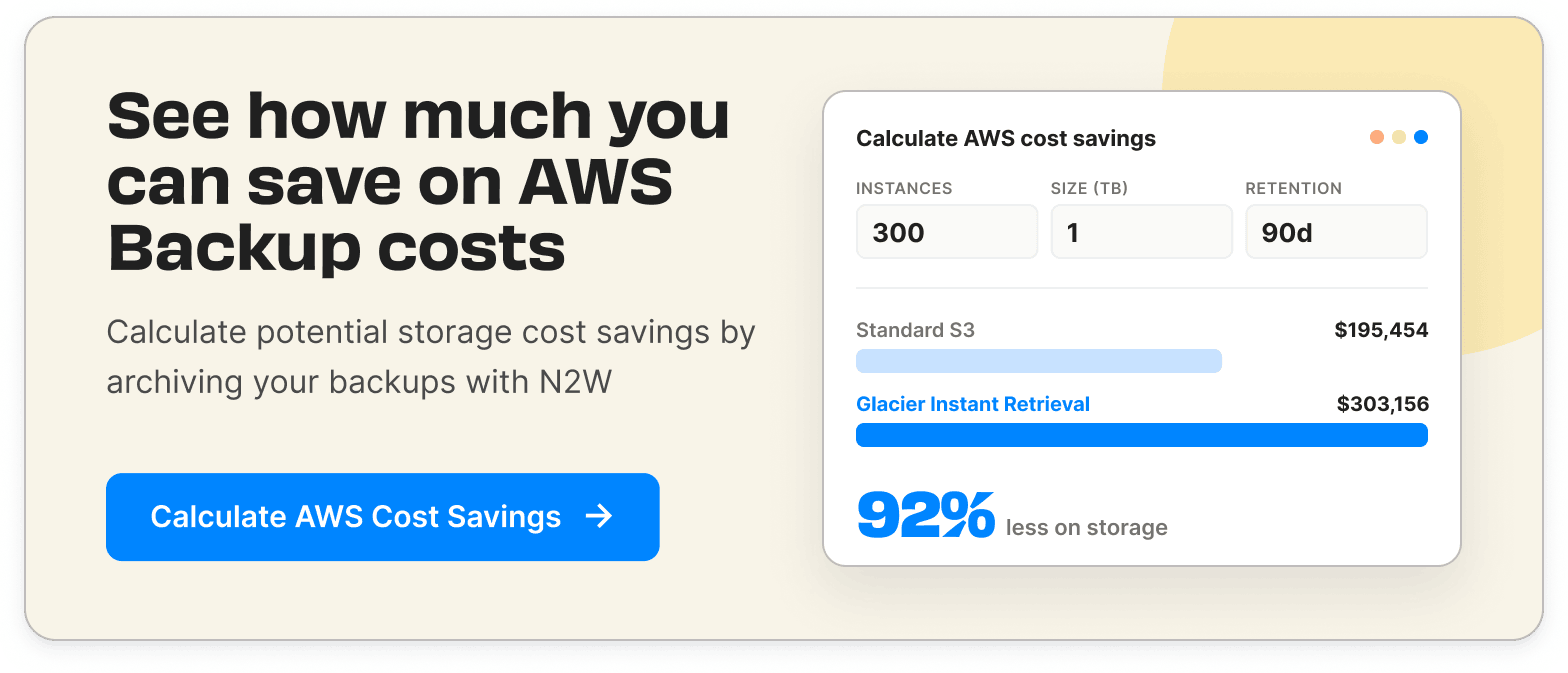
AWS Backup is free to enable, but the running cost scales with how much data you protect, how long you keep it, and how often you move or restore it. Use our AWS Backup Cost Savings Calculator to run the numbers—your cloud budget will thank you.
Let’s be honest, managing AWS Backup pricing can feel like playing 4D chess blindfolded. Between tiered storage costs, restore fees, lifecycle transitions, and egress charges, it’s easy to overspend without even realizing it.
That’s where N2W comes in.
We help you cut AWS backup costs by up to 92% with intelligent automation, archive optimization, and granular control—all from a single, ridiculously easy console. From set-it-and-forget-it lifecycle policies to on-demand cleanup (bye, unnecessary snapshots 👋), N2W ensures you’re never paying for storage you don’t need.
Need fast recovery? Restore only what you need—down to the file or folder level. Planning for DR? Run scheduled or one-click drills without incurring surprise restore charges. Got a sprawling multi-account AWS org or a hybrid AWS + Azure setup? N2W orchestrates it all seamlessly, including cross-cloud restore to Azure or Wasabi for ultimate flexibility.
And because we’re built to run in your own cloud environment, your data stays in your control—no shared vaults, no risks, no vendor lock-in.
Related content: read our guide to Google Cloud Backup Pricing
Frequently asked questions
AWS Backup has no license fee, setup charge, or minimum fee, so the service is free to turn on. You pay for what it consumes: backup storage, restores, cross-Region data transfer, and backup evaluations from AWS Backup Audit Manager. A running backup program therefore has a real monthly cost that scales with how much data you protect and how often you restore.
Warm (standard) backup storage is $0.05 per GB-month for EBS, RDS, Aurora, DynamoDB, EFS, and S3. Cold storage is cheaper, roughly $0.01 per GB-month for EBS and $0.004 for EFS and DynamoDB, with a 90-day minimum retention. Restores are about $0.02 per GB for most resources, and item-level restores are $0.50 per request.
There are several: warm backup storage, cold (archive) storage for long retention, restores, cross-Region data transfer when you copy backups to another Region, cross-account copies, item-level restore requests, and backup evaluations from Audit Manager at $1.25 per 1,000 evaluations. Cross-Region transfer is the component teams underestimate most, because DR copies move data out of the source Region every time they run.
Three causes are common: full copies for resource types that do not support incremental backups, cross-Region transfer on DR copies, and warm storage kept far longer than needed because no lifecycle policy moves it to cold. Restore testing adds to the bill too, since each test provisions real resources that are billed until they are cleaned up.
Set lifecycle policies to move older recovery points to cold storage, hold warm retention only as long as your RPO requires, avoid unnecessary cross-Region copies, and remove orphaned recovery points left behind by deleted resources. For larger savings, N2W archives incrementally to any S3 or Glacier tier (or Wasabi and Azure Blob) and reports up to 92% lower storage cost than standard snapshots, on one flat monthly rate per instance.
Yes. Restores cost about $0.02 per GB for most resource types, and item-level restores, such as individual S3 objects or EFS files, are $0.50 per request. Restoring from cold storage costs more than from warm and can take longer. Budget for restores, because a large DR event or a frequent restore-testing schedule can add up.