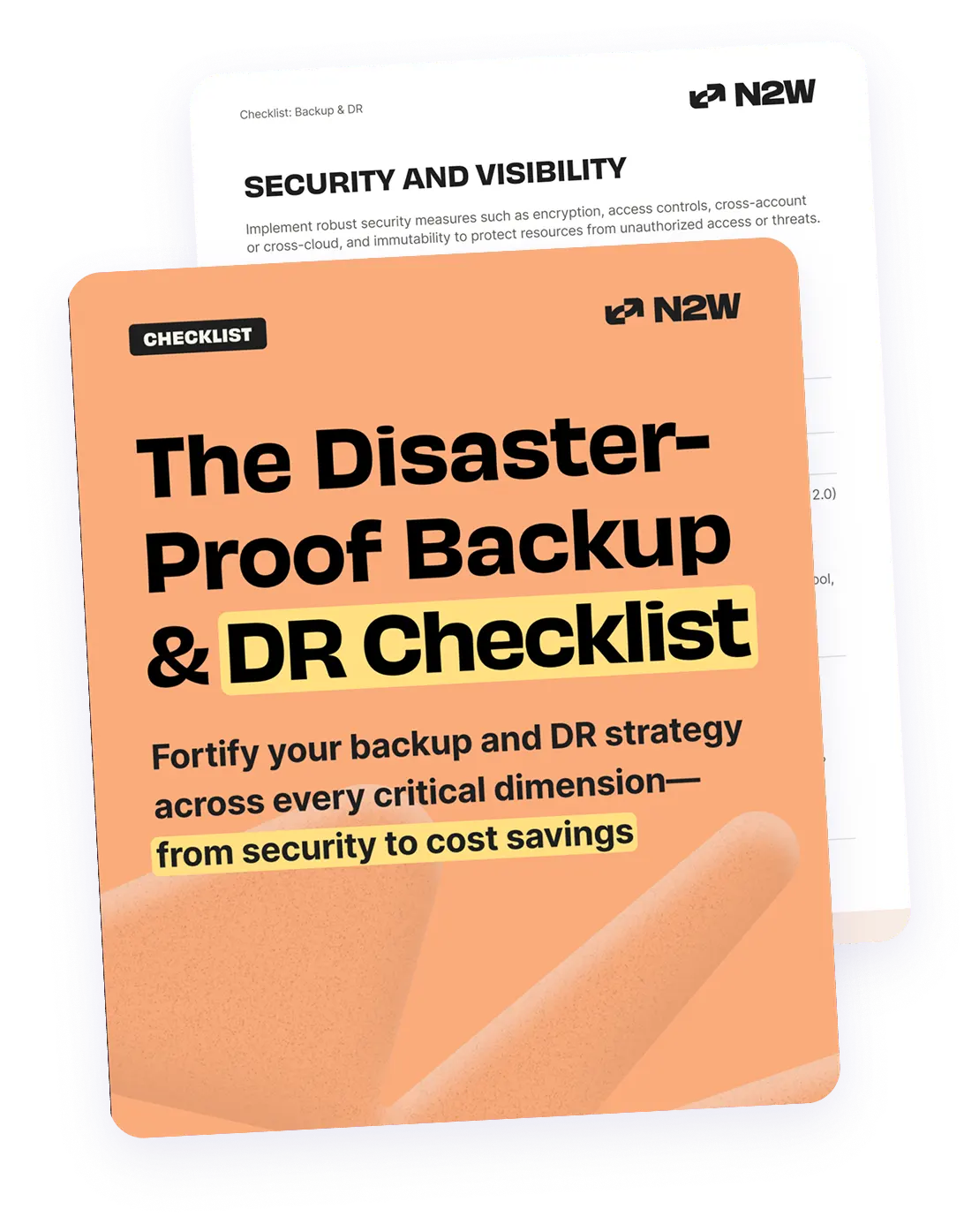
What Are AWS Backup Tools?
AWS backup tools fall into two main categories: native AWS services and third-party solutions.
Native AWS backup tools include services like AWS Backup, Amazon EBS snapshots, RDS automated backups, and S3 versioning. These are tightly integrated with AWS infrastructure, enabling automated, policy-driven backups with minimal setup. AWS Backup provides centralized control, allowing users to define backup plans, automate scheduling, and manage retention across services like EC2, RDS, DynamoDB, and EFS. Additional native options like AWS Elastic Disaster Recovery and S3 Cross-Region Replication.
Third-party AWS backup tools extend AWS’s native capabilities by offering advanced features such as ransomware detection, immutable storage outside AWS accounts, multi-cloud backup management, intelligent long-term storage tiering for cost optimization, automated disaster recovery drills and detailed SLA reporting. These solutions, such as N2W, Druva, and Acronis, address complex enterprise requirements like cross-cloud disaster recovery, application-consistent backups, and centralized visibility across hybrid environments. They also provide more granular access controls, agent-based backups, and advanced automation.
In this article:
- Why Business Continuity Requires a Cloud-Native Backup Strategy
- How AWS Native Backup Solutions Support Business Continuity
- Why Native AWS Backup Solutions Are Not Enough
- Third-Party AWS Backup Solutions for Business Continuity
- What to Look for in a Third-Party AWS Backup Tool (and Who Delivers It)
Why Business Continuity Requires a Cloud-Native Backup Strategy
To maintain operations during failures, organizations need a backup strategy built for the cloud environment they run on. Cloud-native strategies align better with cloud infrastructure than traditional on-premises backup methods, offering greater speed, scale, and automation.
- Resilience to regional failures: Cloud-native backup tools enable cross-region replication, ensuring that data remains available even if one region becomes unavailable due to a disaster or outage.
- Faster recovery times: Cloud-native backups are tightly integrated with AWS services, allowing for quicker restore operations directly into cloud infrastructure without the need for manual data transfers.
- Scalability for dynamic workloads: As applications scale up or down, cloud-native tools can automatically adjust backup processes to accommodate new resources, without requiring manual reconfiguration.
- Automated compliance and retention: With features like backup policies and lifecycle rules, businesses can enforce compliance with data retention laws automatically, reducing the risk of human error.
- Cost efficiency through tiered storage: Cloud-native strategies can optimize backup storage by shifting older data to low-cost storage tiers, preserving budget without sacrificing data availability.
- Centralized visibility and management: Tools like AWS Backup provide a single pane of glass for monitoring and auditing backup activity across multiple AWS services, improving governance and control.
How AWS Native Backup Solutions Support Business Continuity
Snapshot-Based Protection
AWS native services like Amazon EBS, RDS, and DynamoDB provide built-in snapshot capabilities that allow point-in-time backups without disrupting running workloads. These snapshots capture the full state of a resource and can be scheduled or triggered manually through AWS Backup or service-specific APIs.
Snapshots are stored in Amazon S3, providing durable and scalable storage with 99.999999999% availability. Because snapshots are incremental after the first full backup, they minimize storage use and reduce backup windows. This approach enables organizations to maintain frequent restore points, which is essential for minimizing data loss during recovery.
Disaster Recovery and Failover
AWS enables disaster recovery through services like AWS Elastic Disaster Recovery and Route 53. These services allow for the rapid replication and restoration of workloads across regions or availability zones in the event of a system failure.
Elastic Disaster Recovery continuously replicates server states, enabling recovery of EC2, on-premises, or third-party cloud environments within minutes. Combined with failover routing policies in Route 53, businesses can redirect traffic to standby resources with minimal downtime. This automated orchestration ensures service continuity during unplanned outages.
Geographic Resilience
To protect against regional disruptions, AWS supports cross-region backup and replication. Services like S3 Cross-Region Replication and AWS Backup’s cross-region capabilities allow organizations to duplicate critical data to a secondary region, maintaining access even if the primary region is impacted.
This geographic diversification is vital for meeting compliance requirements and disaster recovery objectives. It ensures data redundancy and enables rapid restoration of services in alternate locations, bolstering operational resilience and reducing recovery point objectives (RPO).
Why Native AWS Backup Solutions Are Not Enough
While AWS offers extensive native backup and disaster recovery tools, these solutions sometimes fall short of addressing specialized business, compliance, or multi-cloud requirements.
AWS native tools often require complex configuration for environments spanning multiple accounts or regions and may not provide deep visibility or granular role-based access control necessary for large enterprises. Additionally, they may be insufficient for organizations seeking end-to-end data protection, from automated ransomware detection to instant recovery across platforms.
Third-party backup solutions extend functionality with features like agent-based backups, detailed SLA reporting, advanced recovery workflows, and integrations with on-premises or other cloud environments. They typically offer a unified interface for managing backups across AWS, Azure, Google Cloud, and hybrid setups, important for businesses with heterogeneous IT environments.
Therefore, relying on AWS-native solutions exclusively may limit agility, increase operational complexity, and make meeting compliance needs challenging for organizations with more sophisticated backup and recovery demands.
Third-Party AWS Backup Solutions for Business Continuity
| Solution | Best for | Pricing model | Key limitation |
|---|---|---|---|
| AWS Backup (native baseline) | Single-account AWS estates with no cross-cloud requirement | Metered per GB-month, plus restore and cross-Region transfer | AWS only, no network-layer recovery, cost hard to predict |
| N2W | Recovering a whole AWS environment, networking included, at a tight recovery point | Banded on instance count, from $249/mo for 20 instances | Banding favours large data behind few instances, not many small VMs |
| Druva | Teams that want no backup infrastructure to run | Private offer only, 12 to 36 month contract, billed in units, storage included | Data sits in Druva’s cloud, and the price is negotiated rather than published |
| Acronis Cyber Protect | Endpoint-led estates that also run EC2 | Per device type, billed annually, with public cloud VMs sold in 3-VM packs and cloud storage billed on top | Centre of gravity is endpoint protection rather than cloud-native DR |
| Veeam Backup & Replication | Mixed estates that still include on-premises systems | Four separate products, three of which publish no price | A single “Veeam price” does not exist, so budgeting means pricing four paths |
| MSP360 Backup | MSPs managing many small customer estates | Per workload license on a 1-month or 12-month contract, sold through AWS Marketplace, with storage either in your own AWS account or bought from MSP360 at a flat rate | Built for managed service delivery rather than enterprise AWS DR |
1. N2W

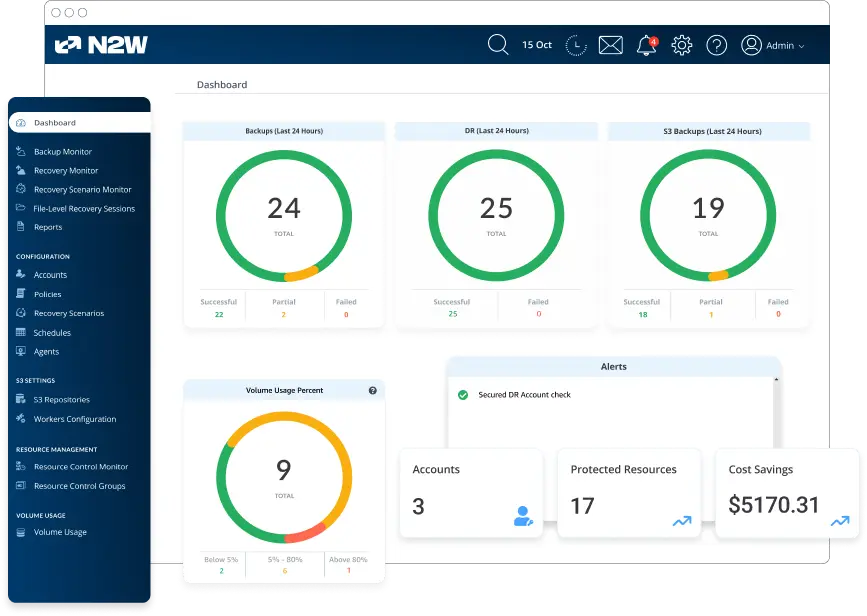
N2W is a cloud-native backup, disaster recovery, and archiving platform designed for AWS and Azure environments. Founded in 2012, it protects EC2 instances, EBS volumes and RDS databases agentlessly through native AWS APIs, and backs up EKS clusters using managed Velero. Policy-based backups can run as often as every 60 seconds, which pulls the recovery point close to zero without the cost of a hot standby.
You can use policy-based backups to greatly simplify backup processes and support multi-cloud and cross-cloud data protection. Recovery is quick too: the City of Oakland brought a full environment back in about 30 seconds.
N2W keeps every setting, log and registered backup on a separate 5 GB data disk, snapshots it, and replicates it to your DR Region. If a Region fails you launch a fresh N2W instance in the second Region, attach the replicated disk, and get the same console back with ARNs updated.
Key features include:
- Automated disaster recovery drills: Automatically run test recoveries for multiple backup targets, prioritize recovery of your resources and confirm healthy network setting restore. Schedule automated tests regularly and inform stakeholders of successes using easily-generated reporting.
- Long-term archiving to cost-effective storage tiers: Store backups for months or years using low-cost storage tiers (Amazon S3, Azure Blob or Wasabi) keeping costs low while still meeting retention requirements.
- Multi-layered ransomware protection: Immutable backups and air-gapped cross-account or cross-region backups making sure attackers can’t access nor lock you out of your own data.
- IaaS advantage: Flexibility and ownership that come from running N2W inside your own cloud environment, without relying on a third party’s SaaS platform, eliminating jurisdiction risk.
- Compliance-ready reporting, logs and audit trails: generate reports for auditors capturing activity records, logs and retention history, evidencing how backup and retention are handled against industry mandates and resiliency standards.
- Unified management for multi-cloud: One single console to manage all backup and recovery operations for both AWS and Azure, eliminating tool sprawl and backup/recovery complexity.
For a direct feature and cost comparison, see AWS Backup vs N2WS.
2. Druva AWS Backup and Recovery

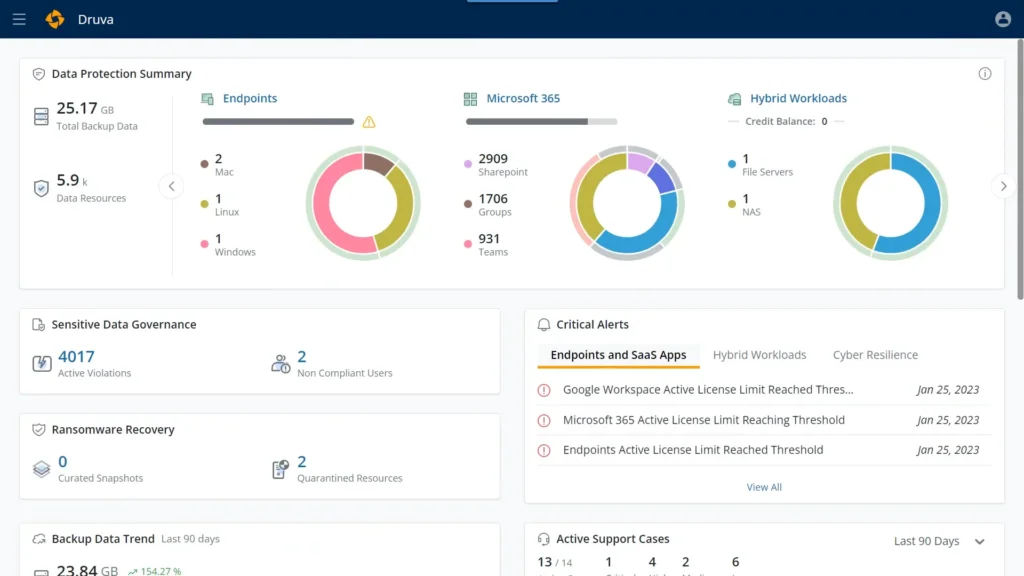
Druva provides a cloud-native backup and recovery solution purpose-built for AWS environments, offering cyber-resilient data protection without requiring any infrastructure or agents. The solution provides immutable, air-gapped backups that reside outside of the customer’s AWS organization, ensuring backups remain secure even if AWS credentials are compromised.
Key features include:
- Fully managed SaaS: No infrastructure to deploy or maintain; agentless, scalable across all AWS accounts and regions
- Air-gapped, immutable backups: Backups are isolated outside the AWS environment and protected from credential compromise
- Built-in cyber resilience: Includes threat hunting, ransomware detection, rollback actions, and quarantining of infected backups
- Unified management: Centralized control plane for managing policies and visibility across distributed AWS workloads
- Optimized storage: Reduces storage costs through global deduplication, compression, and no hidden egress fees
3. Acronis Cyber Protect

Acronis Cyber Protect provides an integrated backup and disaster recovery solution for AWS EC2 workloads, combining data protection with advanced cyber threat defense in a single platform. Designed for businesses and enterprises, it enables rapid recovery while defending against modern threats like ransomware using AI-powered detection and immutable backups.
Key features include:
- Integrated backup and cybersecurity: Combines backup, disaster recovery, anti-malware, and management in a unified platform
- Flexible backup options: Supports full, incremental, and differential backups to reduce storage usage and speed up operations
- Rapid recovery: Instant Restore allows EC2 instances to be recovered in minutes, minimizing downtime after an incident
- Ransomware protection: Backups are stored immutably and protected from unauthorized modification or deletion
- Application-consistent backups: Ensures backups capture consistent data states across applications for error-free recovery

4. Veeam Backup and Replication

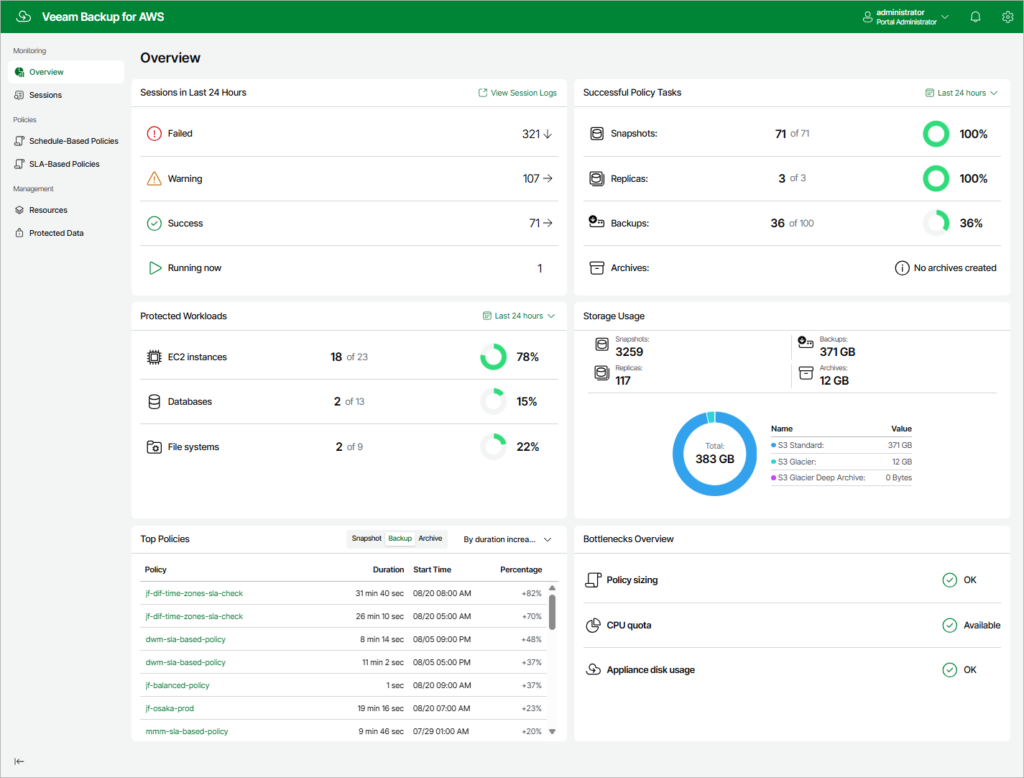
Veeam Backup & Replication delivers secure, resilient, and rapid backup and disaster recovery for hybrid and cloud-native environments, including AWS. Built around a software-defined architecture, Veeam ensures that your backups are clean, immutable, and ready for instant recovery. It helps organizations meet aggressive RTOs and RPOs while defending against ransomware through advanced threat detection and end-to-end immutability.
Key features include:
- Instant recovery: Quickly restore EC2 instances, files, or application data from verified, secure backups with minimal downtime
- Immutable backups: Protect data from tampering or deletion using end-to-end immutability and Zero Trust security principles
- Ransomware detection: Inline malware scanning, entropy analysis, and YARA-based threat detection guard against reinfection during restore
- Secure cloud storage: Use Veeam Vault or native cloud tiers to store backups with predictable pricing and integrated encryption
- Cross-platform portability: Easily migrate or restore backups across AWS, other clouds, or on-premises environments
5. MSP360 Backup

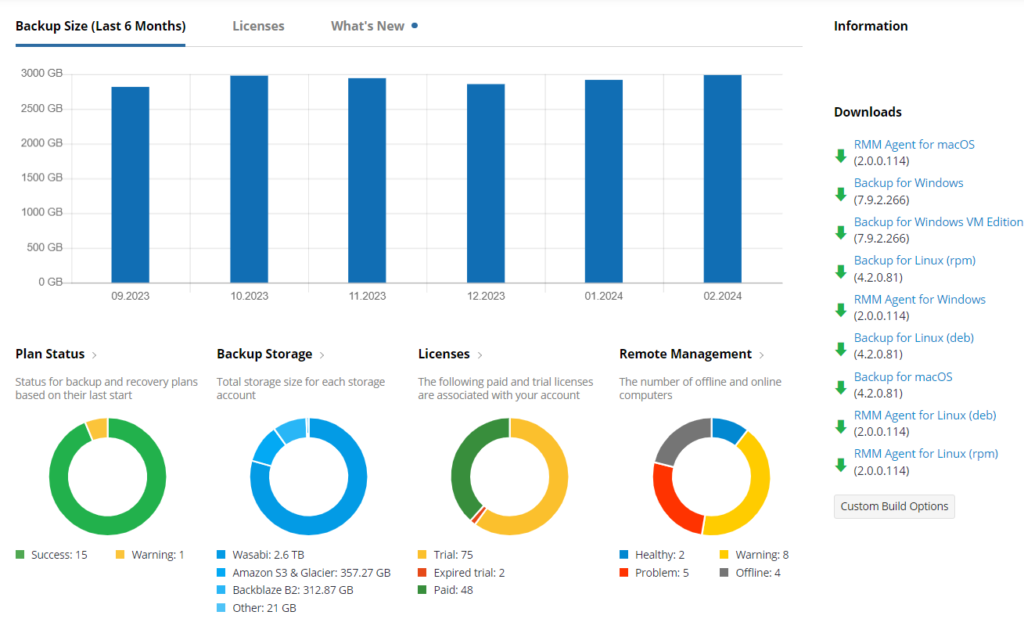
MSP360 Managed Backup offers a cost-effective, cloud-native solution for protecting workloads across AWS environments and beyond. Integrated directly with Amazon S3, it supports a wide range of platforms including Windows, Linux, macOS, VMware, Hyper-V, Microsoft 365, and Google Workspace. MSP360 enables businesses and MSPs to centrally manage, monitor, and report on backup activity while offering flexibility in storage choices.
Key features include:
- Native AWS integration: Seamless compatibility with all Amazon S3 storage classes including Glacier, Deep Archive, and Intelligent Tiering
- Unified or BYO storage options: Choose between using your own AWS account or MSP360’s flat-rate, managed AWS storage with unified billing
- Flat-rate pricing: $23/TB per month with no extra fees for egress, API requests, or early deletions
- Immutable backups: Protect critical data from tampering or deletion using S3 object lock and retention policies
- Centralized management console: Monitor backups, configure policies, and generate reports from a single interface
What to Look for in a Third-Party AWS Backup Tool (and Who Delivers It)
When evaluating third-party AWS backup solutions, it’s important to go beyond basic backup and restore features. Organizations need tools that address security, resilience, compliance, and cost optimization, while reducing operational complexity.
Below are key capabilities to prioritize, along with how leading vendors address them:
- Native integration with AWS APIs: Deep integration with AWS services ensures backup tools can automatically detect resources across accounts, apply policies, and initiate backups through native API calls. This allows for scaling without manual work, automated protection of newly created resources, and consistent behavior across AWS environments.
- Cross-cloud disaster recovery: Cross-cloud DR capabilities allow backups to be replicated or restored to alternate cloud providers, enabling flexible failover strategies in case of AWS-specific outages. This also helps mitigate vendor lock-in.
- Immutable, air-gapped storage: Protecting backups from deletion or tampering even in the event of compromised credentials is essential for ransomware resilience. Solutions should support S3 object lock, separate security domains, or store backups outside the AWS environment.
- Application-consistent restores: Application-consistent backups ensure data is captured in a usable state without corruption, especially for databases and enterprise applications. Tools should support VSS for Windows and pre/post-scripts for application quiescence.
- Cost management, archiving, and scheduling: Effective solutions offer tiered storage, backup lifecycle management, and detailed cost controls to avoid unnecessary spending. Features like scheduling, archival to low-cost tiers, and usage reports are essential for long-term efficiency.
- Automated DR drills and environment-wide failover: Backup tools should support simulated failovers (DR drills) and orchestrated recovery plans to validate readiness without impacting production. This includes full-environment failover and traffic redirection.
By focusing on these capabilities, organizations can select a third-party AWS backup tool that not only fills the gaps left by native solutions but also provides comprehensive protection and recovery readiness tailored to modern cloud environments.
Frequently asked questions
It depends on what you need back. If you need the whole environment, including the VPC, subnets, routing and security groups that instances land in, N2W recovers that as a unit and can run backups as often as every 60 seconds. If your estate still includes on-premises systems, Veeam covers both. If you want no backup infrastructure to run at all, Druva is fully managed and holds the data in its own cloud.
AWS Backup handles policy-driven scheduling, retention and cross-Region and cross-account copies natively, and Vault Lock in compliance mode gives you immutability AWS itself cannot override. The gaps that send teams to a third-party tool are consistent: recovering the network layer rather than just resources, restoring into a different cloud, tighter recovery points, and the cost of long retention.
The lock, not the label. On AWS that means S3 Object Lock or AWS Backup Vault Lock in compliance mode, where a recovery point cannot be deleted before its retention expires by anyone, including the root user and including the vendor. A retention policy an administrator can lift is not immutability, so the question worth asking any vendor is which mode they apply.
Some tools support it and most do not. N2W backs up AWS workloads and restores them into Azure, which puts the copy under a different provider, different credentials and a different control plane. That separation is what makes it a true air gap rather than a second account in the same cloud. Bootable cross-cloud restore is Ubuntu only with N2W v5.0.
AWS Backup added native EKS support in late 2025, capturing cluster state and persistent volumes as one composite recovery point. N2W takes a different route and runs managed Velero for you, installed on every source and destination cluster, capturing Kubernetes objects, cluster-scoped resources, EBS snapshots of persistent volumes and the manifests in S3. Portable mode uses Kopia to copy at file level into Amazon S3, which restores into a different Region, account or cluster, all within AWS.
The models are not comparable, which is the trap. In-account software like N2W licenses on how many instances you protect, from $249 a month for 20 instances, and the cloud storage stays on your own AWS bill. Managed services price per TB with the storage included, because the data sits in the vendor’s account. Native AWS Backup is metered per GB-month plus restore and transfer. Compare what each price covers before comparing the numbers.
Conclusion
AWS-native tools offer robust foundations for cloud backup and recovery, but they often lack the flexibility, security, and operational control required by complex enterprise environments. Third-party backup solutions bridge these gaps by delivering enhanced protection against ransomware, seamless multi-cloud disaster recovery, immutable storage, and centralized policy enforcement. By aligning backup strategies with business continuity goals, through native integration, geographic resilience, and automated recovery workflows, organizations can ensure faster recovery, stronger data protection, and reduced operational risk.