What Is Secure Backup for AWS?
Secure backup for AWS ensures that data stored in the AWS ecosystem is protected against loss, corruption, ransomware, and unauthorized access. AWS offers native services like AWS Backup, Elastic Disaster Recovery, and S3 Object Lock to provide centralized, automated, and immutable backup options. In addition, third-party solutions extend these capabilities with features like agentless backups, hybrid-cloud support, and advanced policy automation, making them suitable for complex environments or compliance-driven workloads.
Third-party backup solutions include:
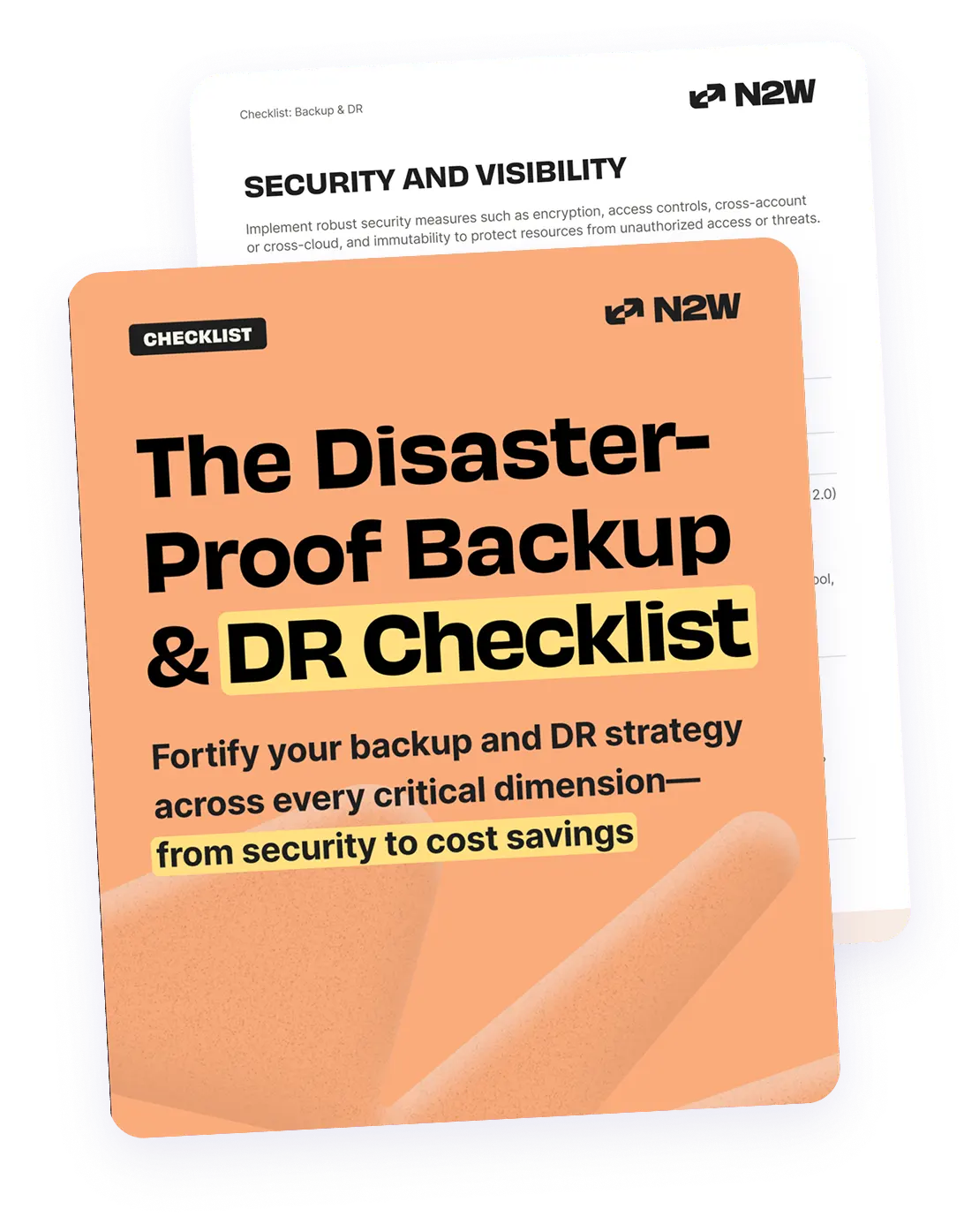
- N2W: Runs inside your own cloud account on AWS, Azure or Google Cloud, with recovery in under 60 seconds on AWS, cross-account and cross-region disaster recovery, and file-level recovery across backup generations.
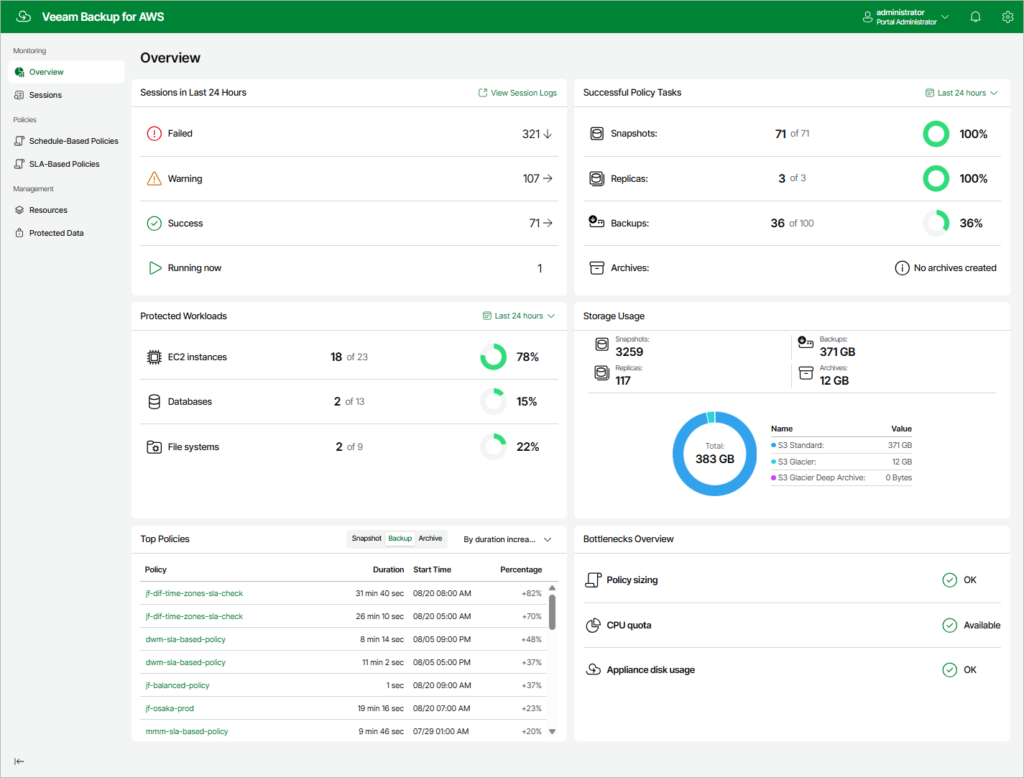
- Veeam Backup for AWS: Provides policy-based backup for AWS workloads, with support for hybrid and multi-cloud environments.
- HYCU for AWS: Offers application-aware, agentless backup and recovery with “one-click” restoration.
AWS-native backup options include:
- AWS Backup: A fully managed, centralized service to automate backups across AWS services (EBS, RDS, S3, DynamoDB, EFS, FSx, etc.).
- AWS Elastic Disaster Recovery (DRS): Recommended for minimizing downtime, it continuously replicates data at the block level from source servers to AWS.
- Amazon S3 object lock & versioning: Provides immutability for object storage, enabling compliance with regulatory requirements.
- AWS Backup vault lock: Enforces a WORM model at the backup vault level. In compliance mode, once the grace period ends, no user (including root) can delete backups or shorten retention periods.
In this article:
- Why Backup Architecture Matters: SaaS vs IaaS
- Third-Party Secure Backup Solutions for AWS Environments
- AWS-Native Secure Backup Options
- Best Practices for Securing AWS Backups
Why Backup Architecture Matters: SaaS vs IaaS
The underlying architecture of your backup solution significantly affects data security, control, and compliance. Choosing between software-as-a-service (SaaS)-based and infrastructure-as-a-service (IaaS)-based backup models determines who has access to your data and how it’s protected.
SaaS-Based Backup Tools
With SaaS backup tools, your data is stored and managed within the vendor’s cloud environment. This means backups are no longer confined to your AWS account, and control is partially handed over to the vendor. These platforms often require access to your data and encryption keys to perform backup and restore operations, which can introduce trust and privacy concerns.
Moreover, SaaS solutions may store backups in global or non-region-specific locations. This can complicate compliance with data residency and sovereignty requirements, especially for organizations in regulated industries. While some SaaS vendors offer security controls and compliance certifications, you remain dependent on a third party for enforcement and visibility.
IaaS-Based Backup Solutions
IaaS-based backups, in contrast, stay entirely within your AWS environment. You retain full control over where data is stored, how it’s encrypted, and who can access it. AWS-native tools like AWS Backup and S3 Object Lock operate using APIs and support automation, immutability, and granular permissions.
Because backups never leave your account, there’s no third-party access to your data, credentials, or keys. You can enforce regional replication, air-gapped vaults, and lifecycle policies aligned with compliance mandates. This architecture is particularly beneficial for organizations with strict security, regulatory, or operational requirements, as it provides strong control boundaries and minimizes external risk exposure.
Choosing IaaS-based backup gives you architectural and operational sovereignty, which is often necessary for achieving a truly secure and compliant backup posture in the cloud.
Third-Party Secure Backup Solutions for AWS Environments
1. N2W

N2W is a purpose-built backup and disaster recovery solution that runs entirely within your own AWS account and works through AWS APIs. It’s agentless, including application-consistent Linux backups. Windows application-consistent (VSS) backups use a lightweight agent or AWS SSM. Unlike SaaS-based alternatives, N2W operates as an IaaS model. Your data never leaves your account, your encryption keys stay under your control, and there’s no vendor-side processing pipeline.
N2W protects AWS, Azure and Google Cloud from a single console (on Google Cloud, Compute Engine VMs and persistent disks since v5.0), and archives copies to Wasabi or Azure Blob. Immutability uses each platform’s native lock. On AWS, S3 Object Lock or EBS Snapshot Lock in compliance mode blocks deletion for the retention period, even by the root user. On Azure, N2W applies a Delete lock to snapshots and a lease to archived objects. The instance itself can sit in a private subnet reachable only over VPN.
General features include:
- Policy-driven backup and scheduling: Automate backup policies across EC2, RDS, EBS, S3, EKS, and more with flexible scheduling and retention controls.
- Full environment DR orchestration: Restore complete environments including VPCs, subnets, route tables, security groups, and load balancers, not just data objects.
- Recovery in under 60 seconds on AWS: The City of Oakland recovers a full environment in about 30 seconds with N2W. This is separate from the backup interval: backups run as often as every 60 seconds, and recovery from them takes seconds rather than hours.
- Granular file-level recovery: Browse and restore individual files or folders across multiple backup generations without recovering the full instance.
- Cross-region and cross-account DR: Replicate and recover across AWS regions and accounts, recover AWS workloads into Azure (one way, bootable for Ubuntu 22 and 24, data disks for Windows), and archive copies to Wasabi.
- EKS backup and recovery: Policy-driven protection for Kubernetes namespaces and full clusters, with cross-cluster migration in a single workflow.
- Automated DR drills: Schedule Recovery Scenarios to rehearse a full recovery in a set order, and run a dry run that checks a failover against read-only AWS APIs without launching anything. Application-consistent Windows backups use the N2W Thin Backup Agent or AWS SSM.
- Cost optimization tools: Includes AnySnap Archiver for ingesting and archiving existing EBS snapshots, resource scheduling to reduce idle compute costs, and a Cost Explorer dashboard.
- One policy, multiple retentions: Define differentiated retention tiers within a single policy to avoid paying for redundant backup generations.
Security features include:
- IaaS architecture with full data sovereignty: Runs entirely inside your AWS account via secure API calls. No vendor has access to your data, credentials, or encryption keys.
- Immutable backups with Compliance Lock: Supports WORM immutability on every storage target, including Wasabi Compliance Lock from both AWS and Azure. On AWS, compliance mode means not even the root user can delete a locked backup before its retention expires.
- True cross-cloud air gap: Archive AWS backups to Azure Blob or Wasabi, a different provider with separate credentials and control plane, with that platform’s native lock applied.
- MFA and encryption key controls: MFA for N2W console users and roles, and DR copies encrypted with your own customer-managed AWS KMS keys, matched by alias or tag in the DR account.
- Independently audited vendor: N2W Software is certified to ISO/IEC 27001:2022 and holds the AWS Government Software Competency and the AWS Resilience Competency.
Teams weighing the native service against a dedicated product usually start with the N2W vs AWS Backup comparison.
2. Veeam Backup for AWS

Veeam Backup for AWS is a purpose-built backup and recovery solution that extends native AWS capabilities with added automation, security, and flexibility. It uses policy-driven protection to defend against data loss from accidental deletions, ransomware, and other threats while offering simplified, cost-effective management.
General features include:
- Policy-based workload protection: Automates backup creation based on defined schedules and scope, ensuring consistent coverage of AWS EC2, RDS, and other supported services.
- Granular and full recovery options: Supports file-level restore, volume recovery, or entire instance recovery to original or new locations across accounts or platforms.
- Cross-environment restore support: Enables recovery across AWS regions, accounts, or into hybrid or multi-cloud environments, improving disaster recovery flexibility.
- Lifecycle and cost optimization: Manages backup lifecycles through intelligent tiering and provides insights into storage consumption for cost control.
- User-friendly recovery workflows: Offers wizard-driven interfaces and self-service portals for simplified recovery operations without heavy administrative overhead.
Security features include:
- Immutable backup storage: Uses write-once-read-many (WORM) and encryption to prevent modification or deletion of backup data.
- Separation from production environments: Maintains logical air-gaps by storing backups in isolated accounts or storage vaults.
- Fine-grained access control: Employs role-based access control (RBAC) and AWS IAM policies to restrict who can manage or access backups.
- Threat-resilient data handling: Designed to protect against ransomware and unauthorized access through secure storage and access segmentation.
3. HYCU for AWS

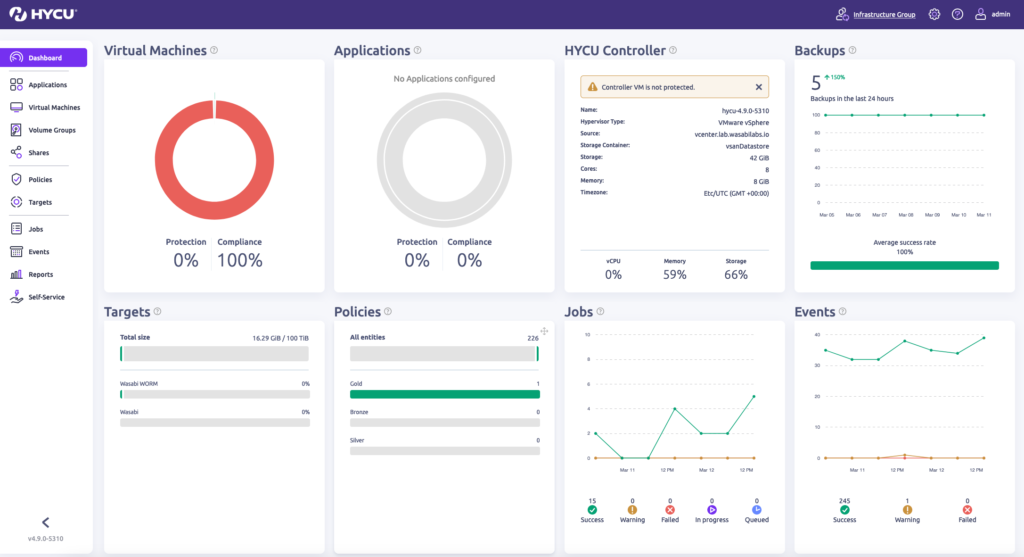
HYCU for AWS is a fully SaaS-based, cloud-native backup and disaster recovery solution that simplifies the protection and recovery of AWS workloads. It provides application-consistent backups, cross-region protection, and 1-click recovery without requiring agents or complex setup. HYCU integrates tightly with AWS services to deliver scalable data protection.
General features include:
- SaaS-native and auto-scaling: Deployed as a cloud-native SaaS platform that scales automatically with dynamic AWS resource usage.
- Single-click operations: Provides streamlined workflows for backup, recovery, migration, and disaster recovery with minimal manual steps.
- Application-consistent backups: Ensures transactional integrity for supported applications by capturing consistent backup snapshots.
- Agentless and maintenance-free: Eliminates the need for agent installation or infrastructure management, reducing operational complexity.
- Broad environment coverage: Supports cross-region and multi-account protection strategies for resilience and compliance.
Security features include:
- Immutable backup architecture: Prevents deletion or modification of stored backups during the defined retention period.
- Data integrity assurance: Uses application-aware snapshots to protect against partial or corrupted restores.
- Data ownership and sovereignty: HYCU does not retain or control user data, ensuring full control remains with the AWS account owner.*
- Reduced attack exposure: Agentless model minimizes security vulnerabilities and operational risks related to endpoint software.
- Secure SaaS model: Incorporates built-in encryption and access controls within its managed cloud platform.
*NOTE: Note: As a SaaS platform, HYCU’s control plane and workflow logic operate outside your AWS account, which may introduce data residency and sovereignty considerations for regulated workloads.
4. Acronis Cyber Protect for AWS

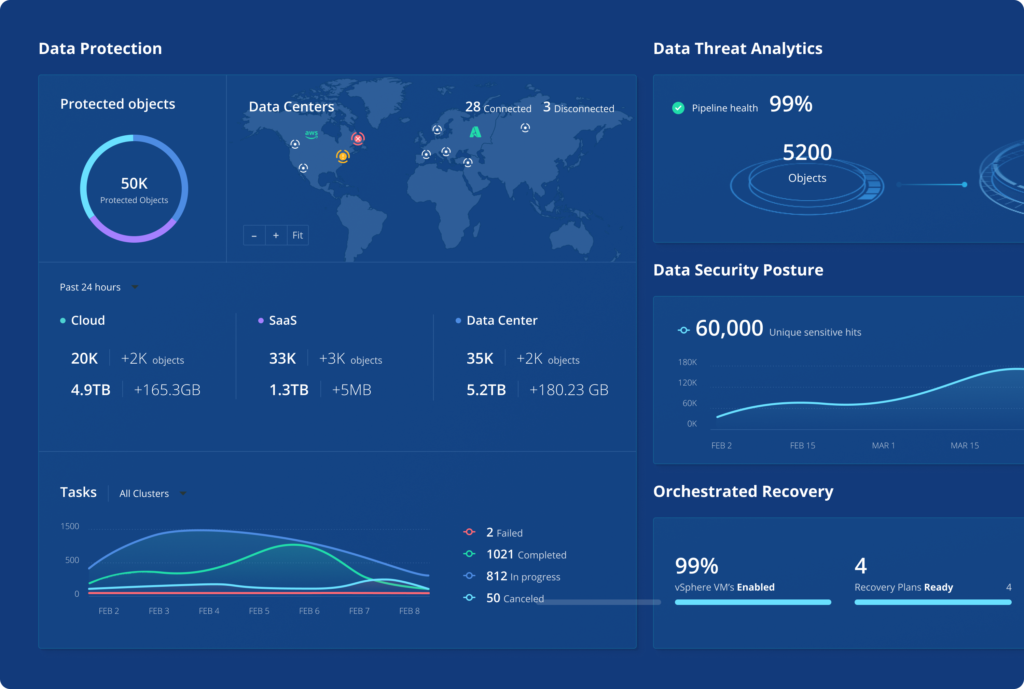
Acronis Cyber Protect for AWS delivers integrated backup, disaster recovery, and cybersecurity for Amazon EC2 instances, combining data protection with threat prevention. Intended for business and enterprise workloads, it enables incremental backups with application consistency, along with rapid recovery capabilities to reduce downtime.
General features include:
- EC2 backups: Performs full and incremental backups of EC2 instances, including system states and configurations.
- Rapid recovery workflows: Enables near-instant restore of workloads to reduce operational downtime during incidents.
- Consistent backups for applications: Supports application-aware backup to preserve data consistency for recoverable states.
- Customizable scheduling: Offers flexible backup scheduling to align with workload priorities and business continuity needs.
- Unified management console: Centralizes administration of backup policies, recovery operations, and security configurations.
Security features include:
- Encryption for data security: Uses AES-256 encryption to secure data in transit and at rest.
- Tamper-resistant storage: Protects backups with immutability controls that prevent alteration or deletion before expiration.
- Integrated anti-ransomware defenses: Includes behavioral detection and AI-driven threat prevention to guard against ransomware attacks.
- Application-aware integrity checks: Verifies data consistency during backup and restore operations to reduce the risk of corrupt recoveries.
- Centralized security policies: Provides a unified interface to enforce and monitor backup-related security across all EC2 workloads.

5. Rubrik for AWS Backup

Rubrik for AWS delivers a unified, cloud-native data protection solution that simplifies backup, recovery, and data management across AWS and hybrid environments. Built to natively support AWS workloads, including EC2 and S3, Rubrik automates protection through policy-driven workflows and ensures rapid recovery with low RTOs and RPOs for supported workload types. It also enables cost-effective long-term retention and application mobility.
General features include:
- Policy-based automation: Enables automated backup and lifecycle operations based on centrally defined policies.
- Native AWS workload support: Protects EC2, S3, and Outposts resources with deep integration into AWS APIs and services.
- Unified global management: Manages policies and backup operations across regions and accounts through a single interface.
- Low recovery time and point objectives: Delivers low RTOs and RPOs for supported workload types through optimized recovery paths.
- Workload portability and reuse: Supports VM conversion and reuse of backups for testing, development, or workload migration.
Security features include:
- Immutable, isolated backups: Creates tamper-proof copies using logical air-gaps and immutable storage policies.
- Consistent application recovery: Ensures reliable restores with application-consistent snapshots and data protection.
- Visibility and audit readiness: Offers centralized logging and reporting for backup activity to support compliance audits.
- Secure asset discovery: Automatically identifies AWS assets and applies protection with minimal manual configuration.
- Multi-layer access control: Supports role-based access, hybrid-cloud segmentation, and workload isolation to limit exposure.
AWS-Native Secure Backup Options
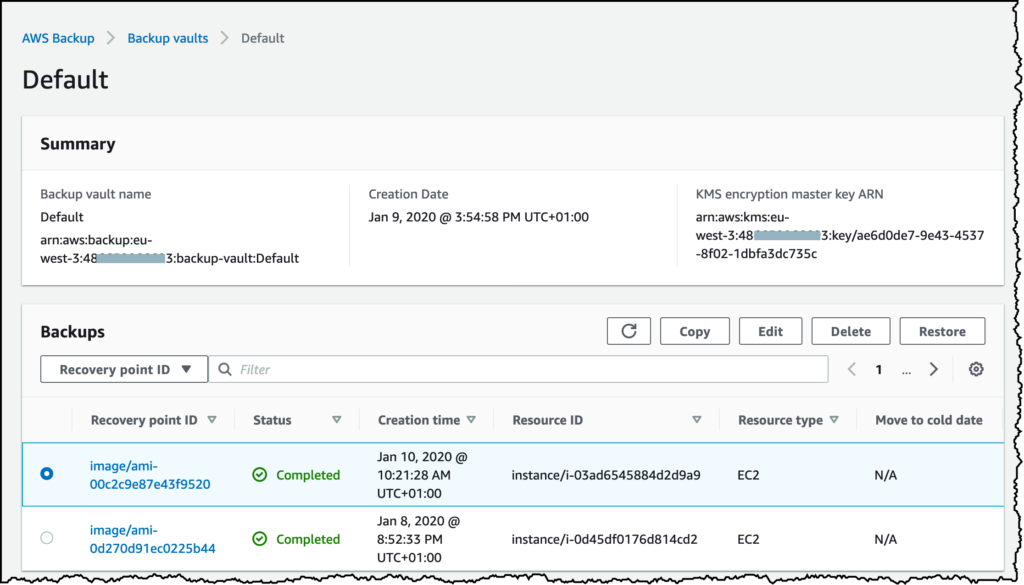
6. AWS Backup
AWS Backup is a fully managed backup service designed to centralize and automate the backup of data across AWS services such as Amazon EBS, RDS, DynamoDB, EFS, EC2, and AWS Storage Gateway. It provides policy-based management, so you define backup schedules, retention policies and lifecycle rules from a single interface. AWS Backup integrates with AWS Organizations for consistent backup management across multiple accounts, making it easier to enforce standards and compliance.
Security features include:
- Encryption in transit and at rest: Secures data using AWS-managed or customer-managed keys via AWS Key Management Service (KMS).
- Granular access control: Integrates with IAM to enforce fine-grained permissions for backup and restore operations.
- Backup vault isolation: Stores backups in vaults that can be segregated by policy or account to limit access and exposure.
- Cross-region backup support: Allows replication of backups across regions to protect against regional outages or failures.
- Monitoring and audit integration: Works with CloudTrail and AWS Config for tracking and auditing changes to backup operations and configurations.
7. AWS Elastic Disaster Recovery
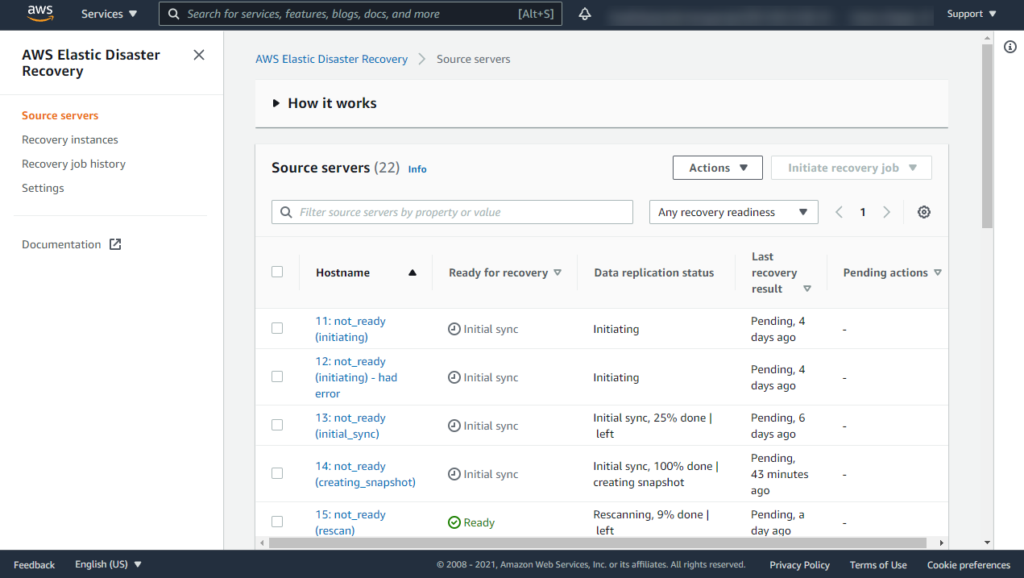
AWS Elastic Disaster Recovery (AWS DRS) is a managed service focused on recovering applications and workloads in AWS quickly after disruptions. It continuously replicates source servers, whether they are on-premises, in other clouds, or within AWS, to a staging area. In case of a disaster, rapid failover to AWS can restore critical services with a low recovery point objective (RPO) and recovery time objective (RTO).
Security features include:
- Encrypted replication traffic: Protects data as it replicates between source environments and AWS by using encryption protocols.
- IAM-based access control: Supports role-based permissions to define which users or services can manage replication and recovery.
- Production and recovery isolation: Maintains a clear separation between primary systems and staging area copies to reduce threat exposure.
- Network segmentation support: Enables separation of traffic and control planes to prevent unauthorized access or lateral movement.
- Integrated anomaly detection: Works with AWS monitoring tools to identify suspicious activity related to backup or failover processes.
8. Amazon S3 Object Lock and Versioning
S3 Object Lock
Amazon S3 Object Lock allows organizations to store objects in a write-once-read-many (WORM) mode, making them immutable for a fixed retention period. This feature protects against deletion or modification from both internal and external threat actors, a critical defense against ransomware and insider threats. S3 Object Lock can be applied via governance or compliance mode, supporting both regulatory requirements and operational needs.
S3 Object Lock features include:
- Write-once-read-many protection: Prevents data from being modified or deleted for a defined retention period.
- Compliance and governance modes: Offers two enforcement levels to meet both operational needs and regulatory mandates.
- Tamper resistance: Helps protect data against insider threats, malware, or accidental deletions by locking content.
S3 Versioning
Versioning in S3 further secures data by preserving, retrieving, and restoring every version of every object stored. Even if an object is deleted or overwritten, previous versions remain accessible, providing strong protection against accidental or malicious data loss. Organizations can combine versioning with Object Lock to ensure multiple layers of recoverability, enabling point-in-time restores and strong defense against data tampering within backup repositories.
S3 versioning features include:
- Historical data preservation: Keeps all previous versions of objects, enabling recovery from overwrites or deletions.
- Point-in-time recovery: Allows rollbacks to earlier object states as part of backup or restore operations.
- Layered protection strategy: Can be combined with Object Lock for enhanced resilience and data recoverability.
9. AWS Backup Vault Lock
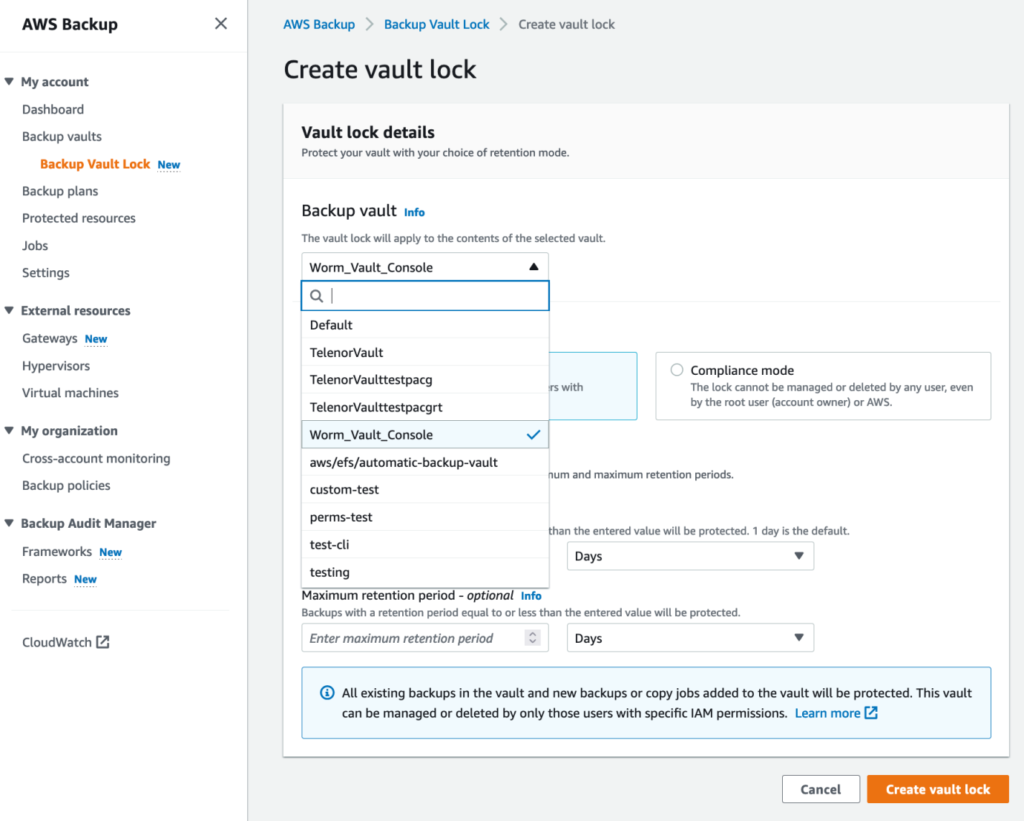
AWS Backup Vault Lock provides a mechanism to enforce backup immutability within AWS Backup vaults. In compliance mode, once a grace period of at least 72 hours ends, backup data in the vault cannot be modified or deleted by any user, including the root user, until the retention period expires. Governance mode can be removed by users with sufficient IAM permissions. This aligns the vault’s behavior with regulatory requirements for immutable backups and provides a strong countermeasure against ransomware or malicious insider threats.
Security features include:
- Infrastructure-enforced immutability: Prevents modification or deletion of backups through Vault Lock policies that are enforced at the AWS infrastructure level.
- Irreversible retention enforcement: In compliance mode, once the grace period ends, the lock can’t be changed or removed, by you or by AWS.
- Complementary security integration: Works alongside IAM, encryption, and monitoring services to build a defense-in-depth backup strategy.
- Ransomware mitigation: Ensures backup integrity even in the event of administrative credential compromise or malicious activity.
10. Logically Air-Gapped Vaults
A logically air-gapped vault is a vault type in AWS Backup. Recovery points in it are locked in compliance mode by default, so no one, including the root user, can delete them within the retention period. You share the vault with other AWS accounts, inside or outside your Organization, through AWS Resource Access Manager, and those accounts restore from it directly without copying it first. Paired with Multi-party approval, recovery still works if the account that owns the vault is compromised or locked out. The vault stays on AWS, with the same provider and control plane, so the gap is logical rather than physical.
Security features include:
- Isolation from production systems: Achieved through separate AWS accounts, IAM roles, and network segmentation to block direct access from production environments.
- Multi-layer protection architecture: Uses a combination of Vault Lock, Object Lock, and replication to maintain backup integrity.
- Access pathway restrictions: Enforces strict controls via IAM, SCPs, and MFA to limit who can interact with backup data.
- Resilient to compromise: Ensures backup data remains untouched and recoverable even if primary systems are breached or encrypted.
- Supports compliance and response plans: Aligns with best practices for data retention and incident recovery by keeping backup copies protected from internal and external threats.

Best Practices for Securing AWS Backups
Immutability and Lock Policies
Enforcing backup immutability is a critical safeguard against ransomware and insider threats. By making backup copies unchangeable for a mandated retention period, organizations prevent both accidental and malicious deletions or alterations. AWS offers mechanisms like S3 Object Lock, Backup Vault Lock, and cross-account vaulting, while many third-party solutions also provide policy-based immutability features. These tools implement write-once-read-many (WORM) protections, effectively severing the ability to compromise backup integrity after initial creation.
Policy enforcement requires not just technical implementation but operational discipline, ensuring that retention times are long enough to cover reasonable threat scenarios and that lock periods cannot be circumvented even by administrators. Immutable backups should be standard in every backup policy, with regular reviews to verify that WORM settings are active on all critical data sets. Immutability provides a strong second line of defense, ensuring recovery even if production environments are compromised.
Encryption at Rest and in Transit
Encrypting backups both at rest and during transit is fundamental for protecting sensitive data from unauthorized access, interception, or leakage. AWS provides default encryption options, such as server-side encryption for S3, EBS, and RDS, as well as Bring Your Own Key (BYOK) capabilities through AWS Key Management Service (KMS). Encryption in transit employs protocols like TLS to secure data as it moves between AWS services or to third-party backup repositories.
Third-party backup tools typically integrate with AWS KMS or offer native end-to-end encryption. It is vital to standardize and enforce encryption settings across all backup jobs, ensuring backup copies are never stored or moved in plaintext. Key management is equally important, with best practices including regular rotation, access limiting, and monitored usage for encryption keys. Properly configured encryption drastically reduces the risk of data exposure from lost, stolen, or intercepted backup files.
Cross-Region/Cross-Account Replication
Backing up data to another AWS region or account is an effective strategy for achieving resilience against region-specific outages, disasters, or account compromises. Cross-region replication ensures that a catastrophic event in one location does not result in total data loss, while cross-account backups protect against credential theft or insider threats that may impact a single account’s backups.
AWS and third-party backup solutions typically support automated replication workflows, enabling organizations to define secondary storage targets based on regulatory, geographic, or business continuity requirements. For best results, backup copies in the secondary location should also be protected with immutability, encryption, and access controls. Regularly verifying that replicas remain current and restorable solidifies the benefits of this approach, providing both operational and strategic assurance.
Least Privilege Access
Implementing the principle of least privilege ensures users and services have only the minimum permissions needed to perform their backup and recovery roles. In AWS, this means granting narrowly scoped IAM roles to backup software, administrators, and automated jobs. Least privilege reduces the attack surface by limiting opportunities for credential misuse or mistake-driven disruptions.
Policies should be frequently reviewed and enforced via AWS Organizations, IAM, and service control policies (SCPs). Automated tools can help detect and remediate over-privileged accounts or roles tied to backup resources. Segregating duties (such as separating backup management from restore permissions) adds an extra safeguard. Enforcing least privilege is essential for preventing lateral movement or privilege escalation attacks targeting backup repositories in AWS.
Regularly Test Restore Capabilities
Backup strategies are ineffective if recoverability is untested or uncertain. Organizations should regularly test their restore processes using both full and granular recovery to ensure backups are not only complete but also usable. These exercises detect issues such as incompatibility, corruption, or missing data before an actual incident occurs.
Testing restores also provides documentation and assurance for compliance and auditing purposes. Automating these tests where possible ensures consistency and enables detection of process drift. Testing should cover both production and replica locations, simulating a variety of disaster recovery scenarios (including region or account failures) to validate the end-to-end reliability of the backup and recovery pipeline in AWS.
✅ TIP: Solutions that support automated, scheduled recovery drills, like N2W, remove the dependency on manual testing cadences and reduce the risk of untested gaps in your recovery plan.
Monitor and Audit
Continuous monitoring and auditing strengthen backup security by enabling the detection of anomalous or unauthorized activities. AWS provides native tools, such as CloudTrail, CloudWatch, and AWS Config, to track backup operations and configuration changes, while third-party tools extend this visibility with more granular alerting and auto-remediation capabilities.
Audit logs should be immutable and retained in secure, isolated locations for a duration that meets regulatory and incident response needs. Automated monitoring should be configured to flag deletions, changes to backup schedules, or alterations in backup storage configuration. Proactive alerting enables swift incident response, reducing the risk that threats to backup data go undetected or unresolved. This layer of oversight fortifies the operational reliability of backups and ensures organizations can trust their recovery posture in AWS.
Frequently Asked Questions
Yes. S3 Object Lock, EBS Snapshot Lock and AWS Backup Vault Lock in compliance mode block deletion until retention expires, even by the root user. Governance mode can be bypassed by users with enough IAM permissions, so the guarantee needs compliance mode.
A logically air-gapped vault isolates backups in a locked vault you share across accounts, but it stays on the same provider and control plane. A true air gap puts the copy with a different provider, such as Azure Blob or Wasabi, under separate credentials.
In-account (IaaS) tools keep backups and keys in your own account, so no vendor holds a copy. SaaS tools hold the backup data in the vendor’s environment, which adds a third party to your access and data-residency review.
It depends on what you restore and from where. On AWS, N2W recovers in under 60 seconds, and the City of Oakland recovers a full environment in about 30 seconds.
Conclusion
Securing backups in AWS is not just about data recovery; it’s a critical component of your overall cloud security strategy. By using native AWS capabilities alongside carefully selected third-party solutions, organizations can build layered defenses that ensure backup data remains available and recoverable.
Implementing immutability, encryption, and cross-account replication, while enforcing least privilege and continuous monitoring, helps mitigate risks from ransomware, human error, and insider threats. A secure backup architecture is essential for resilience, regulatory alignment, and maintaining control in increasingly complex and distributed AWS environments.